Sunday, 31 January 2021

Top 10 Best YouTube Cameras for 2021

In 2019, it was reported by Tubefilter that every minute worldwide, 500 hours of videos are uploaded to YouTube. Yes, you read that right. 500 hours. YouTube is one of the biggest marketing platforms there is and if you own a business or are trying to bring in new clients to your design business and aren’t putting videos on YouTube, then you’re leaving money on the table.

Maybe you don’t know anything about recording video and that’s ok. That’s where we come in. We want to help you grab a piece of that pie and grow your business and your client base and the best way to start doing that is with the right gear. With our list of the best cameras for YouTube, you’ll be recording videos in no time and bringing clients to your virtual door.

Let’s get started by looking at what you should consider in a camera for YouTube 2021.

5 things to consider when buying a camera for YouTube

From an outsider’s perspective, many cameras that you could use for YouTube look extremely similar. However, there are certain key factors that you should pay attention to when you start shopping.

Articulating screen

If you’re trying to film yourself, having a camera with an articulating screen is a gift from heaven. Whether it flips out of the side or pivots up to the top, each one essentially gives you a live preview of what you’re recording which can give you important information about the shot composition, focus, and exposure. An articulating screen helps you focus on other aspects of your video without worrying about the basics.

Autofocus

If you’re a filmmaker, manual focus is generally what you would look for, however, to keep recording your video as simple as easy as possible, having a camera with great autofocus is important. If you can procure one that comes with face/eye tracking, it can certainly help, especially if you move a lot in your videos. The focus will adjust automatically to compensate for your movement.

Built-in stabilization

Speaking of moving around a lot while shooting video, it can sometimes result in shaky footage that can be hard to watch (unless you’re remaking the Blair Witch Project). Many cameras made these days come with built-in image stabilization that will compensate for motion automatically. Not every camera is the same in this regard. Some are better than others.

Audio options

The microphone on a camera can record the sound for your video without a problem. An external microphone however can improve the clarity of the audio and also help reduce and ambient noise you might not want. Before choosing a camera, check for mic inputs plus a hot shoe for mounting a mic. Some cameras may even come with a headphone input so you can monitor the audio while recording.

Live Streaming options

If you’re going to be editing your video before uploading them, having a live-streaming option may not be necessary for you. On the other hand, if you want to broadcast live, it’s worth checking to see if the camera you buy supports YouTube live streaming. More and more cameras are coming with live streaming built-in, meaning that it’s not just webcams and smartphones covering the market.

Best YouTube Cameras for 2021 – Overview

So, we know to look for an articulating screen, with good stabilization, audio recording, and maybe live streaming built-in. Not a bad list to focus on. Luckily, we think that the list we’ve compiled below can check some if not all of the things that you should be looking for in a camera for YouTube. Don’t believe us? Keep reading.

Best YouTube Cameras for 2021

Canon PowerShot G7 X Mark III
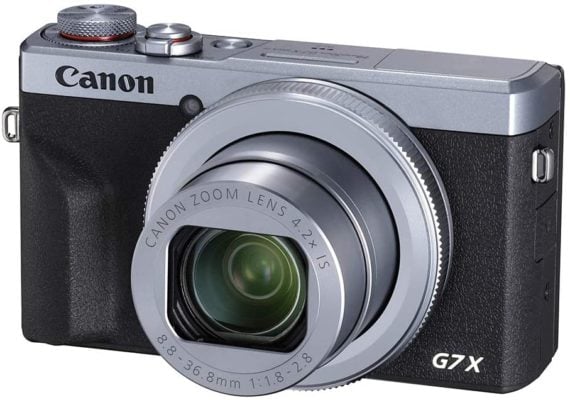
Canon PowerShot G7 X Mark III

A great compact camera with 4K and live-streaming capabilities

Max video resolution/frame rate: 4K UHD at 30p | AF points: 31 | eight: 304g | Battery life (CIPA): 235 sho\ts

Sometimes you just need a camera for YouTube that’s powerful, convenient, easy to use, and most importantly, affordable. Luckily, the PowerShot G7 X Mark III from Canon check all of those boxes. It comes with a fast 24-100mm f/1.8-2.8 lens that is not only versatile but gives you real flexibility. The camera produces beautiful 4K UHD video at 30fps but there is a 10-minute time limit on this high-quality footage. If live-streaming is your thing, the PowerShot G7 can broadcast right to YouTube. If you’re just beginning or maybe have a little experience with YouTube videos, this camera is a perfect option that just works.

Learn More


Canon EOS 90D
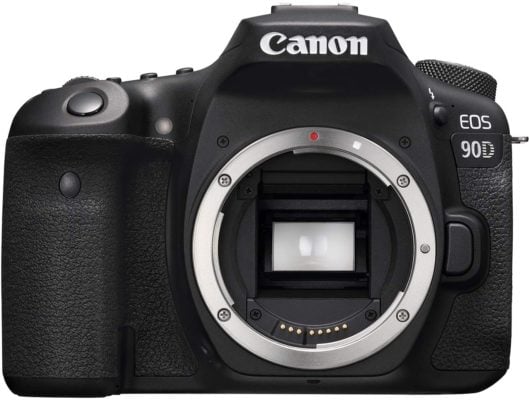
Canon EOS 90D

A perfect blend of classic handling with excellent video capabilities

Max video resolution/frame rate: 4K video at 30p | AF points: 45 (all cross-type) | Weight: 701g | Battery life (CIPA): 1300 shots

With the release of the EOS 90D from Canon, you can tell that the manufacturer has emphasized the video market with its uncropped 4K video support, microphone, and headphone ports, and Full HD at up to 120p. While it still holds onto its DSLR legacy, meaning that it is heavier and clunkier than other options out there, it’s also weather-sealed and also comes with an impressive viewfinder. The only real downsides are a lack of in-body stabilization and only one card slot. Otherwise, the EOS 90D is an absolute steal.

Learn More


Blackmagic Pocket Cinema Camera 6K
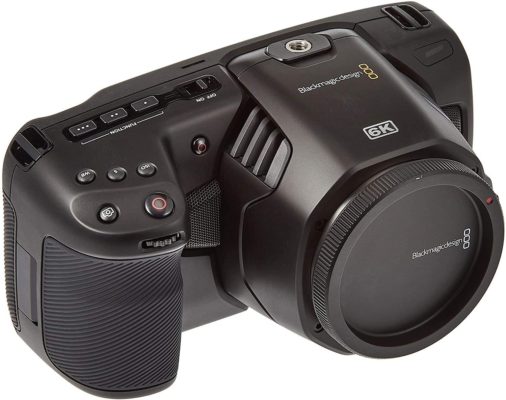
Blackmagic Pocket Cinema Camera 6K

The best professional camera for YouTube

Max video resolution/frame rate: 6K at 50p | AF points: Not specified | Weight: 898g | Battery life (CIPA): Not specified (real-world tests indicate approx 45 minutes of 6K shooting)

With an already great reputation amongst filmmakers, Blackmagic cameras are excellent options that produce amazing footage as easily as possible. The Pocket Cinema Camera 6K was a surprise to many but received rave reviews just the same. A large Super 35 sensor and being able to shoot 6K footage at 60fps makes the camera a great option for creating YouTube videos. With a Canon EF mount on board, the camera will be able to use many of the great lenses that Canon offers, saving you some money in the long run. The 6K camera is an excellent choice for anyone who is seriously considering turning their YouTube channel into a career.

Learn More


Sony A6600
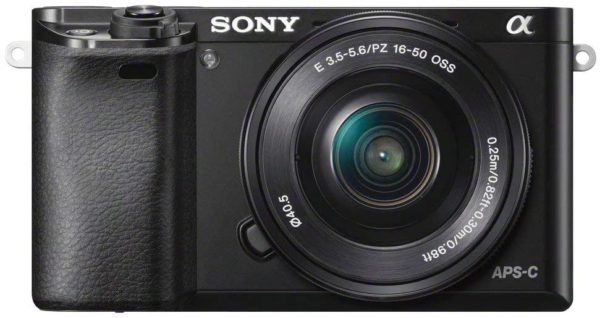
Sony A6600

A great combination of autofocus and in-body stabilization in an excellent camera

Max video resolution/frame rate: 4K at 30p | AF points: Not specified | Weight: 503g | Battery life (CIPA): 720 shots

While some may prefer the Sony A6400 over the A6600 because it’s a cheaper option, we’ve chosen the latter and with good reason. While the video specs are almost identical to the A6400, including 24.4MP Exmor APS-C sensor and Bionz X processor. You will notice a few key features that make the A6600 a better camera for YouTube including in-body image stabilization, mic and headphone ports, plus the Real-time Eye Autofocus for movies which is an excellent addition. While the tiny buttons and confusing menus might make some users frustrated, the A6600 is a great camera for anyone looking to post amazing videos on YouTube.

Learn More


GoPro Hero9 Black
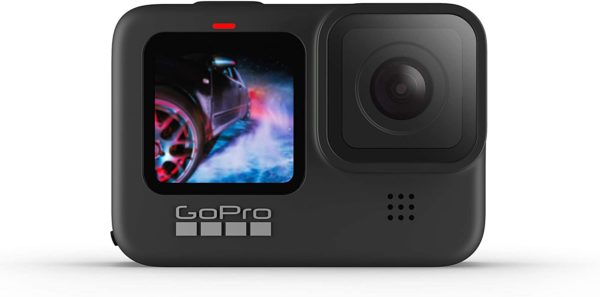
GoPro Hero9 Black

The perfect camera for all your outdoor YouTube creations

Max video resolution/frame rate: 5K video at 30p | AF points: Not specified | Weight: 159g | Battery life roughly 90 to 100 minutes

It’s a pretty safe bet that we don’t have to tell you what a GoPro is. Already a household name, their waterproof design offers you a versatility that you won’t find on any other camera on our list. Sporting a new front screen to make vlogging easier using the Hero 9 Black, it also features best-in-class image stabilization for smooth footage no matter the conditions. If you’re an adrenaline junkie and want a camera you can mount to a mountain bike, take down the Colorado rapids, or just out of a plane with, the Hero 9 Black from GoPro is the best option you have right now.

Learn More


Canon EOS M6 Mark II
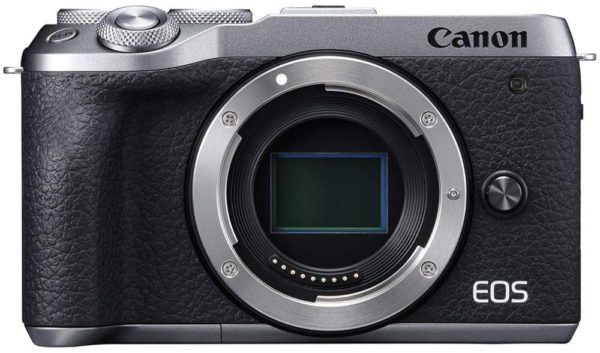
Canon EOS M6 Mark II

A camera that’s ideal for vloggers

Max video resolution/frame rate: 4K video at 30p | AF points: Not specified | Weight: 408g | Battery life up to 410 shots

A great compact camera, the EOS M6 Mark II from Canon is packed with an APS-C sensor along with a high resolution of 32.5MP. While that’s great for people shooting still shots, videographers focused on YouTube have plenty to like about this camera. A flip-up touchscreen is great for self-shooting plus the camera can shoot 4K at 30fps or even 1080p at a nice 120fps. The Dual Pixel CMOS AF with eye detection helps keep your face in focus throughout your videos. Although the small selection of native lenses may be a huge drawback for some, if you’re focused on YouTube, this won’t affect you much as you can use the screen for shot composition. If you do want to broaden your photography horizons, you can adapt Canon’s huge range of EF lenses to branch out into different areas.

Learn More


Panasonic S5
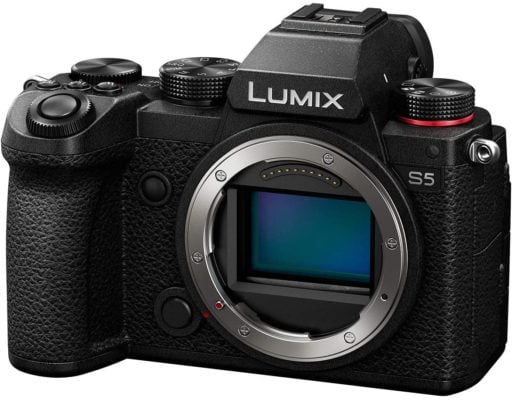
Panasonic S5

A full-frame camera with a lot to offer

Max video resolution/frame rate: 4K video at 60p (cropped | AF points: Not specified | Weight: 714g | Battery life up to 470 shots

While previous iterations of Panasonic’s full-frame camera line didn’t catch on with consumers, the S5 looks to address those issues with a smaller and more portable body, along with better autofocusing, while still keeping the specs that will appeal to vloggers and YouTubers, Features such as 4K recording, a fully articulating screen, dual memory cards and support for V-log. Starting at 20mm, the standard kit lens is well-suited to filming clips to the camera. While the downside is still a lack of super-fast autofocus and that the lenses tend to be on the big and bulky side, overall the S5 from Panasonic is a good hybrid all-around camera.

Learn More


Sony A6000
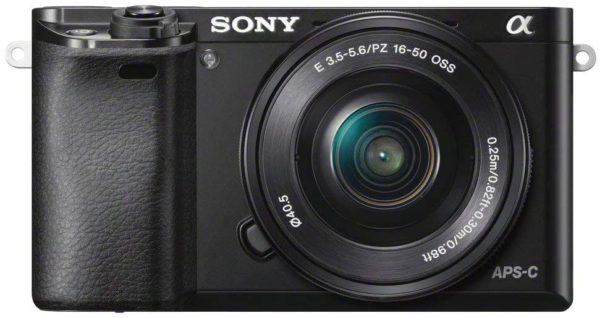
Sony A6000

The best budget-friendly camera for YouTube

Max video resolution/frame rate: Full HD at 60p | AF points: 179 | Weight: 344g | Battery life (CIPA): 360 shots

While the A6000 from Sony is a bit long in the tooth and many newer versions in the A6000 range have been released, there is a reason why this one is still so popular with YouTubers. Even without some of the bells and whistles that newer cameras come with such as 4K video and a streamlined menu, the A6000 still has chops with its 24MP APS-C sensor and a 179-point autofocus system. The E-mount lets you access numerous great lenses and the footage you can produce still looks amazing. While the newest cameras may have a ton of appeal, sometimes looking at a previous release can give you a diamond in the rough.

Learn More


Olympus E-M5 Mark III
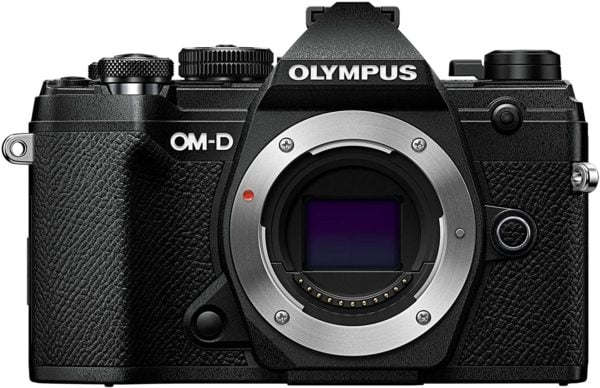
Olympus E-M5 Mark III

A lightweight camera, packed with features

Max video resolution/frame rate: 4K at 30p | AF points: 121 | Weight: 414g | Battery life (CIPA): 310 shots

With a lightweight polycarbonate construction plus high-quality in-body image stabilization, the E-M5 Mark III from Olympus is a dream for YouTubers. With a feeling of being created solely for long, handheld recording sessions, the Mark III has some impressive specs including Cinema 4K at 24fps along with a bit-rate of 237Mbps. The camera also comes with the ability to capture slo-mo video in 1080p resolution at 120fps. While its Four Thirds sensor may not be as large as those on many mirrorless options out there, the Mark III may lag when it comes to outright image quality although the video footage captured gives your great color rendition and superb detail. Plus, its variable angle touchscreen makes self-shooting easy. If you’re looking for a camera to shoot traditional photos, you may want to look elsewhere but it is a powerful option for making YouTube videos.

Learn More


Sony ZV-1
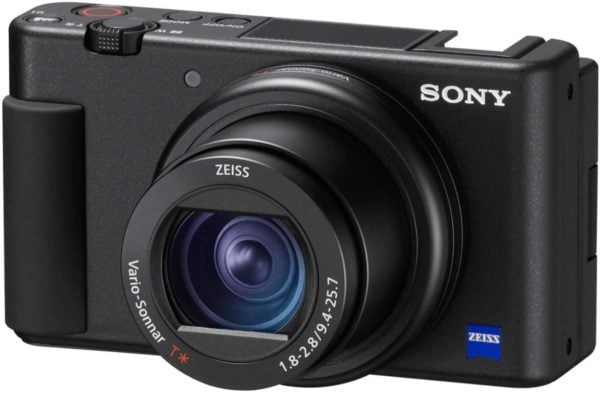
Sony ZV-1

A perfect camera for beginners

Max video resolution/frame rate: 4K video at 30p | AF points: 315 | Weight: 294g | Battery life (CIPA): 260 shots

Unlike many of Sony’s past compact and mirrorless cameras, the ZV-1 puts video capabilities at the forefront and still shooting as an extra. The ZV-1 is designed to be a vlogging camera first and foremost with a bunch of features that come standard with the camera. Features like an on-board directional microphone are a nice touch and keep you from having to buy one, saving you money. While it’s a newer camera from Sony, the autofocus is one of the best available. Overall, the ZV-1 is great for someone just getting started with YouTube and the camera’s automated modes help streamline the process.

Learn More


Panasonic Lumix GH5S

Panasonic Lumix DC-GH5S

Best high-end camera for creating videos

Max video resolution/frame rate: C4K/4K UHD at up to 60/50fps | AF points: 225 | Weight: 660g | Battery life (CIPA): 440 shots

While it’s not the newest camera on the block, the GH5S from Panasonic still offers YouTubers some of the best specs available today. The multi-aspect sensor lets you shoot at different aspect ratios with ease such as in Cinema 4K 17:9 format. It also offers a Dual Native ISO meaning that the video produced has less noise and is cleaner. With its DSLR-esque design, it’s easy to hold and with no time limits on a recording, you can shoot till you fall asleep. With features like 10-bit 4K footage as well as 10x slow-motion in Full HD, the GH5S from Panasonic is a capable camera.

Learn More


Fujifilm X-T4

Fujifilm X-T4

A brilliant APS-C camera that’s perfect for YouTube

Max video resolution/frame rate:4K at 60p | AF points: 425 | Weight: 607g | Battery life (CIPA): 500 shots

While its aesthetics may scream retro, the X-T4 is anything but old school. Fujifilm’s packed a lot of features into their most advanced APS-C camera yet and it makes the X-T4 perfect for YouTube. Weather-resistant, the camera comes with a touchscreen that is fully articulate which is helpful when framing shorts. Along with Cinema 4K at up to 60fps, the camera also supports 10-bit internal recording, HDMI out, HLF profiles, and up to 400Mbps bit-rate. With super slow-motion up to Full HD at 240fps, X-T4 becomes a very versatile option for YouTube. With other features including five-axis image stabilization, autofocus with improves eye- and face-detection, the X-T4 may be pricey but is a serious tool for YouTubers.

Learn More


DJI Osmo Pocket
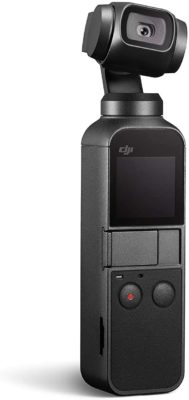
DJI Osmo Pocket

A great, take-everywhere camera

Max video resolution/frame rate: 4K video at 60p | AF points: Not specified | Weight: 116g | Battery life (CIPA): 140 minutes

If you’re on the move a lot, you normally would need to attach a gimbal to your camera or buy a handheld camera/gimbal combo such as the Osmo Pocket from DJI. A great option for traveling, it can be taken pretty much anywhere and produces reliably smooth video due in large part to its three-axis gimbal mechanism. With 4K resolution at 60p, the quality is great for this type of camera putting it in the neighborhood with some of the best action cameras. While the sound quality could be better, the Osmo Pocket is a great choice for travel vlogging.

Learn More


Panasonic G100
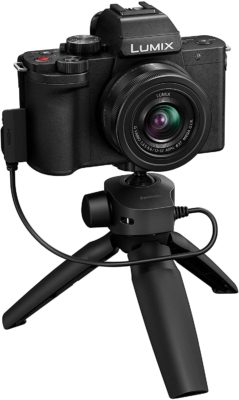
Panasonic G100

A great camera for video that boasts amazing sound

Max video resolution/frame rate: up to 4K video at up to Full HD | AF points: Not specified | Weight: 352g | Battery life (CIPA): 270 shots

Just because you might be shooting YouTube videos all day, it doesn’t mean that you can take still photos as well. With the G100 from Panasonic, you can do just that as it is one of the strongest contenders out there with a viewfinder and 3.69-million EVF dot. While that won’t mean much to a vlogger, for still photos, it’s great for shooting in bright conditions. This doesn’t mean that it’s not great for video as well. The Nokia Ozo-equipped triple microphone does a great job isolating voices from background noise. The overall video quality is very good with plenty of detail and good colors. The only real knocks on the G100 are a 1.6x crop in 4K mode and the autofocus system is slightly older. If your YouTube channel doesn’t feature a lot of movement, then the G100 from Panasonic is one of the best 4K all-rounders that you can buy.

Learn More


Panasonic Lumix G95
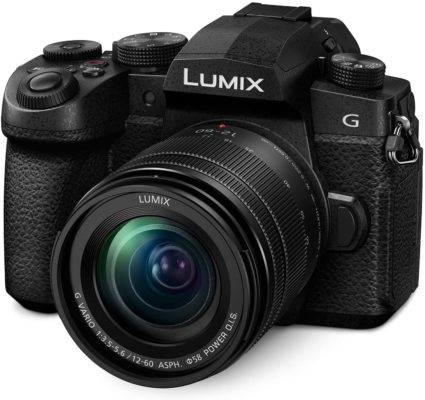
Panasonic Lumix G95

A tremendous weatherproof camera loaded with options.

Max video resolution/frame rate: 4K at 30p | AF points: Not specified | Weight: 533g | Battery life (CIPA): 290 shots

Designed with video in mind, the G95 comes with features aplenty that make it a great choice for shooting YouTube content. Along with in-body image stabilization, the G95 features a flip-out OLED touchscreen, mic and headphone inputs, weatherproof build, and a wide variety of video formats – including V-Log L – make the G95 a versatile and powerful camera. While it is a bit pricey for a mid-range model, it is cheaper than some of the other options that Panasonic creates and offers many of the same benefits.

Learn More


Best YouTube Cameras for 2021

In 2019, the highest-paid YouTuber was a nine-year-old who made a reported 26 million dollars. That’s crazy! If there is one thing that his success has taught us is to go through our list of the best YouTube cameras for 2021 and start recording. Who knows, you could be the next YouTube millionaire.

The post Top 10 Best YouTube Cameras for 2021 first appeared on JUST™ Creative.

Thursday, 28 January 2021

10 Best Charcoal Brushes for Procreate

Charcoal is a great medium to create life-like portraits. It equips an artist with the perfect option to highlight the effects of light and shadow with shading. Charcoal sketches also work great to distinctively elaborate the gradients on a hand-drawn surface.

Apart from creating portraits, charcoal also plays a crucial role in rough sketching and under-drawing for paintings. It is a black crumbly material made of carbon that has been used in many traditional media art for ages. There are a great bunch of brush packs on offer if you are keen to recreate the effects of charcoal on paper on your iPad screen.

Procreate is a perfect application for illustrators. It can meet the demands of a wide variety of painting and drawing styles. If you are a charcoal and graphite art enthusiast, keen to create the most realistic sketches and portraits, or looking for an avenue to add finer details to your painting, you should try out the Procreate charcoal packs. Here, we have listed the top 10 best charcoal brush packs for Procreate that serve each purpose you may need to meet in your iPad digital art.

Top 10 Best Charcoal Brushes for Procreate

Below is a summary of the best charcoal brushes for procreate:

More Top Procreate Brush Compilations


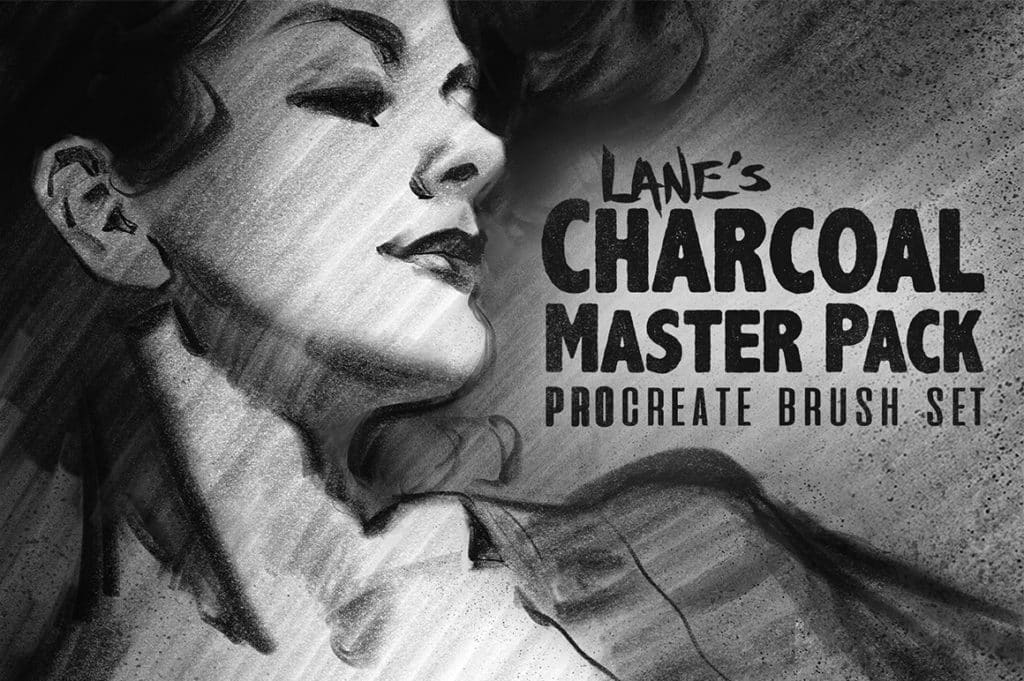
The Charcoal Master Pack: Procreate Brush Set

The Charcoal Master Pack Procreate Brush Set

Compatible with Procreate 5+, the charcoal master pack comes with 38 fine-tuned brushes. The collection is inspired by great artists such as Andrew Loomis, John Singer Sargent, and Glen Keane. This brush set leverages the benefits of Procreate 5’s brush engine and Apple Pencil’s tilt control to offer as fulfilling natural effects as possible.

Apart from the 38 brushes, the brush pack also includes 25 paper textures to draw on, for example, portraits and a brush guide. To meet the definite stylization needs of charcoal art, the pack includes a wide array of charcoal pencils, willow, vine, charcoal dust, and compressed charcoal sticks. It comes packed in a file size of more than 700 megabytes with file types .jpg, .pdf, and .brushset.

Download Now


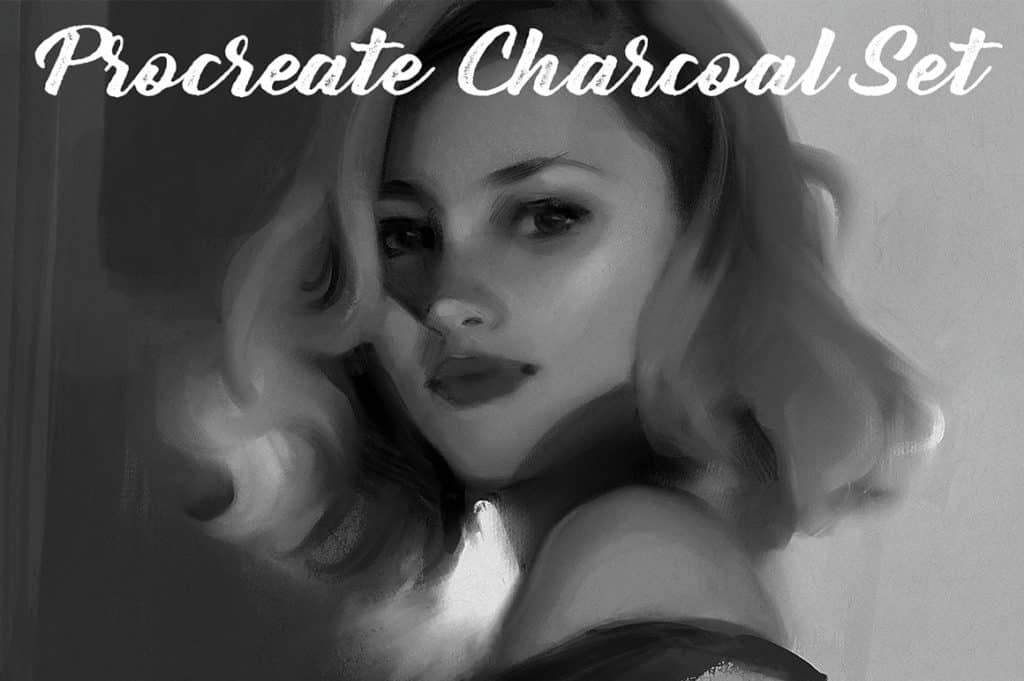
Procreate Charcoal Brush Set and Texture Pack

Procreate Charcoal Brush Set and Texture Pack

If you are looking for options to create realistic charcoal works, this set of custom charcoal brushes is the option to choose from. The set comes packed with six custom Procreate application brushes and 20 high-quality paper textures. The custom brushes cover the entire range spanning from thin willow charcoal to thick charcoal, along with distinct options for willow charcoal, blended charcoal, charcoal powder, and charcoal dust. The file-size of the pack is a little more than 210 megabytes and comes in the file extensions of .png and .brushset. Since the files are available in .png format, it works with most of the graphic software.

Download Now


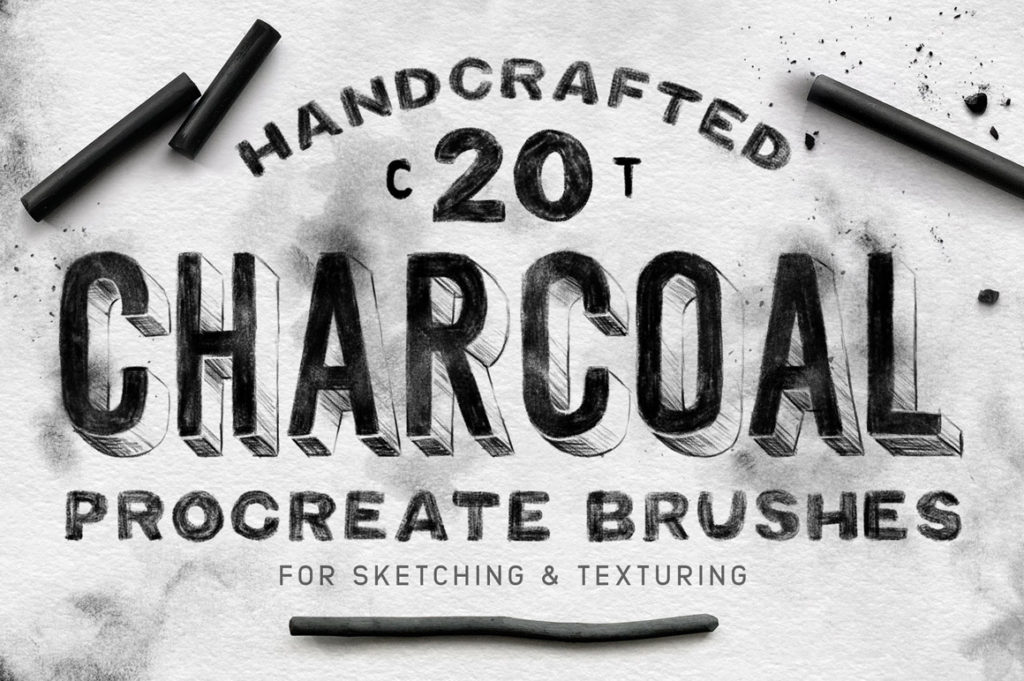
Handcrafted Charcoal Procreate Brushes for Sketching and Texturing

Charcoal Procreate Brushes

This set of brushes were derived from charcoal and existing media samples. The samples were minutely scanned to transform them into brushes. Resultantly, these brushes retain many of the texturing qualities of the original types. One can add the perfect touch of realistic charcoal elements to their designs, such as smudges, dust, and fingerprints, with these brushes.

Apart from offering specific finishing elements, the pack also contains sketching brushes that serve the primary purposes of drawing and sketching. The pack comes with four free textures which, when placed at the bottom of the layers stack, offer a wholesome textured paper background. It comes in a zipped file of nearly 100 megabytes and the extensions of .jpg and .brushset.

The varieties included in the pack for texturing are texture fillers, grit generators, shaders, and charcoal dust. Types of sketching brushes include charcoal block, charcoal grain, charcoal rough, charcoal stick, and a range of pencil edges.

Download Now


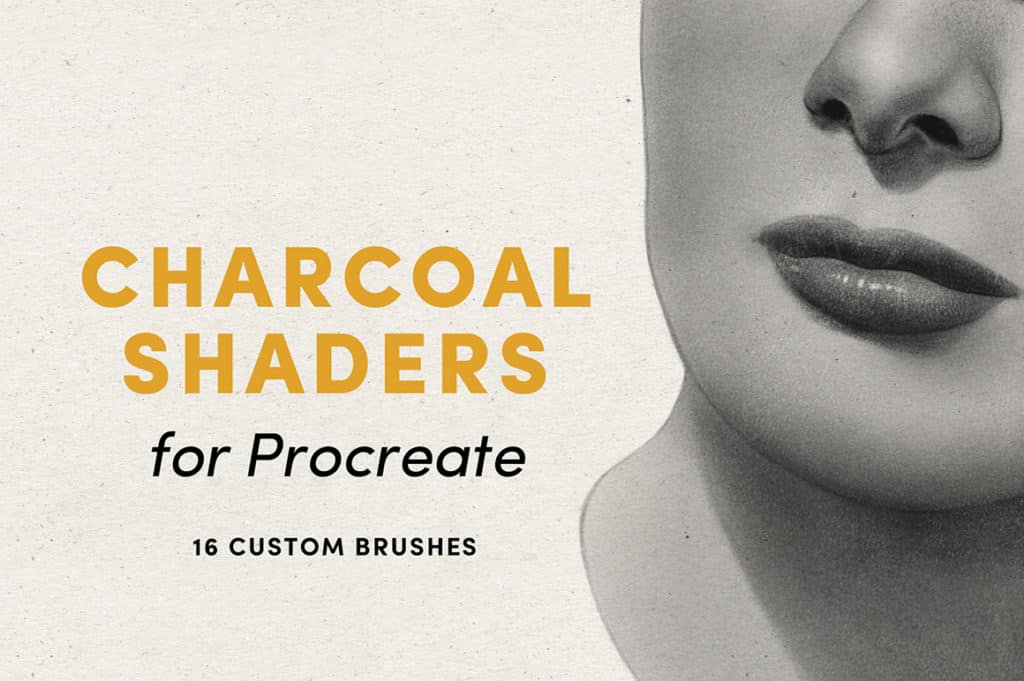
Charcoal Shaders Pack for Procreate

Charcoal Shaders – Procreate Brushes

It’s immensely important to have the right types of shading brushes when attempting a life-like charcoal drawing. Shading also plays a crucial role in expressing the effects of light and shadow and the grains and gradients of a hand-drawn surface. The charcoal shaders pack is one of the best options available to achieve these features on Procreate. The pack helps to achieve smooth blending, efficient value gradations, and an original texture.

Each 16 custom brushes included in the pack effectively leverage the tilt capability of Apple pencil, resulting in realistic side shading. It offers a smooth effect to the drawing, that is only comparable to the standards of a blending stump. The default pencil brushes included in Procreate effectively complements this set.

Apart from the 16 custom brushes included in the pack, the collection also includes a range of unique brush shapes and textures and a wide variety of style-elements from stipple, to cross-hatching, to rake. The total file size of the pack is nearly 45 megabytes. It comes in the file-extension of .brushset and is compatible with Procreate version 4 and above.

Download Now


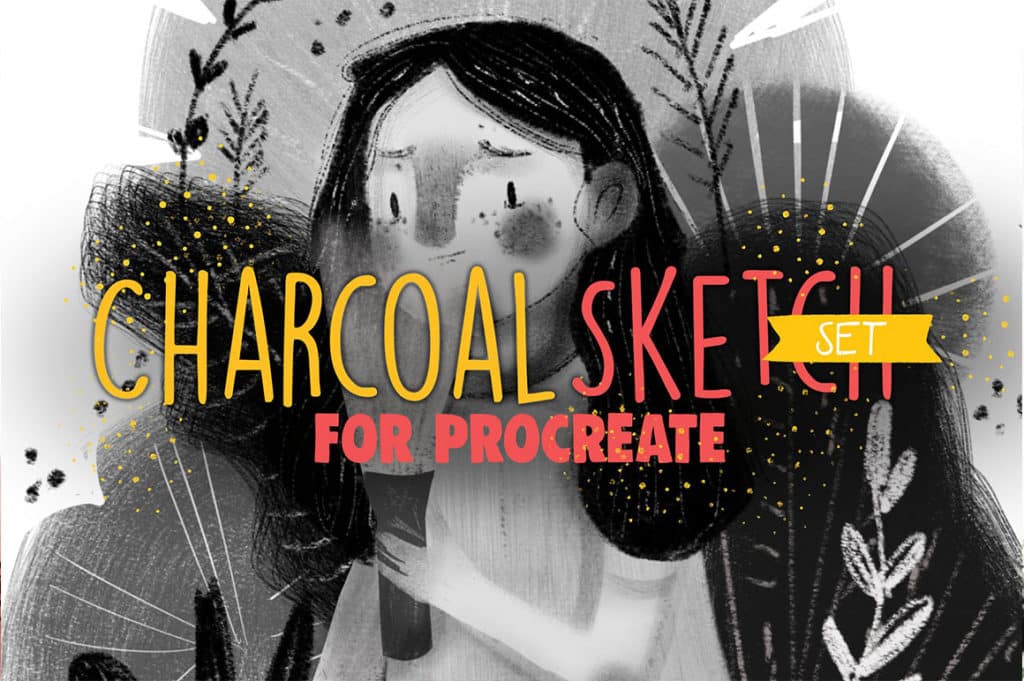
Charcoal Sketch Set for Procreate

Charcoal Sketch Set for Procreate

The handiest option to turn your iPad into a charcoal sketchpad comes with a curated collection of five brushes for the charcoal finish. Each brush has the feature of controlling the thickness and flow. These brushes help you create a soft shadow, draw with hard strokes, and create a texture. You can also introduce a messy soft effect to your sketch with one of these brushes. The file-size of the pack is less than even 1 megabyte and comes in the extension type of .brushset.

Download Now


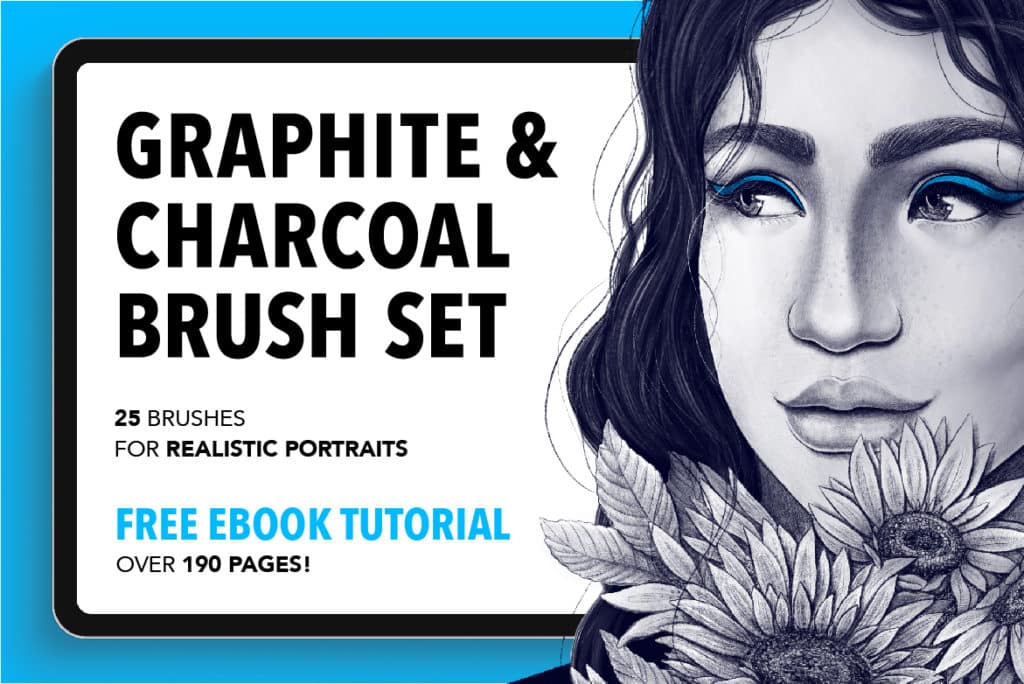
25 Graphite and Charcoal Procreate Brushes

25 Graphite and Charcoal Procreate Brushes

This pack of 25 graphite and charcoal brushes is complete in itself to create an entire piece from the initial sketch to finish. It helps to draw pieces that resemble the style of the traditional media. That, too, without compromising on the technological benefits of the digital.

Brushes in this set have been developed following real-life textures minutely, to remain as close to the original form of art as possible. Out of the 25 brushes included in this set, nine are for graphite sketch, seven are for creating graphite charcoal effects, five are for developing graphite textures, and the rest of four is for filling.

One another highly enticing aspect of this set is that it comes with a 190-page long free E-book tutorial on how to create a portrait. The lessons included elaborate on crucial digital charcoal portraiting aspects such as the importance of shading, the methods of drawing the eye, nose, or mouth, the ways to finalize on face measurements and proportions, and more. The file-size of the pack is a little above 34 megabytes and comes in the extensions of .brushset and .pdf.

Download Now


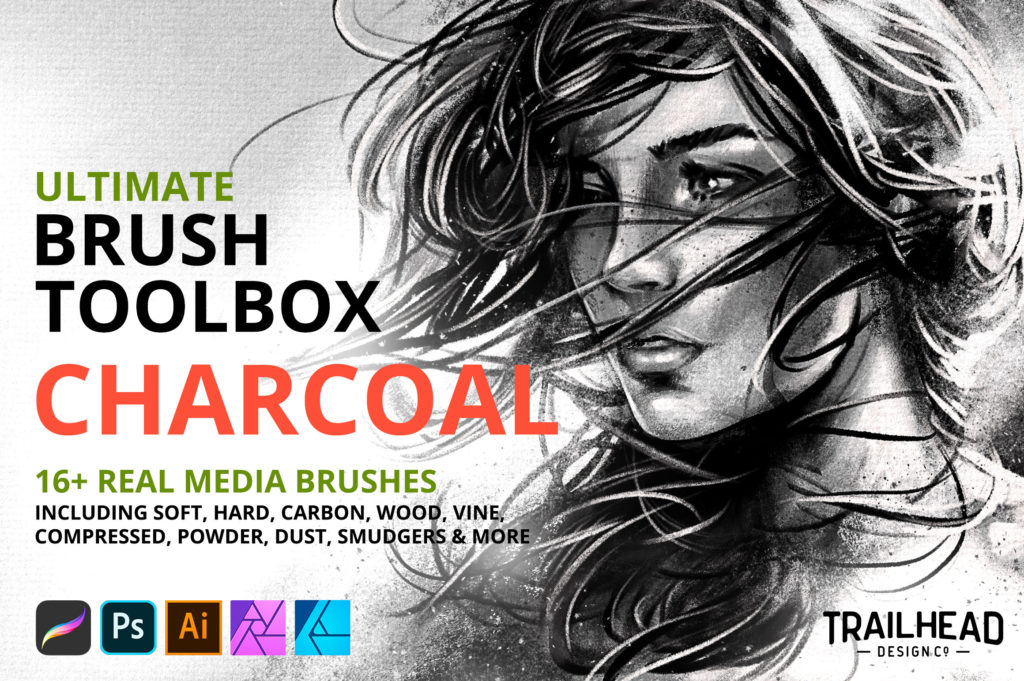
Ultimate Brush Toolbox: Charcoal Brushes

Ultimate Brush Toolbox – Charcoal Brushes

This pack, with more than sixteen real-media brushes, helps create exquisitely detailed textured illustrations. The types included in the pack cater to a wide variety of charcoal painting needs. Each of them is derived from real charcoal painting samples and, subsequently, approved by professional artists.

Apart from offering 16 charcoal brushes, the set also includes 12 texture brushes for Procreate and detailed installation instructions. With brushes included in the pack, one can create the effects of carbon sketch, soft pencil, soft stick, big block, wood, vine, and many more charcoal drawing styles on screen.

When it comes to shading, one can create smooth shade, big grain shade, and the effects of powder and dust. The texture brushes can create surfaces resembling light, thick, gritty, chunky, or gesso canvas. It can also create surfaces similar to the cold press, cold press rough, paper grain, sandpaper, ink roller, etc. The file-size of the pack is nearly 487 megabytes.

Download Now


20 Sketch Studio Graphite and Charcoal Brushes For Procreate

Sketch Studio Brushes for Procreate

If you are a pencil-art enthusiast wanting to recreate the same effects of a pencil on the digital screen, this is the pack for you. You can use this pack to create iPad sketches without giving up the traditional textures that graphite and charcoal have to offer. It contains a set of 20 fully customizable brushes designed for line-art and rough and large textures. It comes in a very small file-size of 3.6 megabytes with the extension-type of .brushset.

Download Now


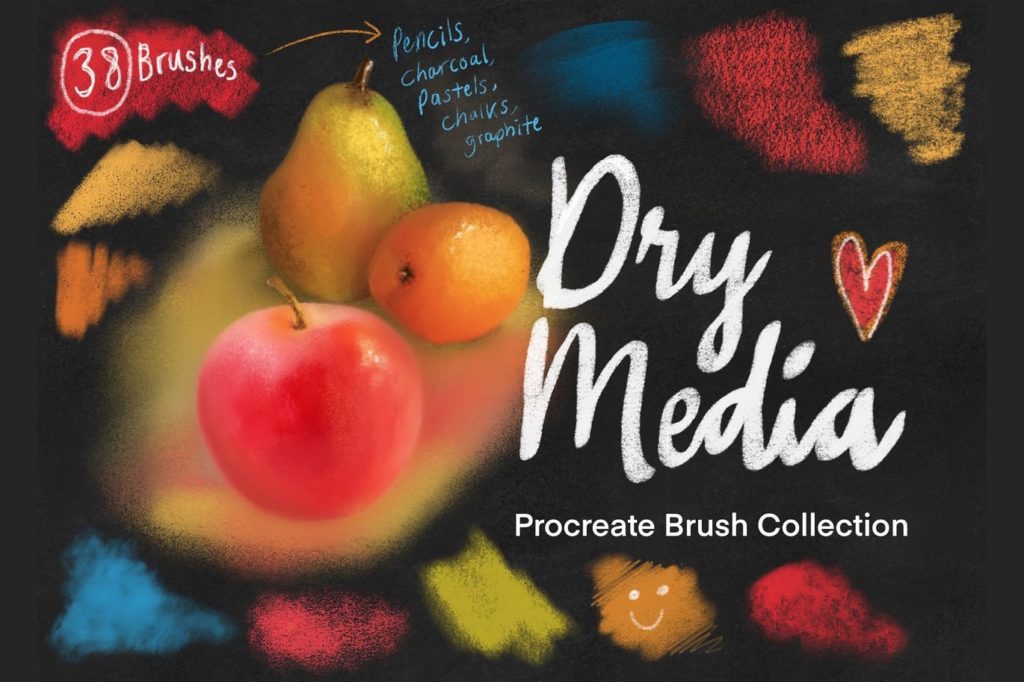
Dry Media Pro Charcoal and Chalk Procreate Brushes

Dry Media Pro Charcoal and Chalk Procreate Brushes

This set of 38 brushes caters to the needs of pencils, charcoal, and graphite art on Procreate. The pack is a perfect choice to create high-quality, realistic, dry media art. In this pack, you will get a fine-tuned set of charcoal drawing instruments includes pencils, charcoal, chalks, smudgers, dusters, base textures, and special blenders. For blending, there is no need to separately turn on the blending tool.

Download Now


44 Brushes Set of Fabulous Pencils for Procreate

Fabulous Pencils for Procreate

It is one of the most sophisticated brush-sets for creating a wide range of strokes, textures, and shades. If you are looking to regenerate the realistic look of a pencil at the comfort of drawing on your iPad screen, this is the most wholesome pack awaiting you. It compensates for the hand-drawn feeling of the charcoal art and offers the closest match for classic analog pencil drawings.

Out of the 44 pencil brushes included in the pack, 33 resemble various pencils, and 11 are dynamic pencil shaders. The set also offers seven bonus paper textures matching the size of the Ipad pro screen. The textures come both in the colored jpg format and transparent png format. To Download Now about the perfect use of the brushes, one can leverage the PDF cheatsheet.

To use this pack, you need to have an Ipad with an Apple pencil or stylus and the Procreate application of version 4.2 or above.

Download Now


Best Charcoal Procreate Brushes Summary

The selection of your pack would depend on the exact effect you want to recreate. The first criterion of selection deals with the form of art you are about to explore. If you want to create a complete painting or portrait with charcoal, you would require packs having provisions for shading, creating smudges and seamless gradients, creating distinct edges and outlines, and more.

If you are looking to create the perfect under-drawing or rough sketch that would convey all the nuances of the final painting without consuming a lot of time and size, you would require a different pack. If you are looking for a specific kind of texture or background, you should explore the packs that come with various options for background textures.

No matter how specific your need is, any one of the packs mentioned in the list above or a combination of more than one variety would be able to meet your needs.

The post 10 Best Charcoal Brushes for Procreate first appeared on JUST™ Creative.

How to Create Engaging Images for Social Media – 5 Proven Methods

This article has been contributed by Ashley Lipman.

In the 1800s, playwright Henrik Ibsen coined the phrase that would evolve into the adage, “a picture is worth a thousand words”. While the way we consume imagery has evolved dramatically over the past two hundred years, that phrase still rings true — especially in social media and marketing.

Strong visuals are often the driving force behind audience engagement on social media. It’s no longer a benefit to have eye-catching photos; it’s a necessity.

Here are five proven ways to create eye-catching pictures for social media to engage your audience and reach your marketing goals.

1. Develop a Strategy

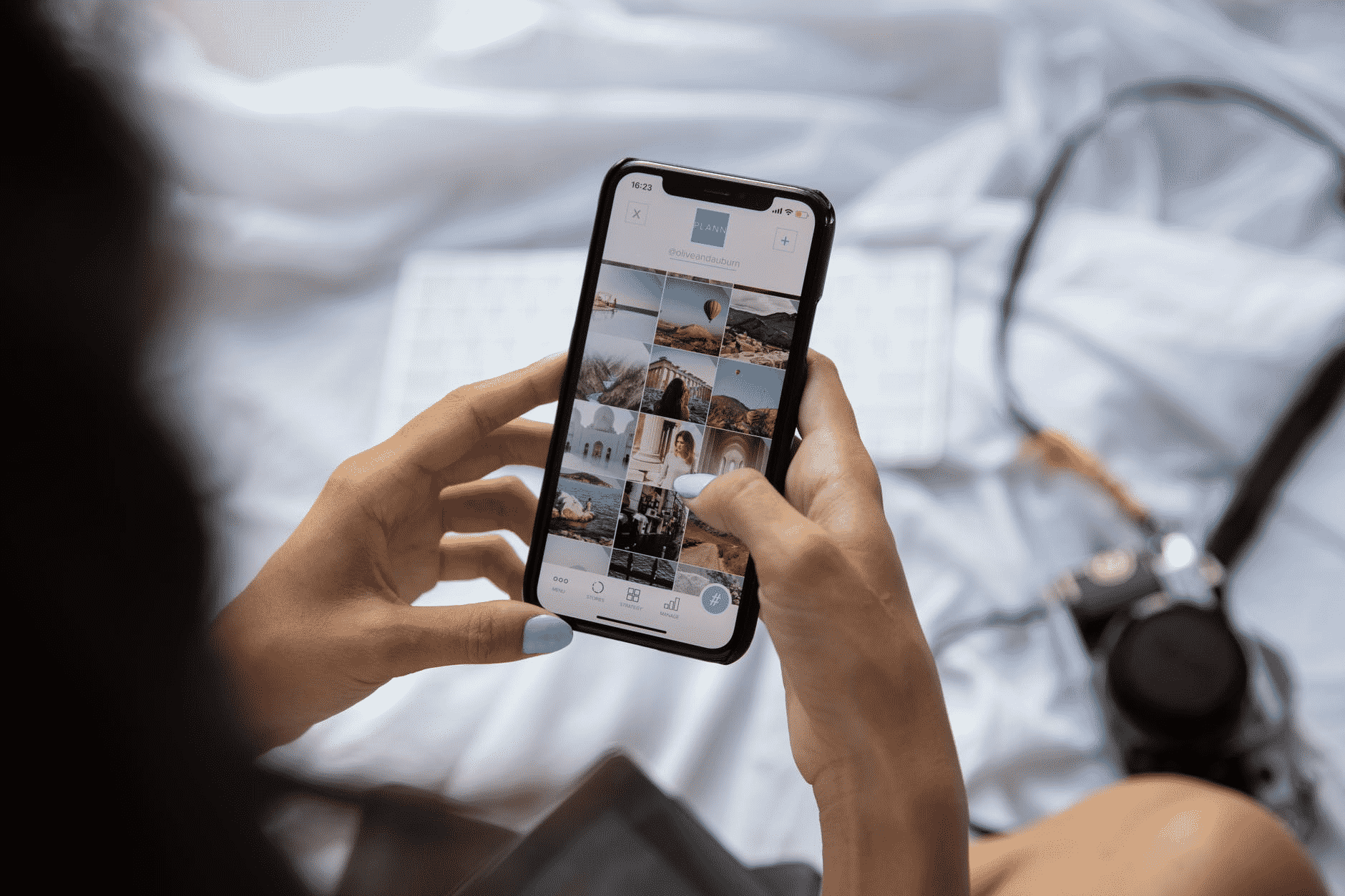
Woman using Instagram

The key to success with any form of audience engagement is to put a strategy in place. Your photo content should have intent.

Clarifying the intention for your photos creates the framework for capturing compelling images.

a. Outline Your Goals

Start by outlining your goals. These should connect to your overarching brand goals and speak to your niche. Consider what your audience wants and how you can present that to them visually.

Your goals may evolve over time. Many brands start with a goal of building followers and standing out in the feed. From there, the goal might develop into boosting engagement. Finally, some photos may be posted with conversion goals. Clarifying the objectives now and how you hope they evolve in the future will guide the content creation process.

b. Create Brand Consistency

The photos you take should be in alignment with your brand. While you might get a few likes on well-taken images that have nothing to do with your message, they’ll only take you so far in terms of audience engagement.

Consider your brand tone and messaging. If your style is light-hearted, whimsical, and fun, the images you showcase on social media should reflect those values. If your brand is more serious and strait-laced, your images should reflect those features.

Brand consistency not only shapes the content of your images but the editing style as well. Use this as a guide to identify dominant colors and themes when crafting a strategy for your photos.

c. Create Best Practices

If you don’t already have brand style guidelines, now is the time to create them. Dedicate a chapter to your social media, outlining the colors you’ll use, what subject matter is acceptable, what should never be featured, etc. For example, if you’re promoting body positivity as a part of your brand, you might write it into the best practices that no one in your images should be photoshopped.

Setting best practices allows you to remain consistent whether you’re snapping photos by yourself or scaling up to work with a large media team. This is also an essential consideration for influencers to guide who they’ll work with and what they’re willing to promote in their photos.

d. Consider a Professional Photographer

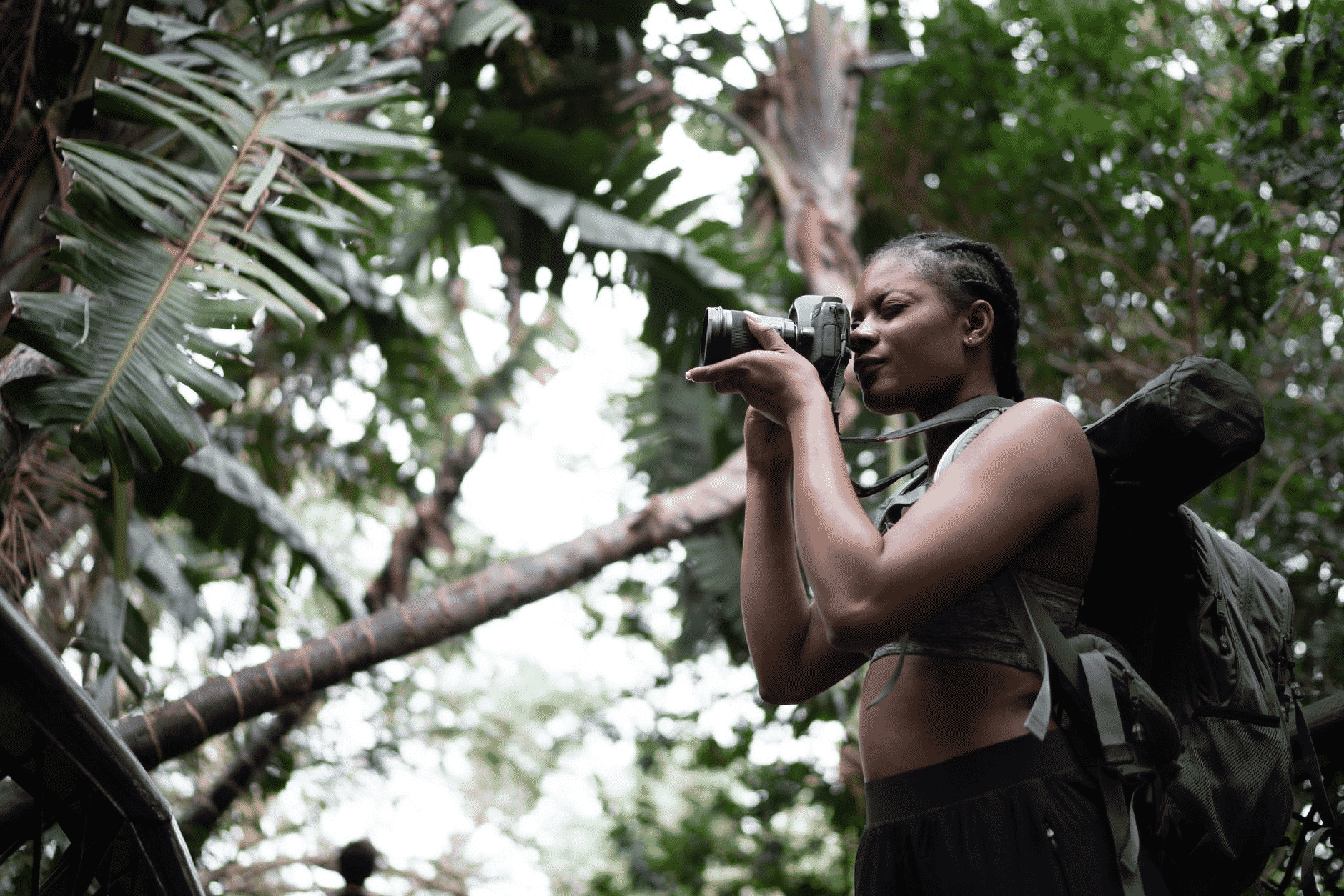
Professional photographer taking photos

When creating a strategy, it’s worth considering working with a professional photographer. An experienced photographer can juggle the technical nuances of photography and capture the subject matter more efficiently than an amateur or DIYer.

Keep the following in mind when looking for a brand photographer.

Relevant Experience

Choose a photographer with experience in brand photography that’s either directly related or adjacent to your niche. For example, if you have a fitness brand, aim to work with someone who’s familiar with a gym set-up and capturing action shots.

Brand Alignment

The photography and editing style of the photographer you choose should be aligned with your brand standards. From subject matter to editing style, ensure that the photographer you’re vetting is a good fit for your brand.

Value and Availability

When choosing a photographer, take some time to understand the pricing structure, licensing agreements, and what’s included. Keep in mind that the cheapest option may consist of the least amount of finished photos and that paying more now could offer a better ROI.

e. Create a Shot List

Finally, create a shot list as a part of your photography strategy. Consider the places and poses you want to capture as a part of your visuals. Some shots may be replicated over time to account for new products. Others may be seasonal or relevant to specific topics. Brainstorming and creating a shot list can help you capture the photos you want for your social media.

2. Use Professional Photography Techniques

If you’re unable or unwilling to hire a professional photographer, don’t fret — you can still create eye-catching photos for your social media channels. There are many solo influencers and business owners who handle photography themselves. The key is to use professional photography tips and techniques.

a. Prioritize Lighting

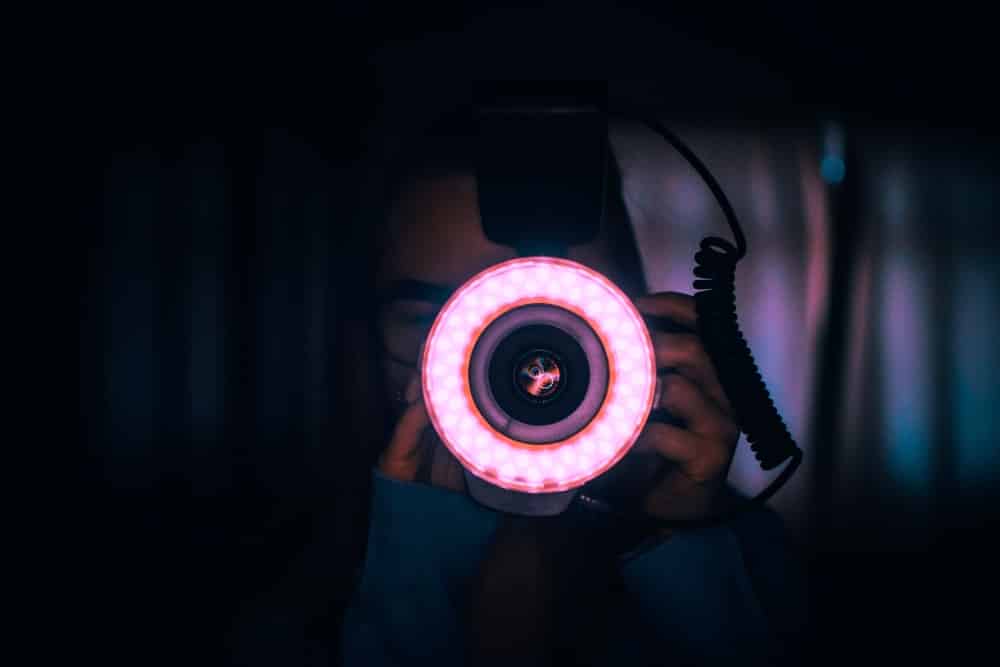
Ring light around camera lens

Lighting quality is perhaps the most critical aspect of your images. It’s important to use natural lighting whenever possible, particularly diffused, gray light. This lighting ensures clean, crisp lines and even distribution.

If you’re a solo brand that plans on including self-portraits, it’s worth investing in photography lights like ring lights for indoor shoots. You can get fantastic starter ring lights for an affordable rate. They’re also portable, allowing you to capture eye-catching photos on the go.

b. Ensure Stability

Stability is another important aspect of photography. Whether you’re using a smartphone or DSLR camera, it’s worth investing in a compatible tripod for your photo sessions. This simple tool helps capture balanced shots, clean lines, and self-portraits without the limitations of a handheld selfie.

c. The Rule of Thirds

Instagram rule of thirds

The Rule of Thirds is a classic principle that applies to composing visual images from website designs to paintings. In this case, photographers imagine their photo as a nine-square grid. The subject of the photo should be placed somewhere along the intersecting lines to create balance. It’s a technique that ensures balanced, eye-catching photos, often without the viewer being aware of the technique.

Fortunately, modern cameras and smartphones often have a grid setting. Turn it on and try using it to frame your social media photos.

d. Shift the Focus

Clear, focused photos are a must for social media success. However, you can still experiment with layers and depths when capturing images. For example, one photo could showcase the model with a bokeh effect in the background. Another might show a close-up of a new product with the model unfocused in the background.

Playing with layers creates dimension in your imagery, which will stand out on social media feeds.

e. Work the Angles

Another professional photographer technique for creating stunning images is to experiment with different angles. Try the same shot from above, below, or the side. Changing the angle takes minimal time and effort and can yield incredible results.

f. Use Burst Mode

Finally, if you’re doing a solo photoshoot, use burst mode to capture a sequence of photos in one click. This tool will help you find the perfect photo without having to check and reset. It’s also great for capturing action shots or various poses.

3. Develop an Aesthetic

If you’ve been in the world of social media for a while, you’ve likely heard the term “Instagram aesthetic”. This pertains to the consistent look and feel of your social media posts and should be in alignment with your brand. Creating an aesthetic will help you transform your photos into something creative and new, appealing to your audience and moving you closer to your goals.

a. Choose a Theme

Start by identifying your theme. Note, that this should reflect your brand tone as identified earlier. For example, your theme could be bright and colorful or dark and moody. Your focus could be on people or natural surroundings. You could have vibrant, busy photos or stark, minimalist-style images.

Choosing a theme for your images ties into the overall goal of brand consistency. It should be in alignment with what your target audience wants to see.

b. Choose a Consistent Color Scheme

Another aspect of creating beautiful images for social media is to use a consistent color scheme. You might determine that every photo you take should have a blue component. Conversely, you could determine that monochromatic images are best for your brand. The idea is that every image feels the same, even if the subject matter is dramatically different.

c. Create Editing SOPs

Outline your editing standard operating procedures (SOPs) to contribute to the quality and consistency of your aesthetic. This document could include which Instagram filter editor you use for your photos, any presets you use consistently, and even overarching themes (vibrant, matte, high contrast, etc.).

Outlining editing SOPs makes it easier to work through batches of images to ensure they’re all consistent and clear. It also makes it easier to outsource the task to someone else as the brand develops.

d. Keep the Grid in Mind

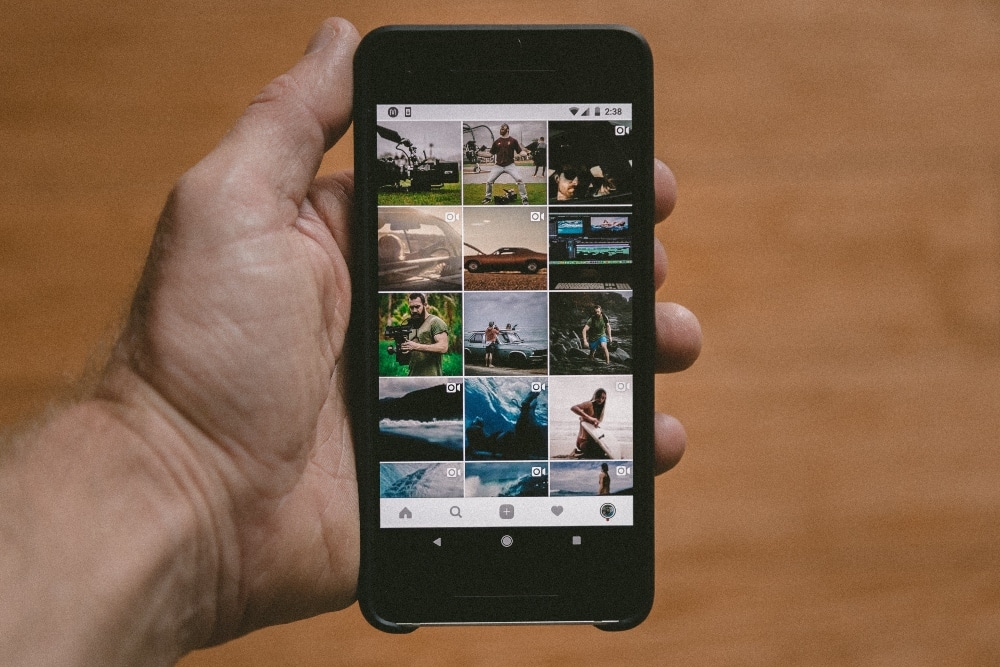
Instagram grid on smartphone

When it comes to visual social media, Instagram reigns supreme. That’s why it’s so vital to keep the grid in mind when creating social media images.

Look at how a block of photos appear together on the grid so that you’ll see what a newcomer to your profile will experience. From there, break up the grid and schedule your posts accordingly for better balance.

4. Tell a Story

Photo on social media

Taking a storytelling approach is the best way to create an emotional connection through your brand photos. It showcases the human side of a brand, provides more insight into how the brand came to be and its core values.

a. Know What Your Audience Wants

Take some time to understand what your audience wants to see. Images that showcase your brand’s work in the community or customers using your product or service could resonate with them. They may want to know more about your past and how you got to where you are.

Remember that you can use a series of photos to tell a story, releasing them over a period of time for dramatic effect. If you ever find yourself wondering what people want to see, ask your audience using polls or quick question-based posts.

b. Stay Focused and Relevant

Remember to keep your images in alignment with your brand. There should be a context in your photos that sparks a connection when someone scrolls to your photo in the feed.

Remember that text elements can be used to punctuate social media photos. A picture of a mountain isn’t necessarily relevant to a business coaching service. However, a mountain with a quote overlay about climbing toward goals brings everything together.

c. Be Authentic

Finally, be authentic when choosing the style and subject matter of your photos. Modern consumers know when they’re being pandered to. Your images should be authentic to your core values and showcase them in a visually appealing way.

5. Use Analytics to Adapt

Analytics on smartphone

Here’s the secret that social media experts don’t always share when preaching their skills and expertise: success stems from experimentation. Many times in social media marketing, it’s about throwing something at the wall and seeing what sticks. Using analytics to adjust your focus is this theory in action.

a. Identify the Outliers

When you look at your analytics, start by identifying the outliers. Highlight your top-performing posts and see what they have in common. You may discover that images with a person featured perform better than scenery-centric images. You might find that natural surroundings perform far better than urban settings.

The key is to find what people are drawn to and expand upon it. Be sure to note any variances in events or posting times to determine whether it is indeed the image that caused the peak in popularity.

b. Look at Engagement

When it comes to measuring the success of your photos on social media, it’s important to look beyond the likes. Likes are just one aspect of the broader engagement umbrella. Other important factors include:

  • Saves
  • Sends
  • Shares
  • Reach
  • Actions

Analytics categories will vary from platform to platform, but the key performance indicator is how many people interacted with your content in some way.

c. Identify the Source

Another important feature to look at when determining where opportunities lie with your social media photos is the source. On Instagram, you can use Insights to determine whether your engagement came from existing followers or those who found you on the feed.

If people outside your usual followers are engaging with your content, it means they’re noticing it in their feed. Identify what it is about those images that stand out and encourages people to take action.

d. Evaluate Follower Growth

Next, look at your follower growth rate. When someone chooses to follow you, it means they want to see more of your content. Use your analytics to determine which content sparked their decision to follow you, and use that to shape your social media photo strategy moving forward.

Final Thoughts

There’s always room for improvement when the goal is to create incredible social media photos. Develop a content strategy, take heed from the experts, and use analytics to help you adjust and perfect your approach.

_

About the author: Ashley Lipman is an award-winning writer who discovered her passion for providing knowledge to readers worldwide on topics closest to her heart – all things digital. Since her first high school award in Creative Writing, she continues to deliver awesome content through various niches touching the digital sphere.

The post How to Create Engaging Images for Social Media - 5 Proven Methods first appeared on JUST™ Creative.