Friday, 6 August 2021

27 Classic & Elegant Serif Fonts

“There are now about as many different varieties of letters as there are different kinds of fools.” Eric Gill

Choosing a font for a project isn’t always an easy task but this list of professional classic and elegant serif fonts will make the task a little easier. When it comes to design and aesthetics, your font can convey the overall tone of your message.

When it comes to typography, the beauty is in how well it expresses your voice. Serif fonts have a lot to offer in terms of simplicity and elegance. These fonts always add flair to your typography, really helping it stand out.

But before you dive in, you may want to consider this incredible offer below…


BEST ELEGANT SERIF FONTS: UNLIMITED DOWNLOADS: 50 Million+ Fonts & Design Assets
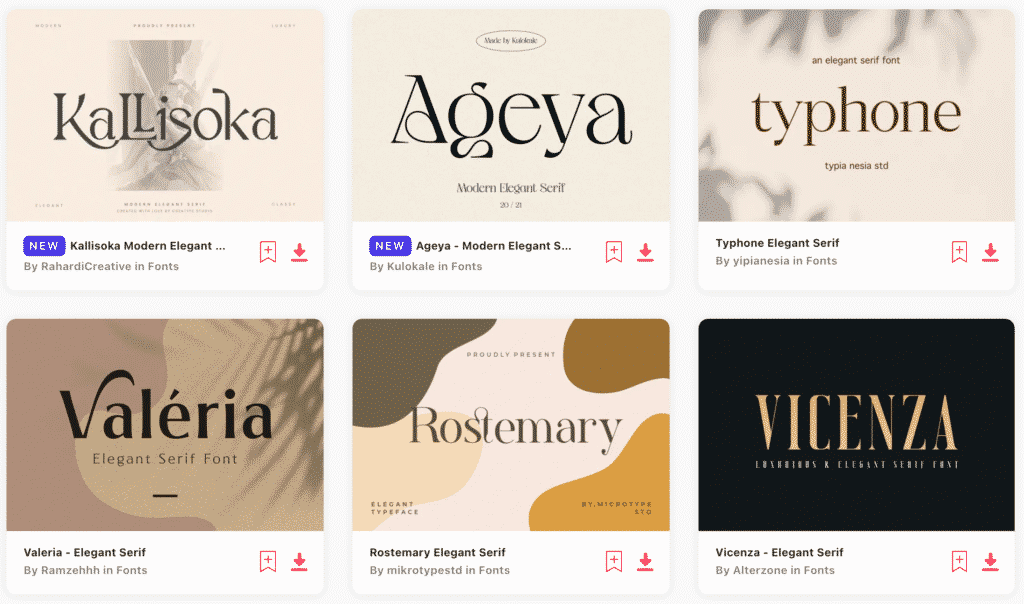
Elegant Serif Fonts

Download all the Elegant Serif Fonts you need and many other design elements, available for a monthly subscription by subscribing to Envato Elements. The subscription costs $16.50 per month and gives you unlimited access to a massive and growing library of over 50 million items that can be downloaded as often as you need (stock photos too)!


27 Classic & Elegant Serif Fonts

1. Nimbus Roman No 9
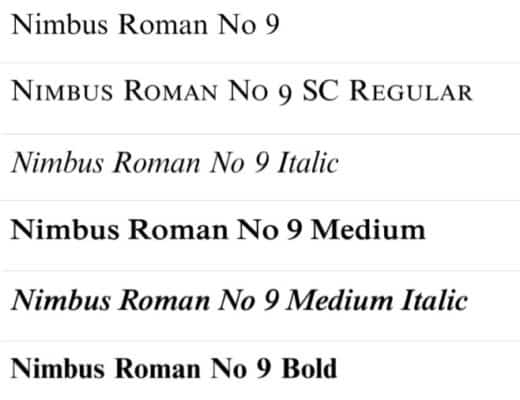
Nimbus Roman No 9
Nimbus Roman No 9, Image source: MyFonts

The Nimbus Roman No 9 is a classy and elegant font that can work really well for more sophisticated projects. Created by URW Studio in 1987, it looks very similar to the Times New Roman font and generally carries the same overall tone.


2. ITC Garamond Light
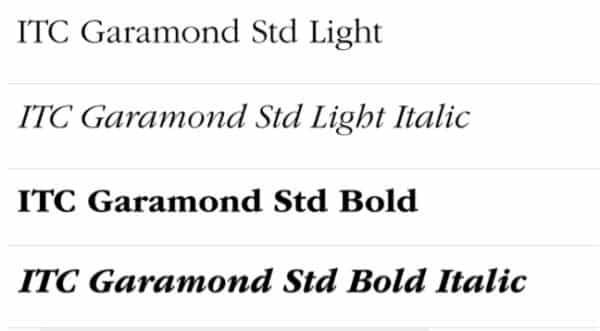
ITC Garamond
ITC Garamond. Image credit: MyFonts

Created by Tony Stan in 1975, ITC Garamond Light has ITC’s signature house style. Much like most serif fonts, it works for serious and elegant messaging. As the name conveys, Claude Garamond’s typography work inspired this font.


3. Minion

Minion
Minion. Image credit: MyFonts

Minion was created in 1990 by Adobe Systems inspired by the late-renaissance era. Designed by Robert Slimbach, it’s intended for body text, keeping legibility uppermost in mind. Minion is a balanced and clean font that can be great when used to convey more serious messaging.


4. URW Antiqua
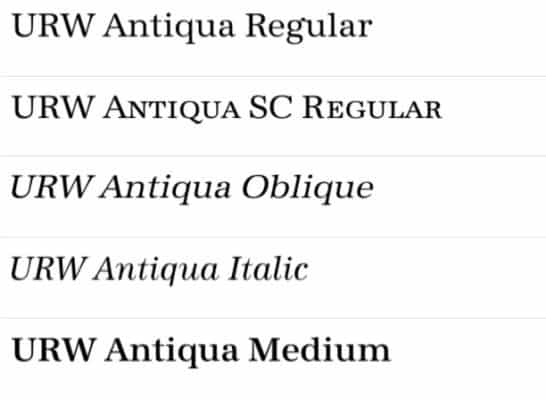
URW Antiqua
URW Antiqua. Image credit: MyFonts

URW Antiqua was designed by Hermann Zapf in 1985, alongside URW Grotesk — a sans serif font that goes well with it. The font by itself is great for conveying more elegant themes.


5. Times
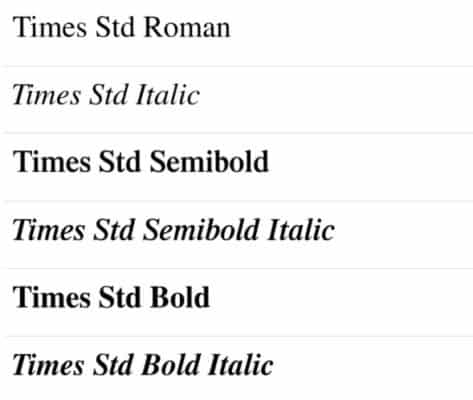
Times
Times, Image credit: MyFonts

The Times font is from the same font family as the more popular Times New Roman font. This font is great for conveying a serious and academic voice. There are several variations of this font available, but the Times font is in a class all its own.


6. Baskerville
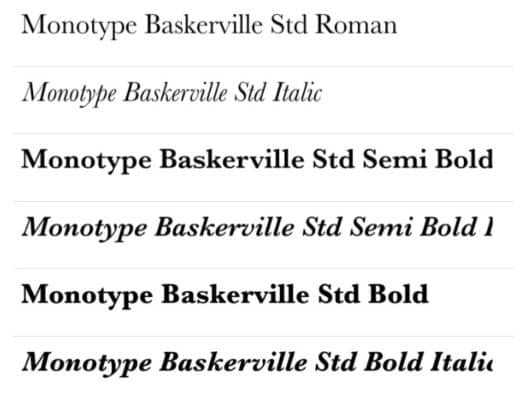
Baskerville
Baskerville. Image credit: MyFonts

Baskerville, a typeface created by John Baskerville in the 1750s, and characterized by its more circular strokes, is used often for marketing messaging. Popularized presently by Microsoft, this font, like most serif fonts, is sophisticated and bold.


7. Baskerville No. 2
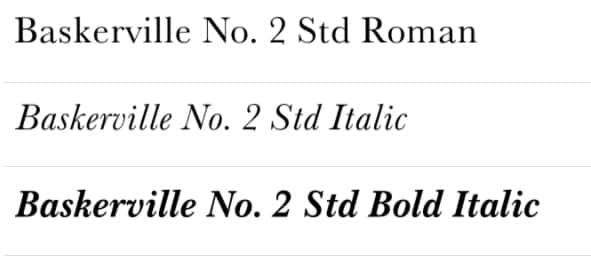
 

Baskerville No 2
Baskerville No 2. Image credit: MyFonts

Created by the URW Design Staff in 1980, the above typeface served as the inspiration for this font. Characterized by its thin, more circular, and sophisticated strokes, the Baskerville No. 2 is an iteration of the popular Baskerville font.


8. Mrs Eaves
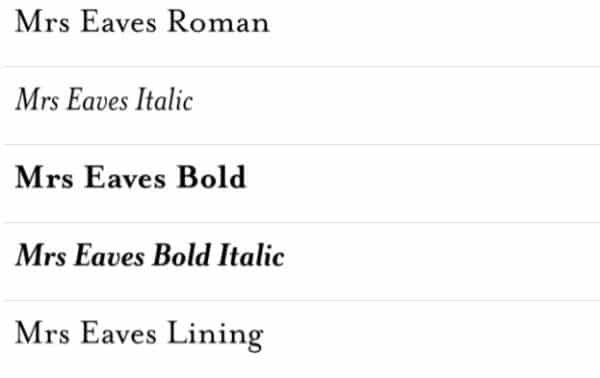
Mrs Eaves
Mrs Eaves. Image credit: MyFonts

Mrs Eaves is a font designed by Zuzana Licko in 1996. It’s a transitional serif typeface that is used in display contexts such as book descriptions and titles. This font can convey elegant and fanciful messaging and titles.


9. Cheltenham Old Style No 2
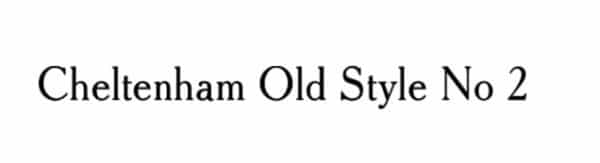
Cheltenham Old Style No 2
Cheltenham Old Style No 2. Image credit: MyFonts

The Cheltenham Old Style No 2 was created by URW Type Foundry. This font is great for body copy in books and magazines. Based on the font Cheltenham designed by the architect Bertram Goodhue and Ingalls Kimball, for the Cheltenham press in 1896. This font is a bold and impressionable typeface.


10. Cushing Std-Book
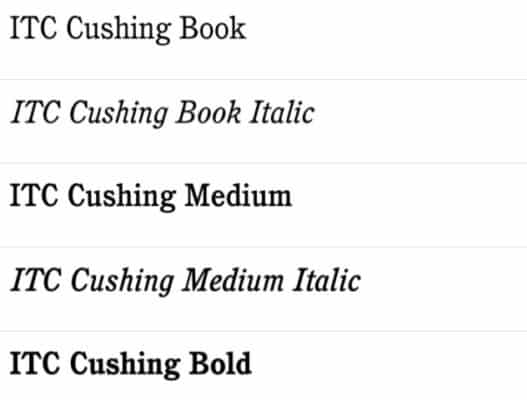
ITC Cushing Book
ITC Cushing Book. Image credit: MyFonts

The Cushing Std-Book typeface was created by Vincent Pacella and is trademarked by the International Typeface Corporation. This is yet another great typeface for presswork and body copy that keeps things interesting and elegant.


11. Aldine 721
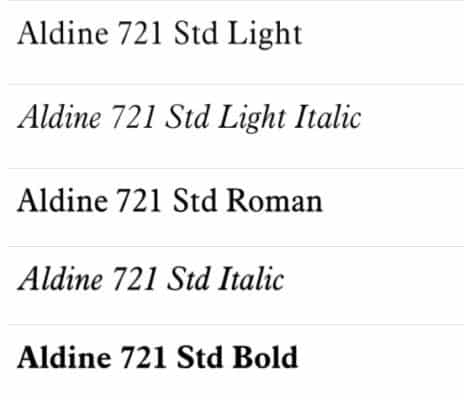
Aldine 721
Aldine 721. Image credit: MyFonts

Originally designed by the font designer Frank Hinman Pierpont, this font was later adapted for digital printing and use by Bitstream. Aldine 721 is great for legibility and sophisticated overtones.


12. Plantin Std
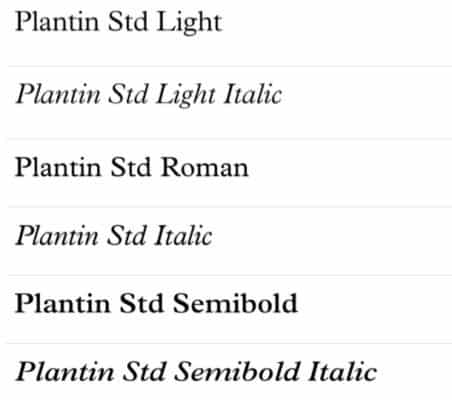
Plantin
Plantin. Image credit: MyFonts

Named after the 16th Century printer Christophe Plantin, this typeface was the predecessor to the Times New Roman — and was the basis for this typeface. Plantain Std is a modern-day variation of this font. The font is great for magazine text and anything that requires substance and class.


13. Sabon
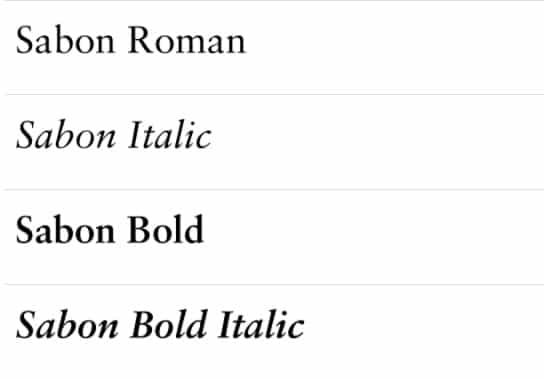
Sabon
Sabon. Image credit: MyFonts

Originally designed by German-born designer Jan Tschichold, this old-style serif font was later digitized by Linotype. Sabon is a slender and legible typeface that is great for book covers, poetry, quotes, and even posters. Like most serif fonts, it conveys an overall sophisticated feel


14. Arno Pro
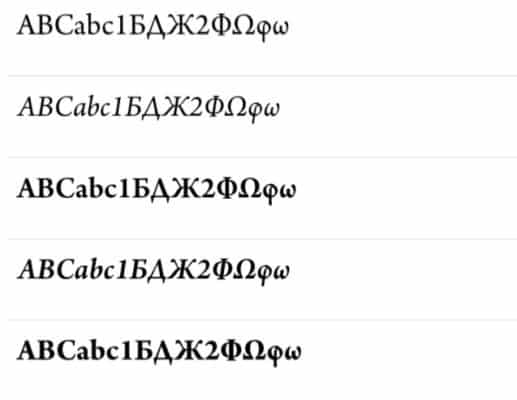
Arno
Arno. Image credit: MyFonts

Arno Pro is a serif font created by Robert Slimbach from Adobe Type for professional use. Heavily inspired by Italian renaissance texts, this font is great for book design, even earning a winning entry in the 2007 Type Design Competition.


15. Palatino
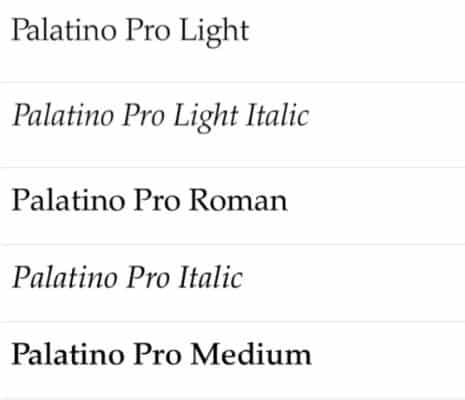
Palatino
Palatino. Image credit: MyFonts

This old-type serif font was created by Hermann Zapf in 1949 and later published by Linotype. Palatino was later licensed to Adobe and Apple, which made it a pre-installed font, increasing the popularity of this elegant typeface. This font family has 20 styles and family package options.


16. Centaur MT Std
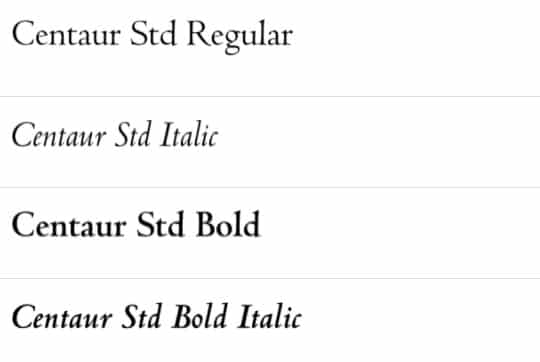
Centaur
Centaur. Image credit: MyFonts

This serif typeface was created by Bruce Rogers and later released in 1929. Also known as Metropolitan, this font variation was digitized and licensed by Linotype. Inspired by renaissance printing in the 1470s, Centaur MT Std conveys a scholarly tone.


17. Bookman Light
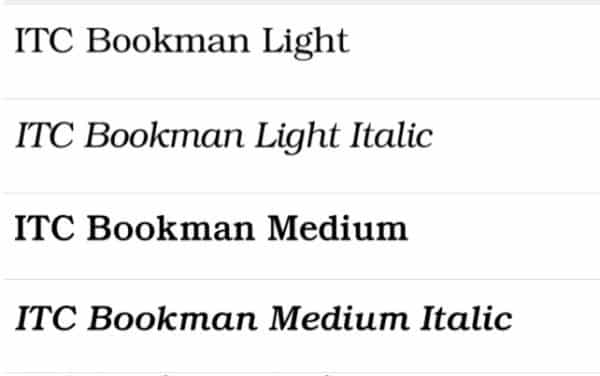
ITC Bookman
ITC Bookman Light. Image credit: MyFonts

This old-style serif font was inspired by Bookman Old Style that was created in the 1860s. It rose in popularity in the 1960s and 1970s for its legible and classy characteristics. Bookman Light can give an impression of reliability without the heaviness.


18. Perpetua Std
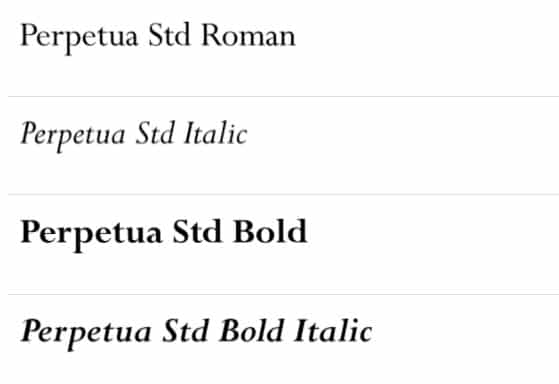
Perpetua
Perpetua. Image credit: MyFonts

The Perpetua font was designed by Eric Gill in the 1920s. This font was published by Monotype and comes with 22 styles in this package. Perpetua has a delicate and crisp font structure and is very similar to 18th-century British fonts like Baskerville.


UNLIMITED DOWNLOADS: 400,000+ Fonts & 50+ Million Design Assets

All the Fonts you need and many other design elements are available for a monthly subscription by subscribing to Envato Elements. The subscription costs $16.50 per month and gives you unlimited access to a massive and growing library of 50 million items that can be downloaded as often as you need (stock photos too)!


19. New Century Schoolbook Roman
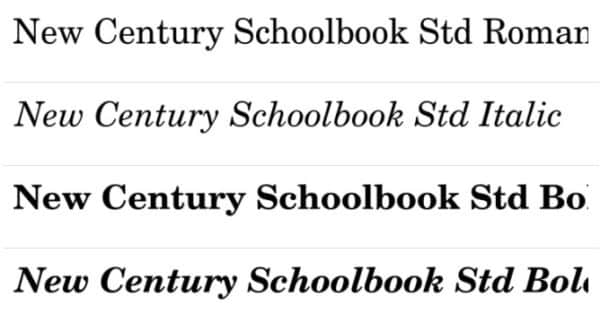
New Century Schoolbook
New Century Schoolbook. Image credit: MyFonts

New Century Schoolbook Roman was designed by Morris Fuller Benton in 1919. The transitional serif typeface was created to improve textbook readability (from where it derives its name). Later published by Linotype, this font retains its sophisticated and informative aesthetic.


20. Berthold Baskerville Book Regular
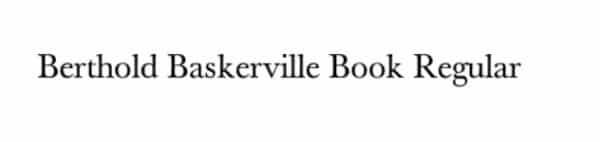
Berthold Baskerville Book Regular
Berthold Baskerville Book Regular. Image credit: MyFonts

Developed by Berthold Type Foundry in the 1800s along with several other font iterations, Berthold Baskerville is a take on the old Baskerville typeface. This font retains most of the original characteristics of the Baskerville font. However, one of the most recognizable differences is that this font is bolder, with more defined lines.


21. Scala Pro-Regular
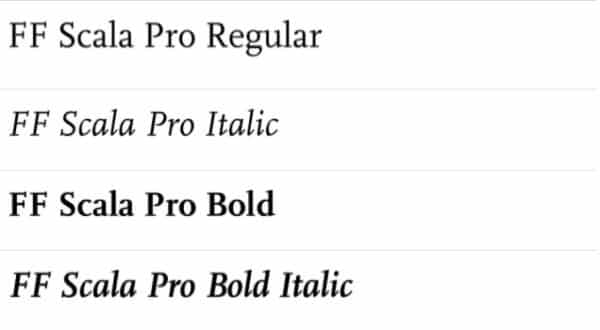
Scala Pro
Scala Pro, Image credit: MyFonts

Created by Martin Majoor in 1991, this font is an old-type serif, published by the FontFont Foundry. This font has an emphasis on clarity and is also very calligraphic in italics. Generally, it conveys a clear and crisp overall tone.


22. Garamond Premier
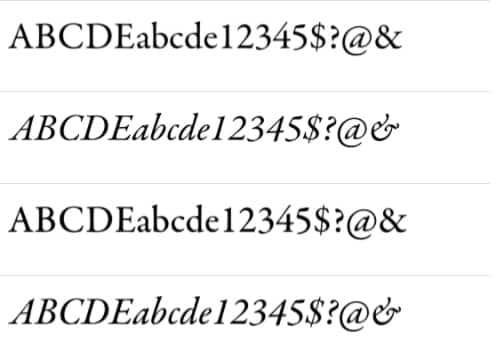
Garamond Premier
Garamond Premier. Image credit: MyFonts

This font was created by Robert Slimbach for Adobe and is described as a more restrained and modernized approach to the classic Garamond font. Garamond fonts were re-envisioned by Slimbach to meet the business requirements of the time. Garamond Premier has a sophisticated, minimalistic appearance.


23. Bembo
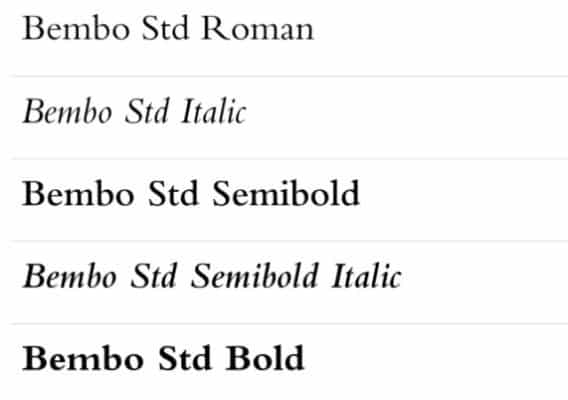
Bembo
Bembo. Image credit: MyFonts

Created by Monotype, this font is based on one used by the Venetian printer, Aldus Manutius. Bembo is an old-type serif font that rose in popularity because of its overall sleek look and its ability to remain consistent in color. This font has an elegant and clean aesthetic.


24. Times New Roman MTStd
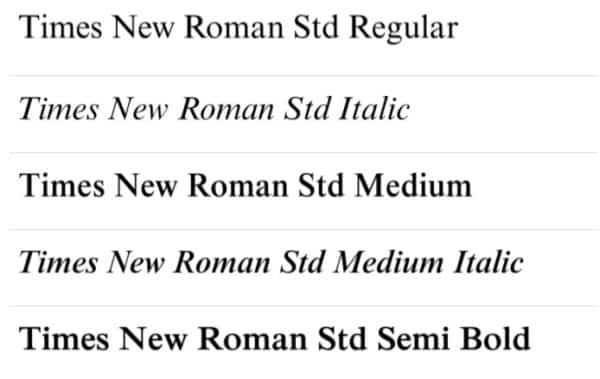
Times New Roman MT
Times New Roman MT. Image credit: MyFonts

Times New Roman by Monotype was designed by Stanley Morison and Victor Lardent. To date, this font is for many the golden standard for academic writing and the publishing of important information. The font is bold, legible, and leaves an official impression.


25. Caslon
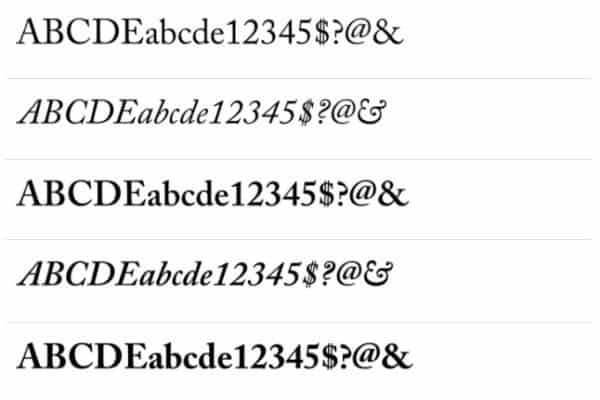
Caslon
Caslon. Image credits: MyFonts

Adobe Caslon was created by Carol Twombly and William Caslon for Adobe. This font was inspired by the Caslon font, designed by William Caslon in the 1600s. This old-type serif font looks sophisticated and has an overall clean look.


26. Bodoni
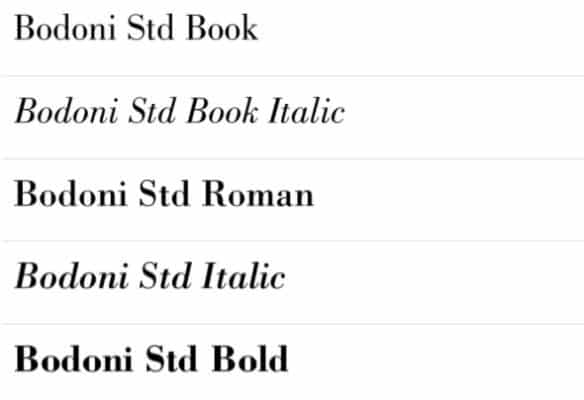
Bodoni
Bodoni. Image credit: MyFonts

Bodoni is a typeface based on those designed by Giambattista Bodoni in the 1800s. Bodoni himself based a lot of his fonts on the same school of design as Robert Baskerville. Hence, you can see a small resemblance to Baskerville font. This font uses alternating thin and thick strokes, adding to its elegant appearance.


27. Goudy 38
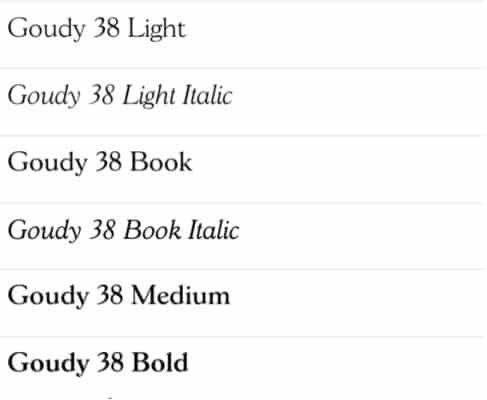
Goudy 38
Goudy 38. Image credit: MyFonts

Goudy 38 is a typeface by Red Rooster Collection based on Goudy Old Style. Goudy Old Style was particularly famous in advertising circles for its overall boldness and eligibility. The Goudy 38 retains this quality and adds a slightly whimsical touch to it.


More Typography & Font Resources:

Have you got a favorite classic serif typeface that was missed in this list? Let us know in the comments below.


Top 9 Best Animation Courses Online (Free & Paid)

Animation has come a long way from the first animated cartoon in 1908, but thankfully as the technology of animation has moved forward, so have the opportunities that amateur animators have to not only learn their craft but to improve upon it as well.

That’s why we have put together this list of the best animation courses online.

With the internet, the number of resources available is near limitless and if there is something that cannot be found, it can easily be created and shared with people all over the world.

When it comes to animation, learning new tools and ways to make things look and move the absolute best they can is important, and with that in mind, we wanted to share nine online classes with you that will help you improve your skills or might be just a refresher if you’re getting back into the game.

Before we start though, let’s do a little digging and figure out what you should look for in an online animation class.

Top 9 Animation, Motion Graphics & 3D Courses Online (Free & Paid)

If you go online, you will find numerous online classes for animation and some are much better than others. In our opinion, the list below contains the classes that we feel offer the most for your time and money.

  1. The Beginner’s Guide to After Effects (Skillshare) – 2 Weeks Free then $99/year
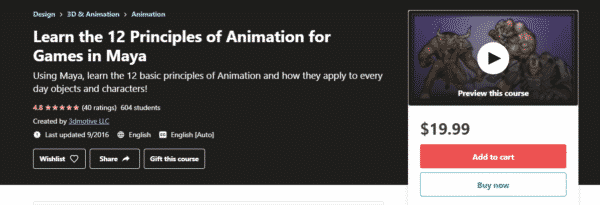
  2. 12 Principles of Animation with Justin Harrison (Udemy) – $19
  3. Learn 3D Animation – The Ultimate Blender Guide (Udemy) – $139
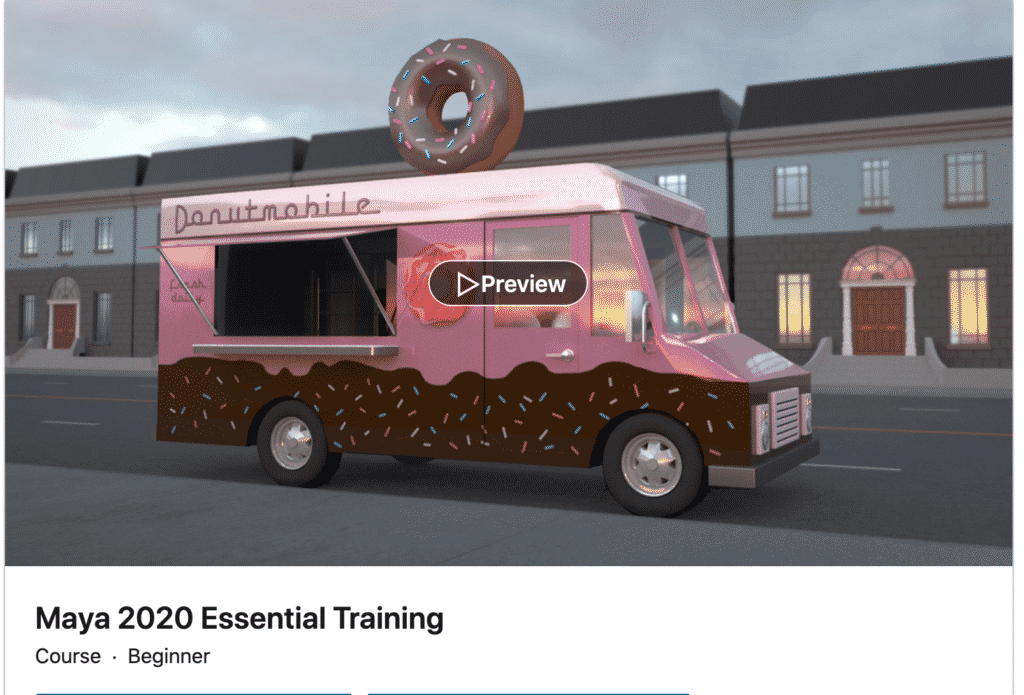
  4. Maya 2020 Essential Training (LinkedIn Learning) – $39
  5. 2D Animation For Beginners With Adobe Animate (Skillshare) – 2 Weeks Free then $99/year
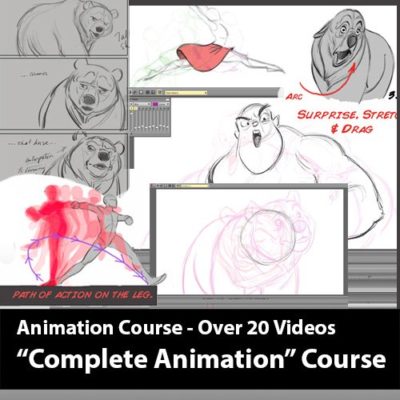
  6. Complete Animation Course by Aaron Blaise – $50
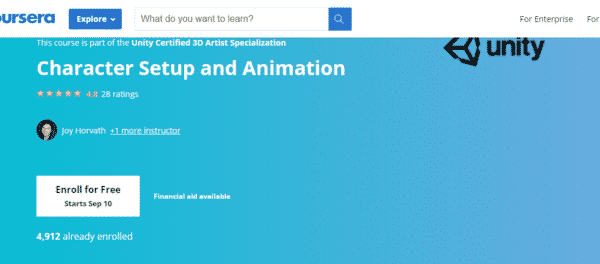
  7. Character Setup and Animation (Coursera) – $79/month
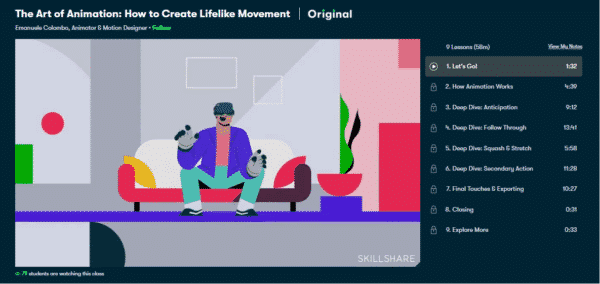
  8. How to Create Lifelike Movement (Skillshare) – 2 Weeks Free then  $99/year
  9. Blender 2.8 Essential Training (Linkedin Learning) – $44

More top course compilations

Top 9 Best Animation Courses Online Compared

Course Instructor & Provider Length Cost
The Beginner’s Guide to After Effects  Jake Bartlett, SkillShare 34 Lessons (6 hours) 2 Weeks Free then $99/year
12 Principles of Animation with Justin Harrison  Justin Harrison, Udemy  2.5 hours $12.99
Learn 3D Animation – The Ultimate Blender Guide  Alex Cordebard, Udemy  26.5 hours $12.99
Maya 2020 Essential Training George Maestri, LinkedIn Learning 4 hours & 6 minutes $39
2D Animation For Beginners With Adobe Animate  Walt Wonderwolk, SkillShare 12 Lessons (1 hour & 14 minutes) 2 Weeks Free then $99/year
Complete Animation Course by Aaron Blaise  Aaron Blaise, Creature Teacher 12 Lessons $70.00
Character Setup and Animation Joy Horvath, Coursera Approximately 9 hours to complete $79/month
How to Create Lifelike Movement  Emanuele Colombo, SkillShare 9 Lessons (58 minutes) 2 Weeks Free then $99/year
Blender 2.8 Essential Training David Andrade, LinkedIn Learning  4 hours & 54 minutes $44

What to look for in an online animation course

Knowing what to look for in an online class can help you decide if the class is the right choice for you and will do everything it can to help you succeed and add to your skills. Before you sign up for any class, be sure to consider the following.

Skill level

As we said before, thanks to the internet, there are so many resources available for anyone who is looking to build new skills or refresh themselves on dormant ones. However, just because there are so many different classes out there, not every class may fit the skill level you’re at. For example, if you’re just looking for a refresher, taking an introductory class might be a waste of your time and money.

Teaching style

One area that not many people consider before taking an online class is the teaching style that is being used. Some of the more inexpensive classes may offer pre-recorded video lessons and come with no interaction with the instructor at all. Some others may offer one-on-one interaction with the instructor and even feedback tailored to the work you are doing and these types of classes generally come with a higher price.

Commitment level

The final area to consider is your commitment level. You need to consider how much time you can put towards the class as many classes can range from thirty minutes to 20 hours a week for several weeks. Knowing how much of a commitment and time that you can devote to an online class will help you choose the right one much easier.

What is the best animation course online?

Depending on what sort of animation you’re looking to learn and how in-depth your learnings want to be, we recommend the following animation courses to teach yourself animation online:


10 Online Animation Courses to Learn Animation Online

The Beginner’s Guide to After Effects (Skillshare) – Free 2 week trial then $99/year

beginners guide to after effects

Skill level: Beginner | Duration: 6 hours

Taught by motion designer Jake Bartlett, the Beginner’s Guide to After Effects is a great class for anyone who might have an interest in the world of motion design and is looking to learn Adobe After Effects and hit the ground running. The course covers everything you need to start creating animations of your own as well as cover topics such as Timecode, Resolution, Frame Rate, and more!


12 Principles of Animation with Justin Harrison (Udemy) – $19

12 principles of animation

Skill level: Beginner | Duration: a little over 2 hours

Offered by 3DMotive, the 12 Principle of Animation course is designed to be a short course that explains the basics of animation, particularly suited to Maya, an animation software. Taught by character and technical animator Justin Harrison, the class covers the 12 basic principles of animation, how you can use them to give life to your character animations, and how those principles apply to everyday objects and characters. A little over two hours long, the course goes over fundamentals such as timing and spacing, and slow-in and slow-out. With an affordable price, it won’t put a huge strain on your wallet either.


Learn 3D Animation – The Ultimate Blender Guide (Udemy) – $139

learn 3D animation the ultimate blender guide

Skill level: Beginner | Duration: about 26 hours

Taught by 3D artist and instructor Alex Cordebard, the Ultimate Blender Guide course teaches you how to use Blender to create 3D models and animations. Perfect for beginners who are looking to learn more about 3D arts or for anyone looking to increase their skills. The course will teach you skills that include exploring Blender basics and techniques, creating 3D models, and creating a full 3D animation project at the end of the course. While the course may be a bit pricey for some, the amount of knowledge and hands-on interaction make it worth the cost.


Maya 2020 Essential Training (LinkedIn Learning) – $39

Maya 2020

Skill level: Beginner | Duration: 8 hours

Taught by Animation Director and Producer George Maestri, the Maya 2020 Essential Training course provides you with the tools you need to create high-quality 3D models and animations. Covering the core Maya skills – modeling, texturing, rendering, and animation. The techniques that are taught through the course will translate outside the realm of animation to film, motion graphics, and game design. By the end of the course, George Maestri will teach you how to add movement and life to your work using the animator tools found in the Maya software.


2D Animation For Beginners With Adobe Animate (Skillshare) – $99/year

2d animation for beginners with adobe animate

Skill level: Intermediate | Duration: a little under 3 hours

Using simple and straightforward examples, the 2D Animation For Beginners With Adobe Animate course, instructed by Walt Wonderwalk, demonstrates how to draw, compose, and animate characters to give you a good grasp of the principles involved. The course covers a wide range of topics including the basics of creating vector drawings in Animate, how to create nested animations as well as how to add sound to your animations, and much more. This is a perfect class for anyone who may have an interest in learning animation and could do it as a hobby, not a profession.


Complete Animation Course by Aaron Blaise – $50

Complete Animation Course by Aaron Blaise

Skill level: Beginner | Duration: N/A

While not a name known to most people, Aaron Blaise is a rockstar in the animation world. A Disney animation veteran who has worked on major Disney movies such as The Lion King and Beauty and the Beast has crafted an incredible course, made up of 13 HD videos, takes you on a journey through the 12 principles of animation that were developed by Disney’s Frank Thomas and Ollie Johnston. Blaise has an approachable and relatable style of teaching that makes the course feel less like taking lessons and more like learning from a friend. Aimed at beginners and animation students, the course offers things that even experienced animators can take away from the course.


Character Setup and Animation (Coursera) – Enroll for Free then $79/month

character setup and animation

Skill level: Intermediate | Duration: 10 hours

If you’re studying to take the Unity Certified 3D Artist exam, we’ve got the perfect prep course for you. Taught by Joy Horvath, the Character Setup and Animation course is designed for students who are ready to accept their first paying role as a Unity 3D artist. As the bridge between the programmers and the designers, a Unity 3D artist is a critical piece in the development pipeline. Through the duration of the course, you’ll work on a sci-fi themed 3D adventure game and learn how to import assets and create effects to provide a more stylish and cartoony feel.


How to Create Lifelike Movement (Skillshare) – $99/year

the art of animation how to create lifelike movement

Skill level: Intermediate | Duration: less than an hour

Taught by Emanuele Colombo, an animator and motion designer who has worked with companies such as Google and NBC, the How to Create Lifelike Movement course is perfect for anyone looking for a more condensed online animation course. The course guides you through the top four principles of animation which were developed by two Disney animators in the 1980s. By the end of the course, you will learn how to master the After Effects program and how to build an entire scene with a story in mind and be able to create a landscape, a sense of realism, movement, and intrigue. With the tips and tricks offered by the course, you can finesse your skills and create incredible, lifelike characters.


Blender 2.8 Essential Training (Linkedin Learning) – $44

blender 2.8 essential training

Skill level: Beginner | Duration: 5 hours

Taught by David Andrade, an award-winning animator, the Blender 2.8 Essential Training course introduces you to the interface in Blender 2.8, as well as 3D modeling, 3D animation, and how to use simulators so you can create fluid and smoke effects. The various lessons cover a complete overview of how to do 3D modeling on the software including how to use the interface, scene layout, sculpting, VFX styling, and more. Available on LinkedIn Learning, the course comes with access to downloadable files, textures, and UV maps that you can use while you go through the course.


9 Animation Courses To Become an Incredible Animator

Taking an online class can be an exciting and fulfilling experience. Choosing the right class though by paying attention to the skill level, teaching style, and your commitment level can make it even more so. We hope that our list of the best online animation classes help you on your animation journey, whether that’s working for Disney one day, or simply drawing funny pictures your kids enjoy.

Sunday, 20 June 2021

15 Best Smudge Brush Sets for Procreate

Smudge brushes are great for smudging and applying intense and dense bursts of color.

Whether you want to blend in a thin liner or heavily pigmented shadow or apply any other effect, a smudge brush is perfect for you. With a smudge brush, you can apply color wherever you want without messing your digital projects.

Luckily, we have compiled a list of the 15 best smudge brushes & brush sets for Procreate that will surely help take your projects to the next level.


Top 15 Smudge Brushes for Procreate – Overview

Top 15 Smudge Brushes for Procreate

Procreate Smudge Brushes

Procreate Smudge Brushes

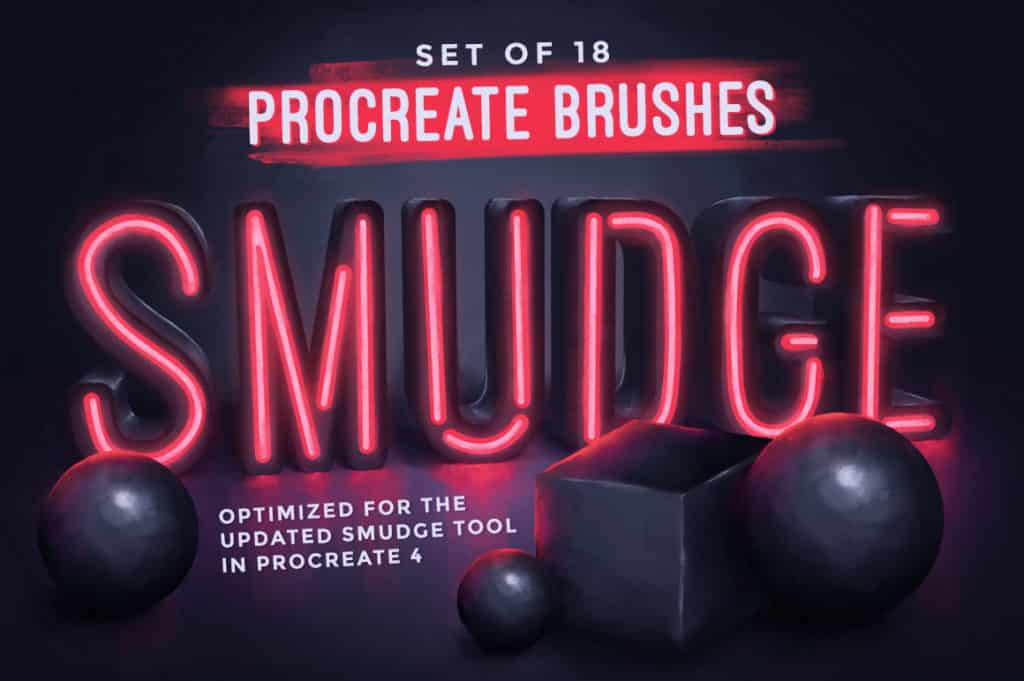
Procreate Smudge Brushes is specifically designed for smudging and blending. It comes with 18 brushes for creating varied textures and color blending effects in your digital projects. Moreover, the brushes included in this set were created and tested for use with smudge tools. In this brush set, you’ll find charcoal and pencil, paint and watercolor, and other textures and effects that you can use for creating stunning designs.


HOMwork Freebie: Procreate Smudge Brushes

HOMwork Freebie: Procreate Smudge Brushes

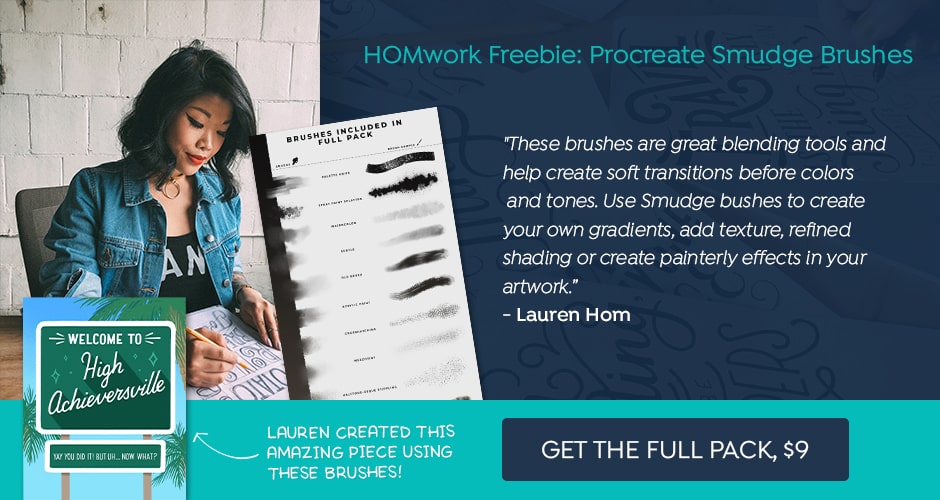
HOMwork Freebie is a set of Procreate smudge brushes that you can use for creating gradients, adding textures, shading, or creating painterly effects in your artworks. This pack includes a smudge acrylic paint and a smudge brush that will come in handy for adding details to your projects, thereby provide you a whole new experience when you use it.


Dry Media Pro Charcoal and Chalk Procreate Brushes

Dry Media Pro Charcoal and Chalk Procreate Brushes

If you are looking for a set of highly realistic and top-quality professional dry media brushes, then you should check out this pack. It features 38 brushes in total and comes with a collection of a fine-tuned set of pencils, pastels, smudgers, dusters, charcoal, and more, that evoke a touch of originality in your projects.


Procreate Portrait Painting Brushes

Procreate Portrait Painting Brushes

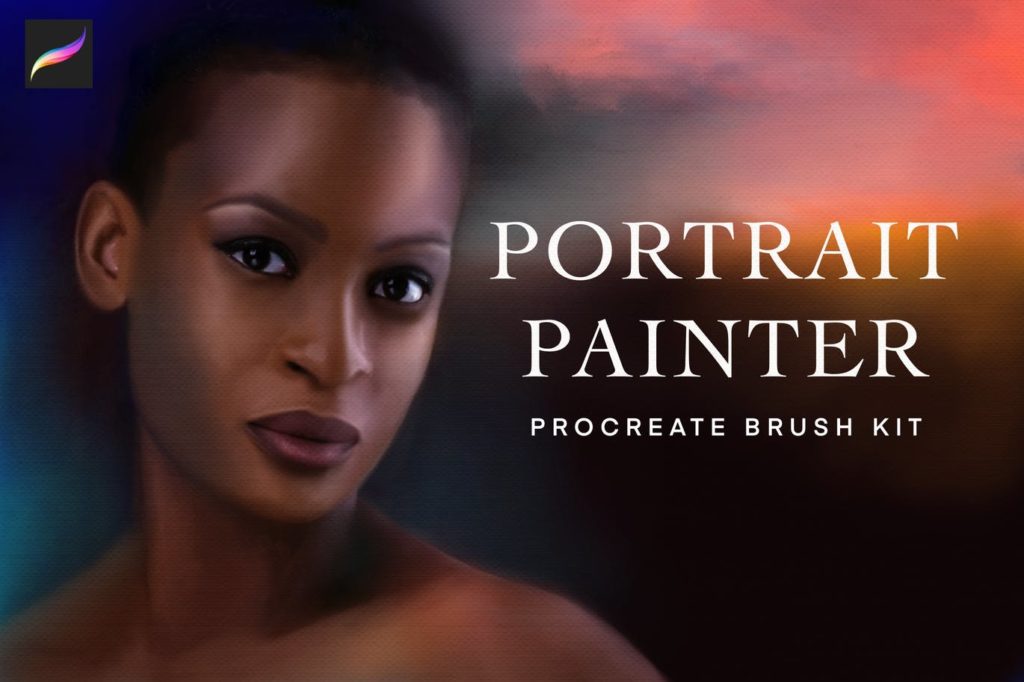
Procreate Portrait Painting Brushes Featuring 30 brushes. By using this brush set, you can create amazing designs. It comes with a variety of brushes that you can use for sketching, shading, detailing, and much more. Plus, if you use the fine-tuned brushes in this set with the right amount of pressure sensitivity, it will give perfect shading. Moreover, the realistic hair, eyelash, and brow brushes included in this pack will help you add that little extra element to your artwork to make it stand out.


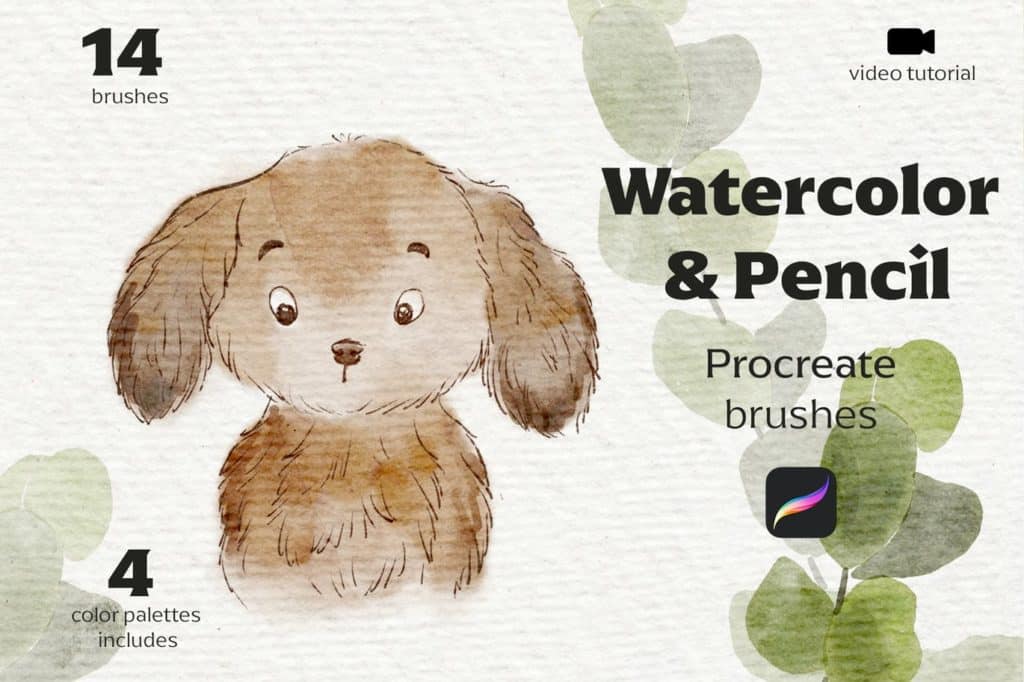
Watercolor & Pencil Procreate brushes

Watercolor & Pencil Procreate brushes

This easy-to-use brush set includes a variety of brushes for artists and designers who want to try watercolors on the iPad. With this brush set, you can save time and add more agility to your workflow, as this brush set offers different variety of brushes that help you give incredible results. Additionally, you can use the combination of watercolors and pencils in this brush set to add a visual appeal to any of your designs.


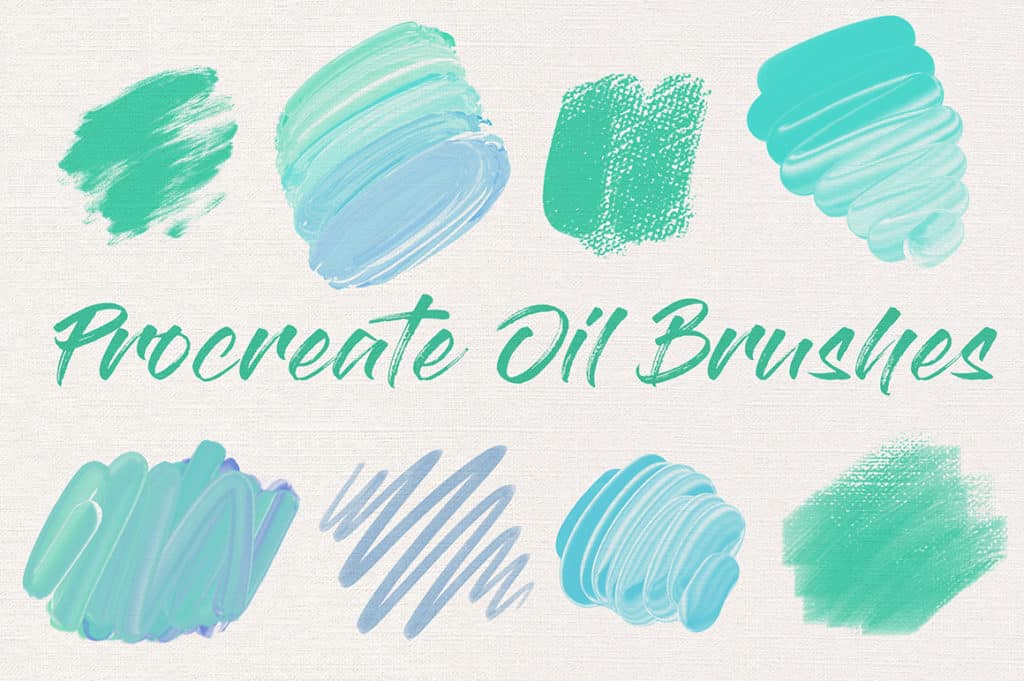
Procreate Oil Paint Brush Set

Procreate Oil Paint Brush Set

Procreate Oil Paint Brush Set consists of custom brushes and canvas textures that you can use to create oil paint masterpieces. It features 16 custom oil paint brushes, two smudge brushes, and 17 canvas textures. This versatile brush set is a great tool to save loads of time and get impressive results instantly.


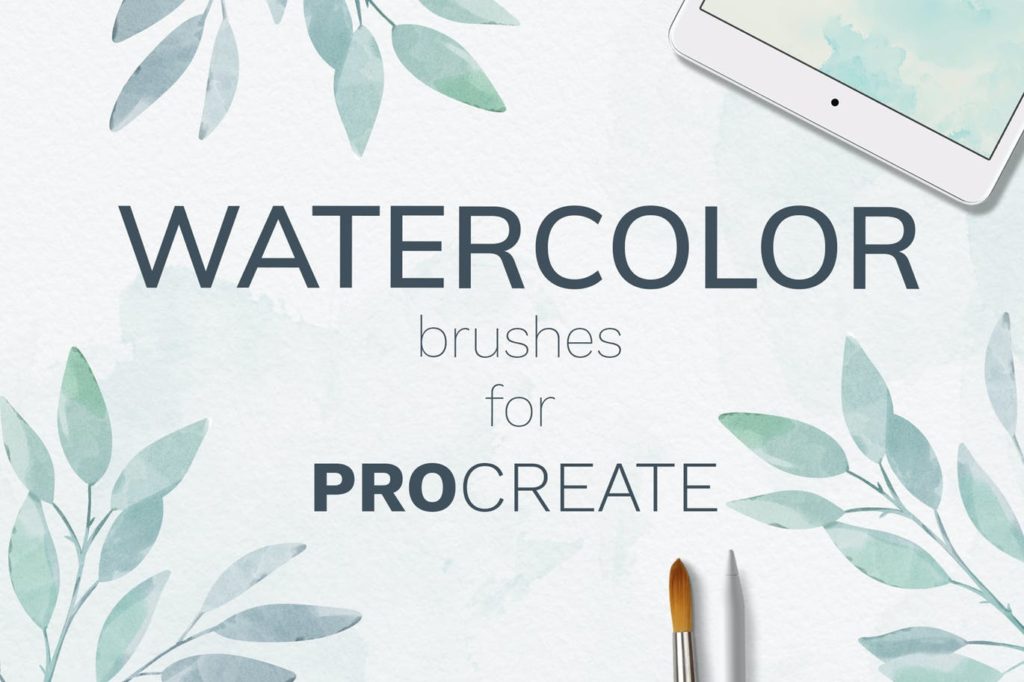
Procreate Watercolor Brush set

Procreate Watercolor Brush set

Procreate Watercolor Brush Set is a versatile brush set suitable for wedding cards, branding, invitations, clothes prints, packaging, social media, and more. This brush set comes with a collection of 38 watercolor brushes that include 21 brushes for watercolor backgrounds, 15 brushes for painting, and five smudge brushes. Overall, this easy-to-use brush set contains all of the tools you need to create intricate designs and quickly creating amazing artwork of your own.


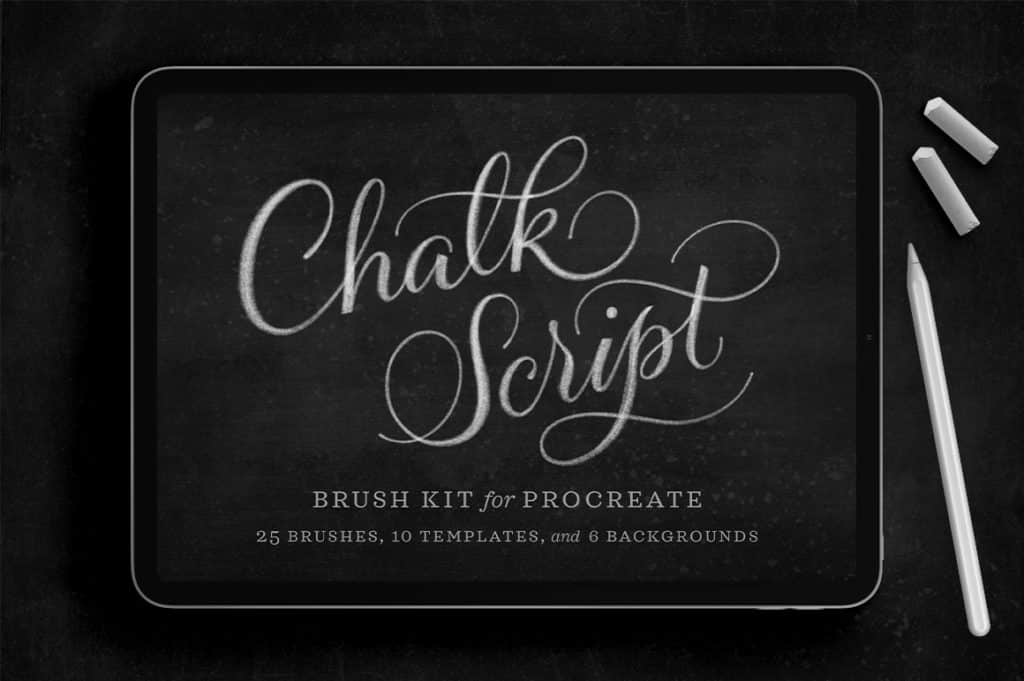
Chalk Script Procreate Brush Kit

Chalk Script Procreate Brush Kit

It is a complete kit of brushes optimized for drawing, scripting, lettering, and much more. This brush set comes with a large number of brushes that include 12 chalk lettering brushes, nine chalk texture and smudge brushes, six high-resolution chalkboard backgrounds, and more that you can use in your wide range of project needs. Moreover, this brush set also comes with a PDF reference guide and a video tutorial with instructions for installation.


Cray-Cray Crayon Brush Pack for Procreate

Cray-Cray Crayon Brush Pack for Procreate

Inspired by the good old days of crayons, this brush set is useful in various types of creative projects. With this brush set, you can easily replicate the charming look of crayons in your digital artwork. This brush set includes a different range of brushes such as a smudge brush, watercolor brush, textured brush, oil brush, and much more that offer a lot of variety and fun to create new styles of art. Additionally, this brush set includes a set of 24-nontoxic crayon color palette, thereby adding a visual appeal to any of your designs. You also get a 13-page brush and install guide with this brush set.


Animal Fur Procreate Brushes

Animal Fur Procreate Brushes 

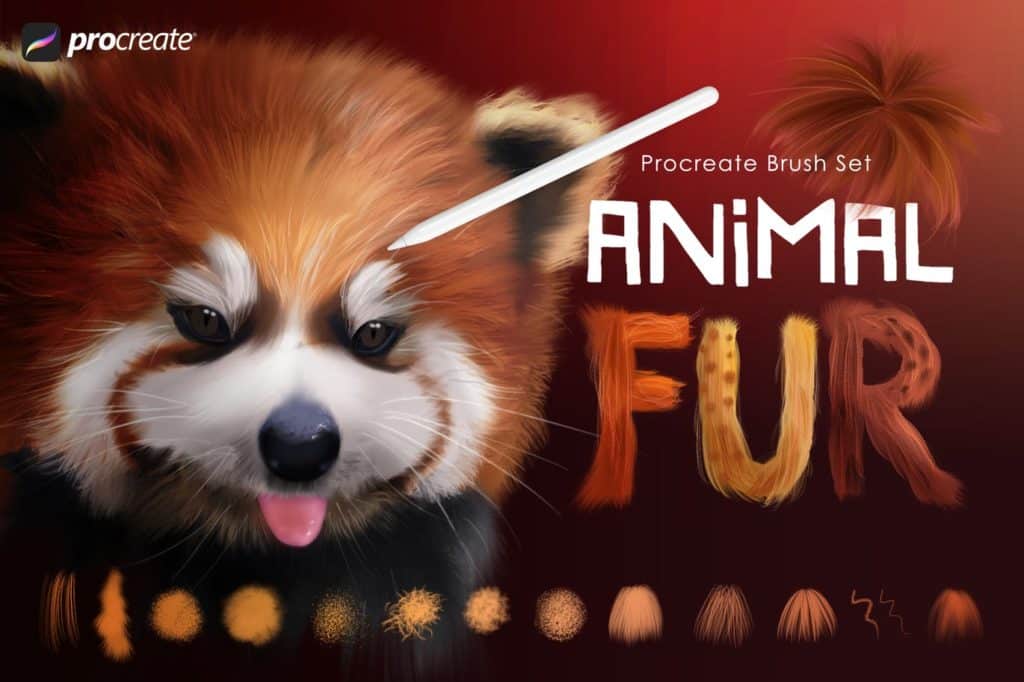
Animal Fur Procreate Brushes features 32 high-quality dynamic fur and hairbrushes. It allows you to create realistic fluffy and fuzzy effects easily. The brushes included in this pack will give a smooth fur effect and can be combined to create realistic animal effects. Moreover, you can use this brush set for smudging as well as painting and building multiple layers, allowing you to add real depth of color and richness to your artwork.


Inky Lettering Procreate Brush Pack

Inky Lettering Procreate Brush Pack

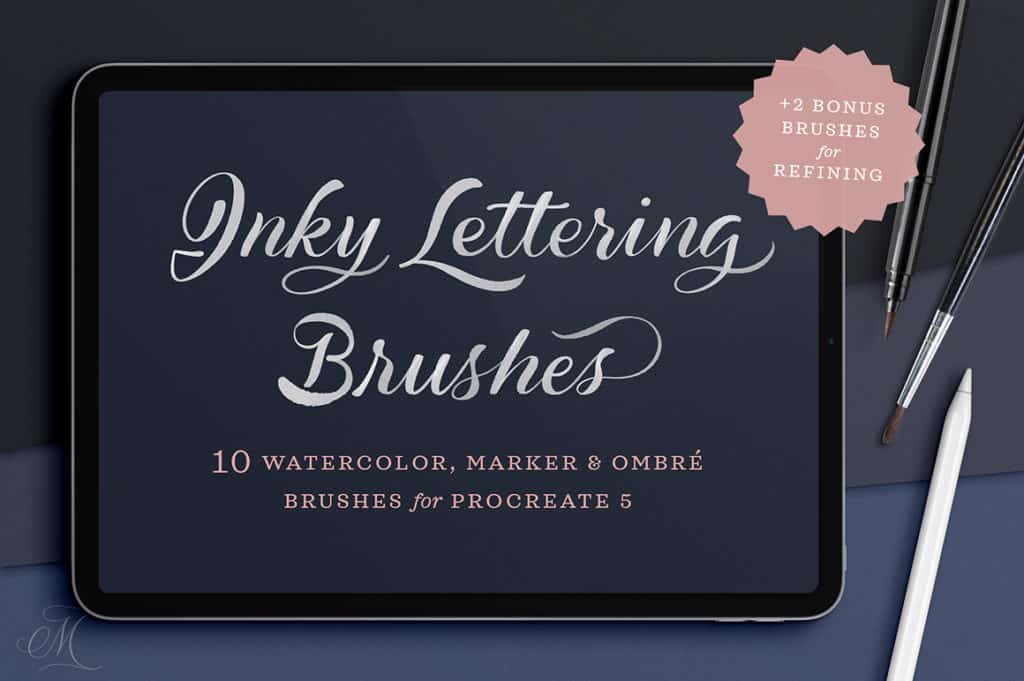
Do you need a brush set for editing your lettering? Then this brush set that comes with watery smudge brushes is exactly what you’re looking for. You can use these watery smudge brushes to add extra watery texture to the edges and overlapping strokes of the watercolor brushes. You can use the eraser tool included in this pack for precise stroke refinements on any of the brushes. Moreover, this brush set also comprises watercolor brushes, marker brushes, and solid paintbrushes, which are very useful for achieving the inky effects in your projects. Plus, this brush set also comes with a PDF reference guide and a video tutorial with instructions for installation.


Painterly Brushes for Procreate

Painterly Brushes for Procreate

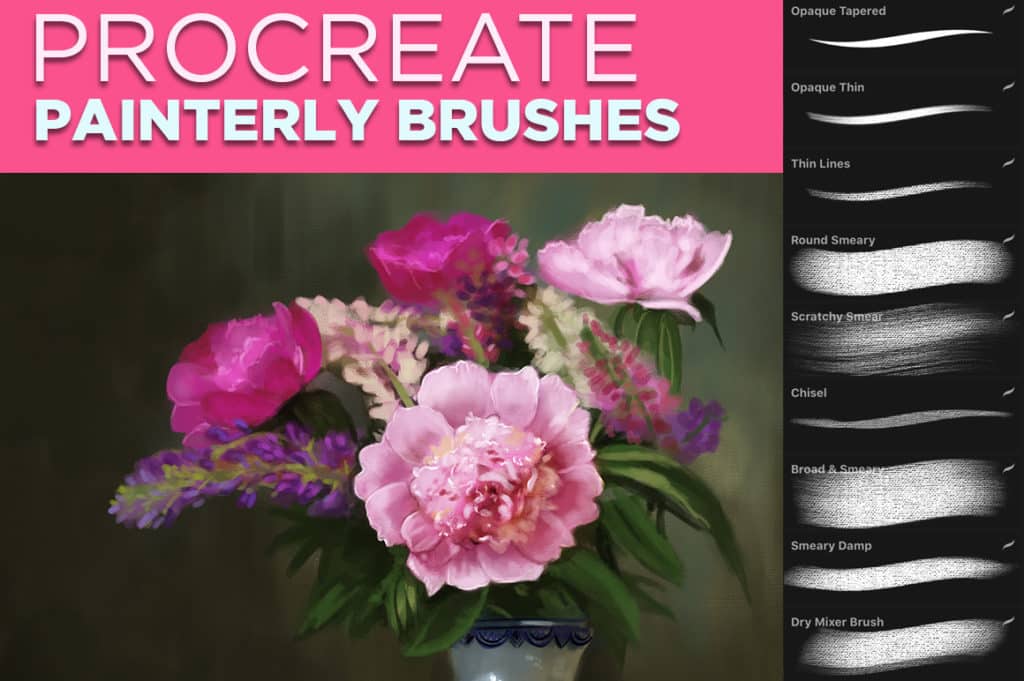
This brush set is a perfect pack to create a realistic painterly effect in Procreate. It comes with a variety of painterly brushes for smudging, sketching, painting details, dry mixing, and more. With this brush set, you can make your digital projects look as if they are painted on real canvas.


Sketch Box For Procreate

Sketch Box For Procreate

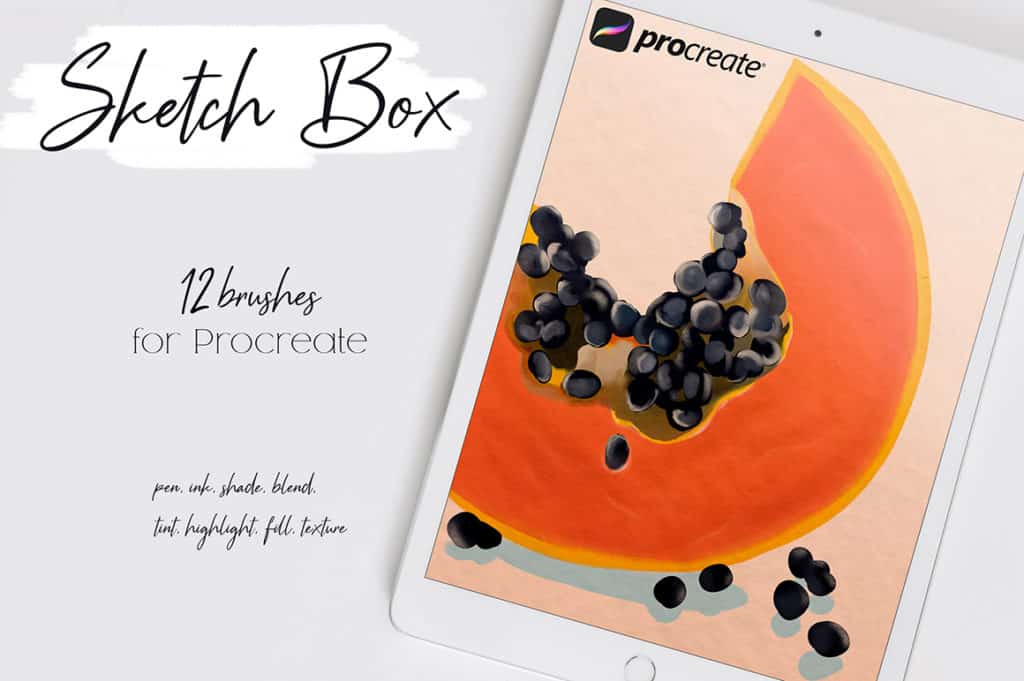
If you are looking for a perfect brush set for sketching, you should check out this brush set. It features 12 different purposes brushes. This easy-to-use brush set helps you make perfect illustrations quickly. You can use this brush set for your smudging, shading, highlighting, sketching needs.


Procreate Pro Smudgers

Procreate Pro Smudgers

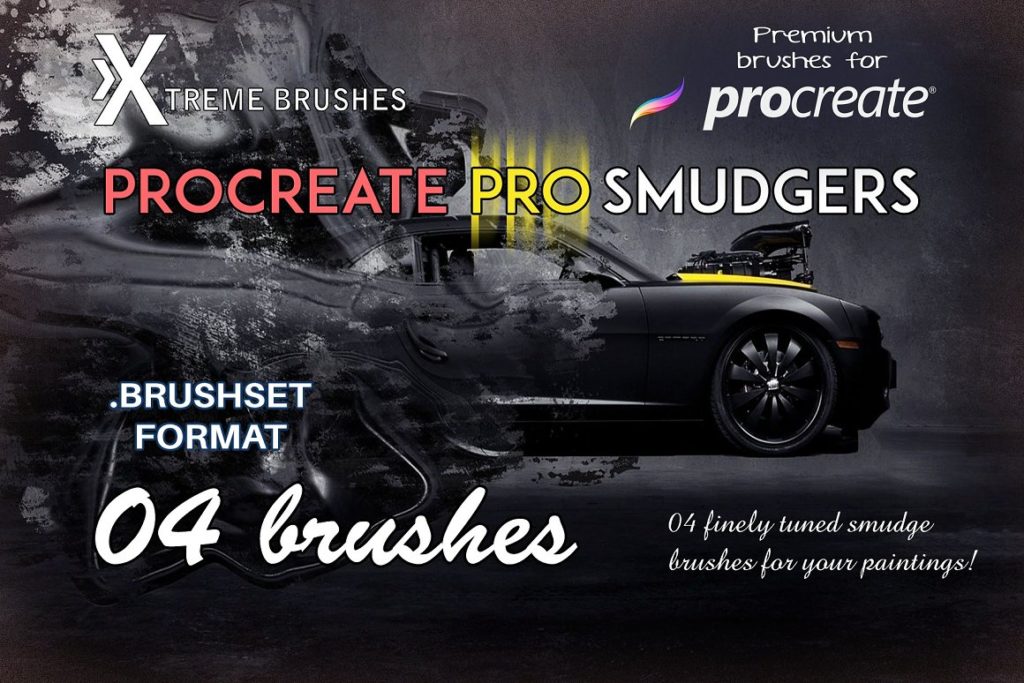
Procreate Pro Smudgers is a high-quality brush set with four amazing smudge brushes perfect for your paintings. Each smudge brush in this set comes with its unique utility giving you the option of choosing a suitable brush to create your desired effect. With this brush set, you can soften the texture of your artwork easily, and at the same time, it gives uniqueness to your projects.


Everything Watercolour For Procreate

Everything Watercolour For Procreate

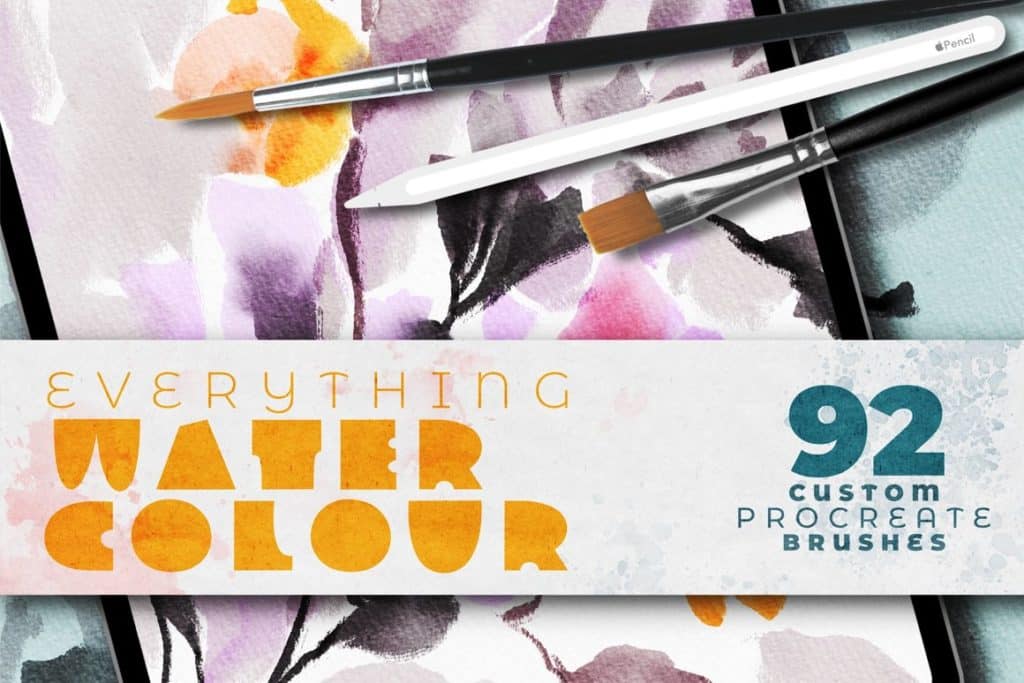
Everything Watercolor for Procreate comes with a set of smudgers that would make you feel like adding real water to a painting. It is an easy-to-use and versatile watercolor bundle you’ll ever buy. You will get a variety of different smudgers to choose from with this set. It includes fluffy smudger, stubby smudger, color chaser smudger, saturated water smudger, and more. Moreover, this brush set comes with a handy PDF reference guide with a description for each brush.


More Top Procreate Brushes


Top 15 Smudge Brushes for Procreate

There are many Procreate smudge brushes out there, but the ones we have listed above are the best. We hope the above list of smudge brushes will make smudging easy and a cleaner process for you in Procreate. Happy smudging!