Sunday, 5 May 2019

Logo Package Express – An Essential Tool for Any Logo Designer!

As much as I love logo design, I don’t enjoy saving out each individual logo file once the work is approved.

It’s monotonous and takes up way too much time.

» Enter Logo Package Express!

This awesome NEW extension for Illustrator exports logo packages in just one click.

It’s super fast and a massive time saver. Read on to learn more!

Create, export & sort dozens of logo files in under 5 minutes!

  • Export Print and Web Logo Packages in under 5 minutes
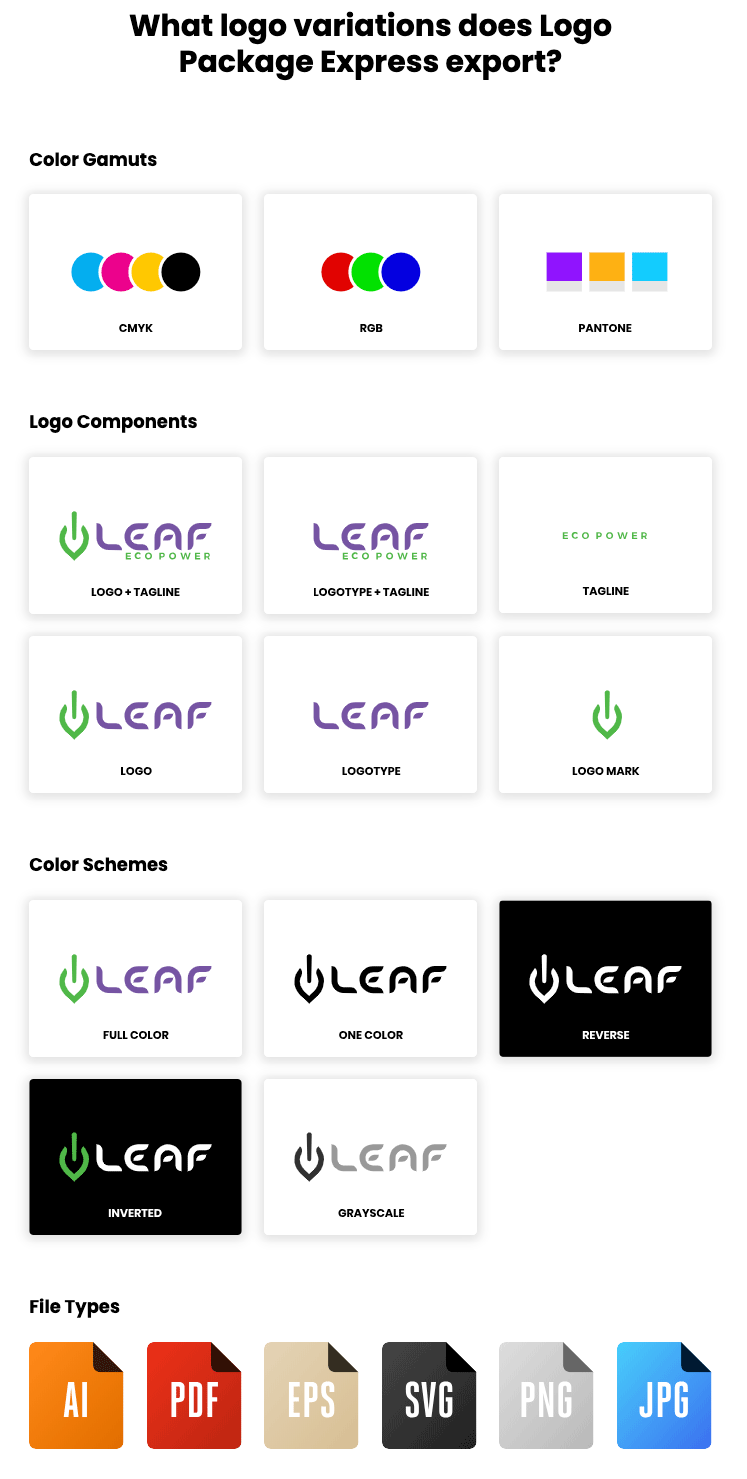
  • Automatically generate every color variation of your logo with 1 click (includes Pantone, CMYK & RGB)
  • Find the best Pantone match for your logo colors instantly
  • Export all of your logo’s components at one time
  • Produce an error-proof and easy-to-use naming convention and folder structure for your client’s logo package

» Learn More

(Don’t miss the 20% launch discount below)

Demo of Logo Package Express

Logo Package Contents

Logo Package Express Extension Benefits

  • Make robust logo packages 10x faster

Logo Package Express can pump out 100+ logo files in under 5 minutes.

  • Create every possible file for your clients, guaranteed

Your logo packages will include every file format, color gamut, and logo configuration your client could ever ask you for. Logo Package Express takes care of it all.

  • Send your clients error-free packages every time

Logo Package Express can churn out dozens of pre-named logo files and organize them into folders. You won’t ever have to manually create folders or name your logos one-by-one again.

  • Reduce ad-hoc client requests

Logo Package Express names your logo files with a proven and effective naming convention. Then it sorts them into a super intuitive folder structure that even stone-age clients can follow. No more requests for missing files.

  • More valuable logo packages

More files = more money. Use Logo Package Express and you can charge for a premium package without wasting hours of your time on it. More money for less time. Winning!

» Watch Logo Package Express Demo

Whats’ the Extension Look Like?

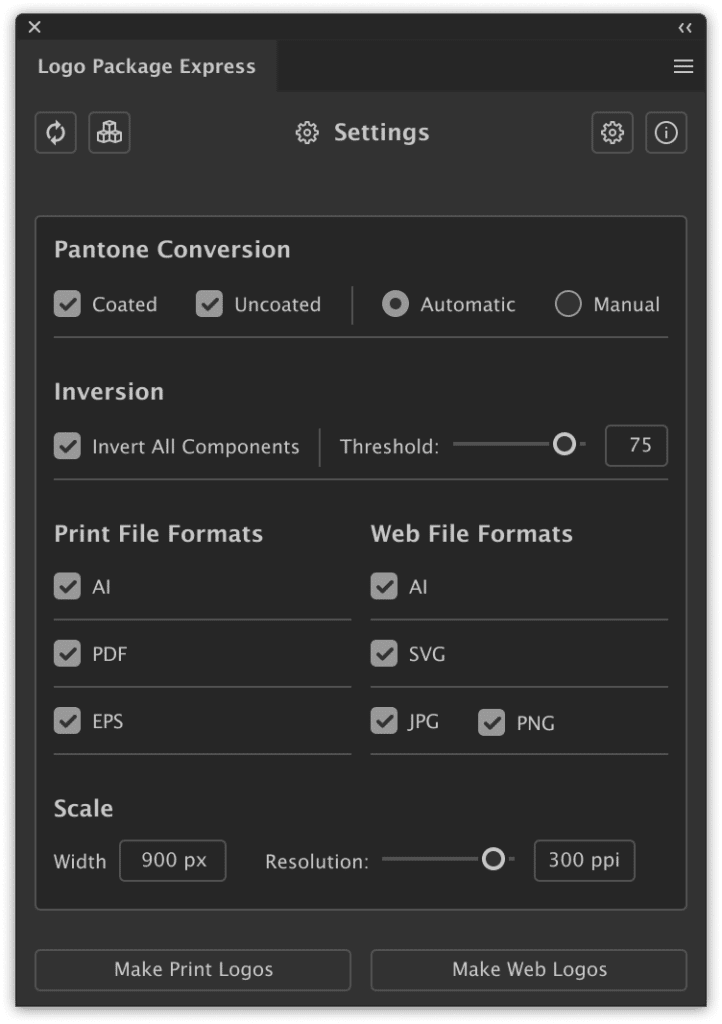
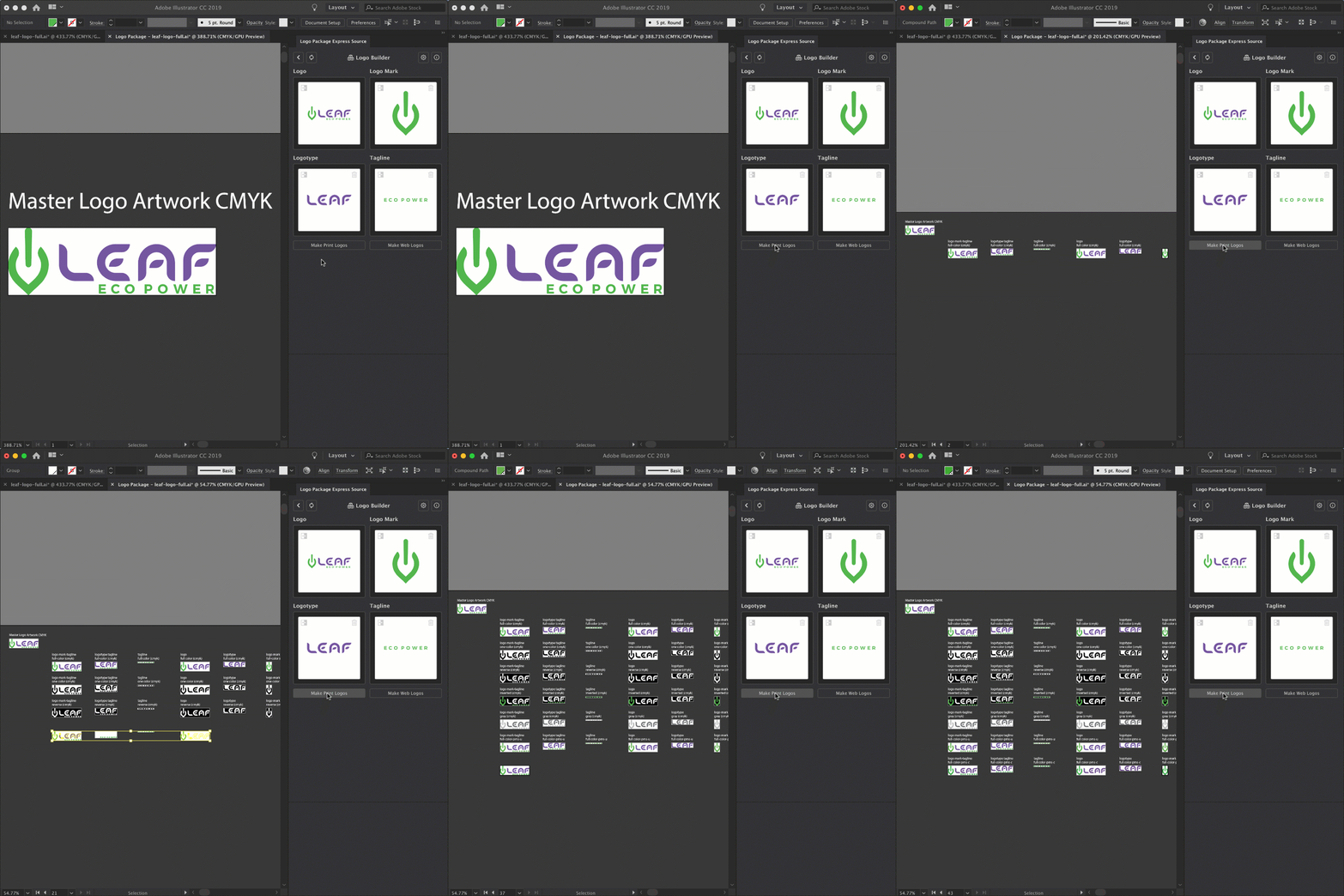
Wondering what the UI looks like? Have a sneak peek below. It’s simple and intuitive.

Logo Builder Panel Logo Package Extension Setting Panel

Get Logo Package Express (20% off!)

The extension is going for just $79 for the launch week, before it jumps back up to $99 on May 13.

Grab the 20% discount before it’s too late.

» Get Logo Package Express!

Requires Adobe Illustrator CC 2018 or higher. Available on Mac and Windows.

Thursday, 2 May 2019

17 Essential Tools for Graphic Designers

Whether you are just getting into graphic design or you are an expert with years of experience, there are certain tools that you just can’t live without as a professional.

This list covers the most essential hardware, software and equipment that every graphic designer should have on hand.

Top Essential Tools for Graphic Designers

  1. Laptop: Apple Macbook $2299+ or Desktop: iMac $1,299
  2. High-Res Monitor: BenQ PD3200U $699
  3. Monitor Calibrator: X-Rite i1 Display PRO $260
  4. Reliable Hard Drive: LaCie Porsche Design External Hard Drive (4TB) $140
  5. Graphics Tablet: Wacom Cintiq 13″ Pen Display $280
  6. Sketch Pen: Inkling $119
  7. Brainstorm Board: Dry Erase Whiteboard Paint $140
  8. Smart Notebook: Evernote Smart Notebook $15
  9. Color Swatches: Pantone Swatch Book $255
  10. Ergonomic Chair: Herman Miller Aeron $1275
  11. Studio Camera: Canon EOS 5D Mark IV $3549
  12. Noise-Cancelling Earphones: Bose SoundSport Free $199
  13. Wide-Format Printer: Epson Expression Photo HD XP-15000 
  14. High-End Smart Phone: iPhone $999+
  15. Ergonomic Mouse: Logitech MX Master 2s $79
  16. Pens: Sakura Fine Liner Set $23
  17. Creative Software: Adobe CC from $9.99


Laptop and/or Desktop Computer:

Laptop: Apple Macbook Pro

Apple Macbook Pro

If you are a creative you need to appear as such. Right? Personal brand image and operating system are the two main reasons why graphic designers choose Apple products. But the Apple MacBook Pro is also a powerful machine with its Intel i7 Quad Core processor and 16GB of RAM. However, this laptop is not for everyone. If you’re an avid Windows user, it will take some time for you to get used to the new system.

This laptop also doesn’t have any USB ports, which creatives might find uncomfortable. But for the outstanding design experience that Apple offers, and the courage to push its user base towards innovation and technology, the Apple MacBook Pro certainly deserves an ovation. Graphic designers will find AMD Radeon Pro Graphics and the high-resolution screen a pleasure to work with. The only drawback of this laptop is it’s a hefty price.

See here for a complete list of the best laptops for graphic designers.

Learn More

($2299+)
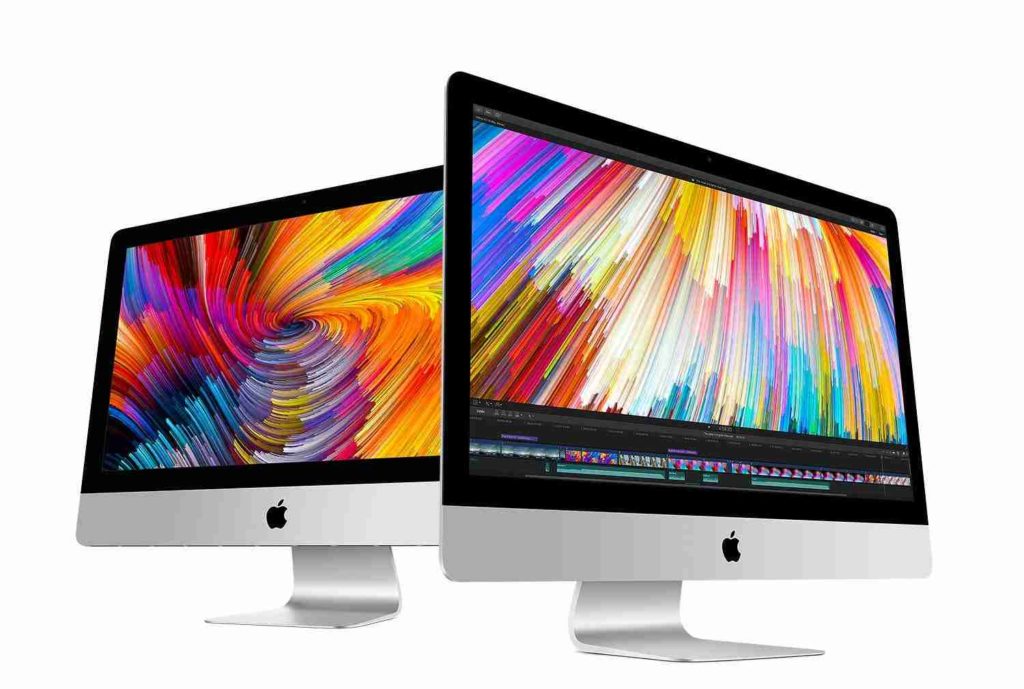
Desktop Computer: Apple iMac with 4K Retina display

Apple iMac

For many graphic designers, there is no other choice when it comes to the best brand for a graphic design computer than an Apple. It’s not hard to see why that is with the quality and design that the manufacturer has been putting into their products for years now, their biggest supporters have been with them since Day 1.

The Apple iMac is an all-in-one desktop computer that sports the same futuristic look that many previous iterations of the computer have already. Where it stands out from the crowd is in the improvements that Apple has brought to an already impressive setup. The CPU contained within the computer is provided by Intel and uses their Intel Core i5 processor. This CPU runs at 3Ghz but if you need a boost, can clock up to 3.5Ghz. 8GB of RAM provides you with enough power to take on just about any task.

The GPU, a dedicated AMD GPU is a Radeon Pro 500 comes with 2GB of dedicated video memory, making it twice as fast as the previous model. While it doesn’t come with a SSD, the fusion drive does come with 1TB of room for all of your projects. The 21.5in monitor with Retina display shines brighter than ever. Able to produce up to one billion colors and a brightness of 500 nits, images have never looked better or crisper. On the back of the monitor, you will find 2 USB-C ports, 4 USB ports, and an SDXC card slot which will make it easy to plug in any peripherals you may have.

See here for a complete list of the best computers for graphic designers.

Learn More

($1,299+)
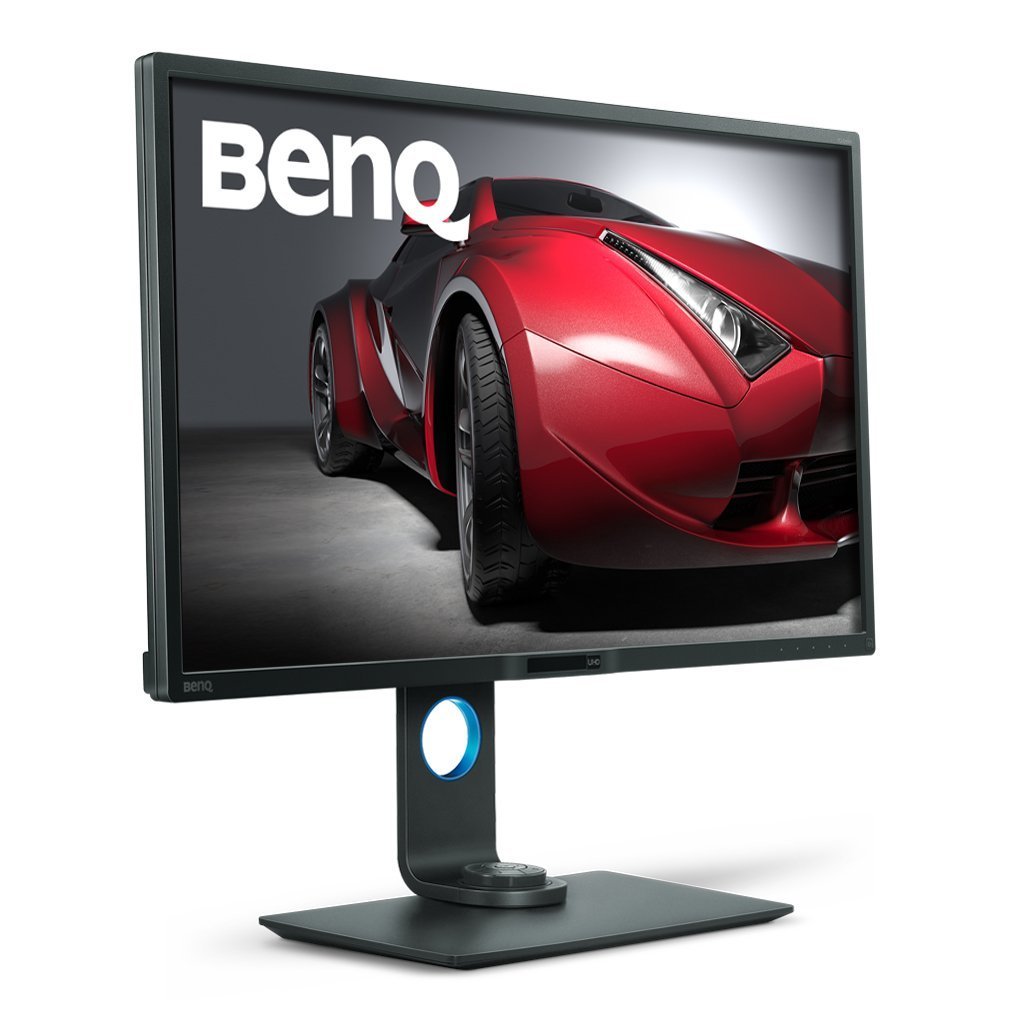
Monitor: BenQ PD3200U

benq top graphic design monitor

Featuring a widescreen display, the PD3200U from BenQ makes working with images in 4K and in 3D much easier than it would be on other monitors. The 32-inch display has a PS screen equipped with a contrast ratio of 1,000:1 and has full, 100% support for sRGB color space.

See Jacob’s review of the PD3200U here.

With a resolution of 3840×2160, the PD3200U is a 4K monitor which features 100% support for Rec 709, which also includes a darkroom, dedicated animation, and CAD/CAM modes. Sporting a KVM (Keyboard Video Mouse( switch, the PD3200U allows you to plug in a second PC to the monitor and switch between the two while using one screen, keyboard, and mouse. This can be a great option and space saver, especially if you use separate computers and have a smaller workspace.

Fully adjustable, giving you the option to tilt and swivel the monitor into your preferred position, the monitor also rotates 90 degrees into portrait mode, giving you more flexibility for your projects. On the right-hand side, BenQ provides you with two HDMI ports, a DisplayPort 1.2, as well as a mini DisplayPort, SD card slot, and two USB 3.0 ports so you can connect any peripheral to the monitor that you need to.

With features that can make it a perfect option to be the only monitor you need, the cost of the PD3200U from BenQ is modestly priced when compared to other monitors on the market today.

See here for a list of the best monitors for graphic designers.

Learn More

($699)
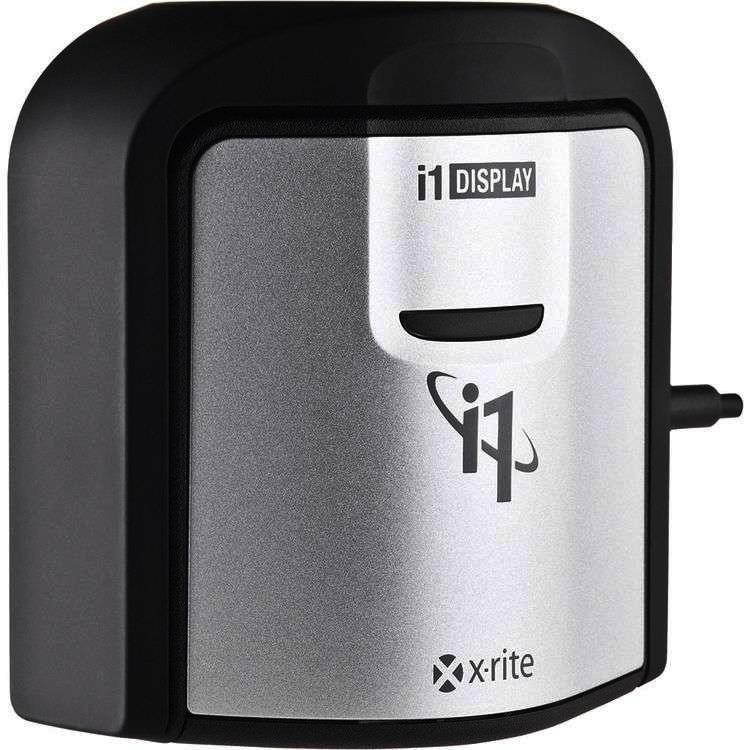
Monitor calibrator: X-Rite i1 Display PRO

X-Rite i1Screen Pro

Don’t waste precious time perfecting images or video with a display that does not accurately represent your digital files. A calibrated and profiled display is a critical element in an efficient digital workflow.

The X-Rite i1Display Pro is the ultimate choice for discerning photographers, filmmakers, designers and imaging professionals looking for the highest level of on-screen color accuracy for displays, laptops, mobile devices and projectors. Two user modes (Basic and Advanced) provide serious Color Perfectionists with the perfect combination of unrivaled color precision, speed, options and controls to fit any workflow.

Learn More

$201
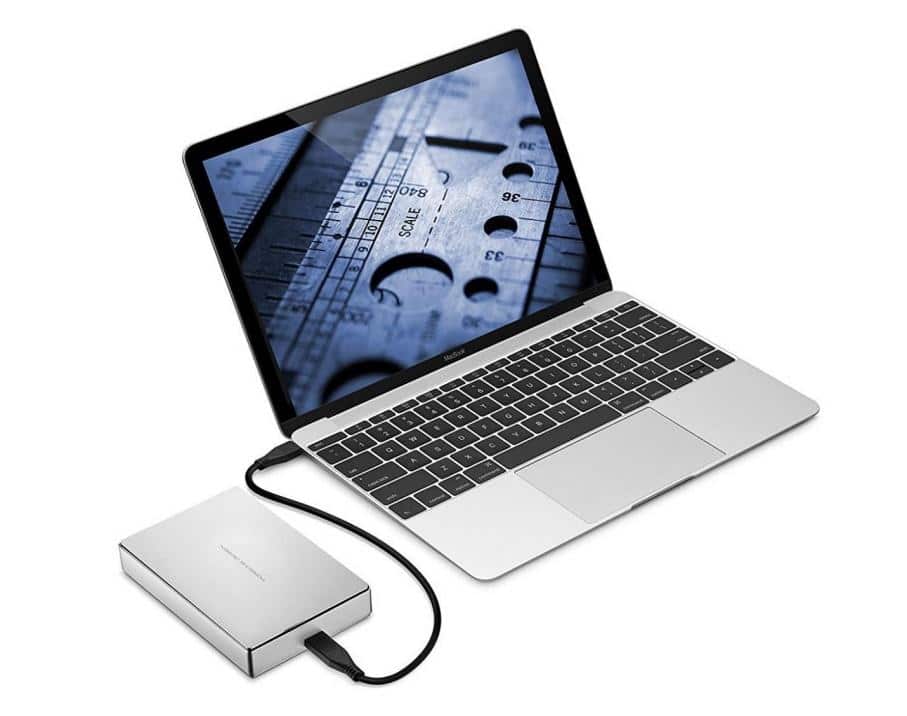
 

Reliable Hard Drive: LaCie Porsche Design External Hard Drive (4TB)

Hard Drive

Back up early and backup often! An external hard drive gives you peace of mind, just in case the unthinkable happens… and it does happen!

Like the majority of things made by Porsche, the LaCie Porsche Design External Hard Drive (4TB) is superbly crafted and has incredible performance, including 5GB/s speeds. 

It offers both USB-C and USB 3.0 connectivity as well, giving it longer legs than your regular hard drive.

It includes a stylish, advanced lightweight aluminum finish that complements Mac computers.

Learn More

$140
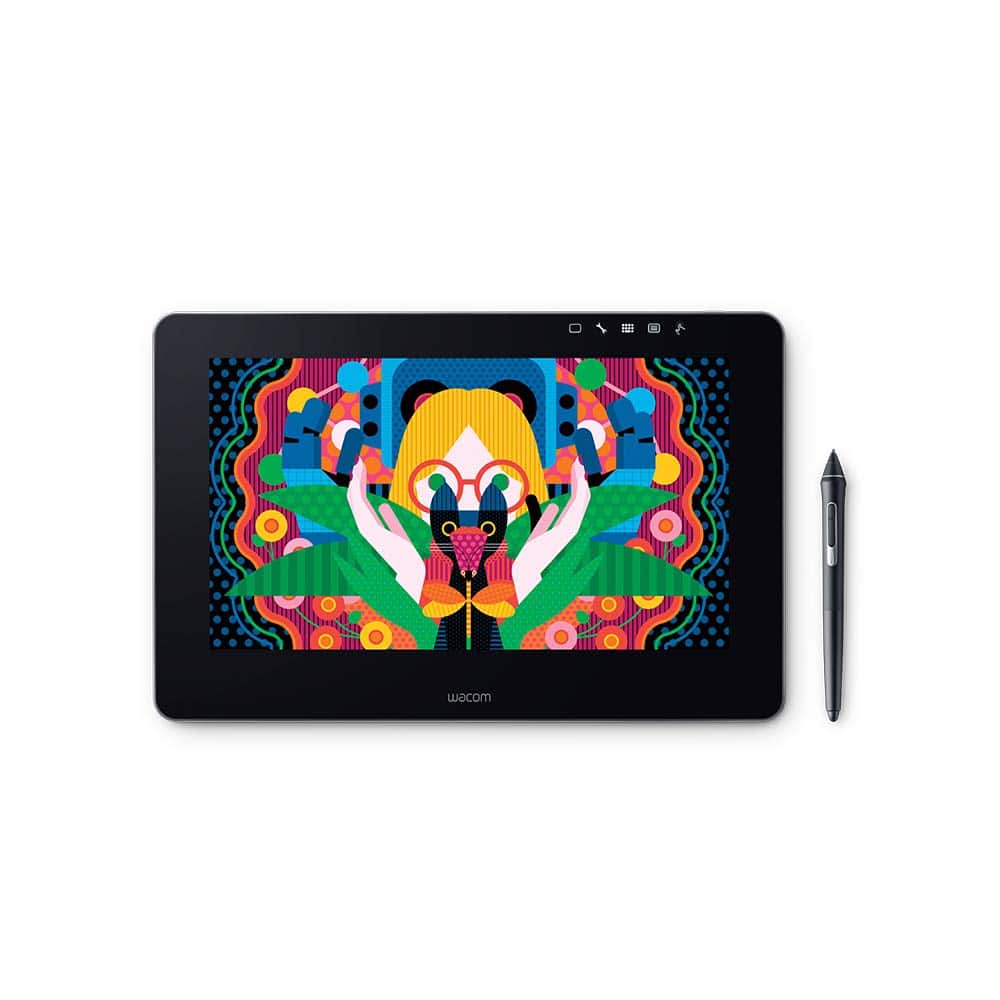
 

Graphics Tablet: Wacom Cintiq Pro 13″ 

Wacom Tablet

The Wacom DTH1320AK0 Cintiq Pro 13″ Creative Pen Display allows creative specialists to work naturally, by using Wacom’s patented, professional Pen technology on the surface of its LCD screen. It has world-class accuracy, control, and comfort for editing digital images.

The amazingly reactive pen-on-screen performance carefully replicates the feel of traditional brushes and markers and ensures a smooth electronic workflow. The Cintiq’s scratch-resistant surface is totally flat from border to border, allowing the hands to glide easily over the complete surface.

The Cintiq Pen handles the cursor in virtually any application and pressure and tilting gives impressive results in assisting applications such as Adobe Photoshop, Corel Painter, Autodesk SketchBook Pro, and a huge selection of other applications. It works on both Mac and PC.

See here for a list of the best tablets for graphic designers.

Learn More

$799
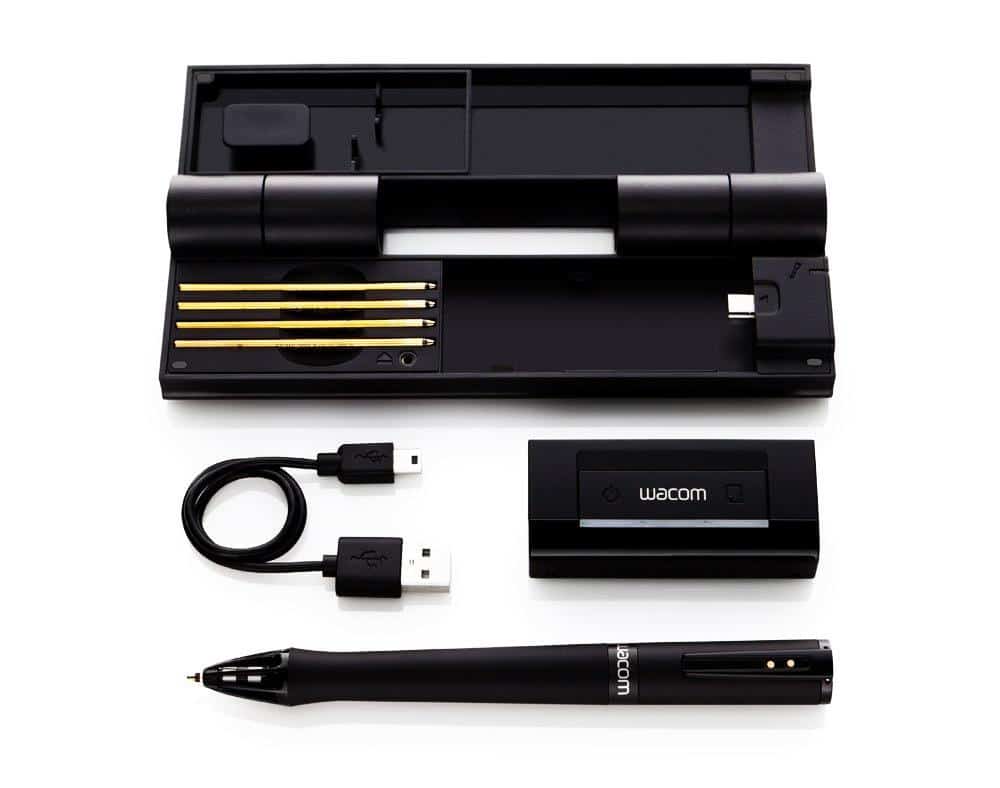
 

Digital Sketch Pen: Inkling

Inkling

The inkling sketch pen captures a digital likeness of your work while you sketch with its ballpoint tip on standard paper or sketchbooks. If you use sketching to capture your creative ideas and rough concepts, and you want to have your sketches in digital format for emailing, archiving or further refining on your computer, then Inkling is the product for you.

Learn More

$130
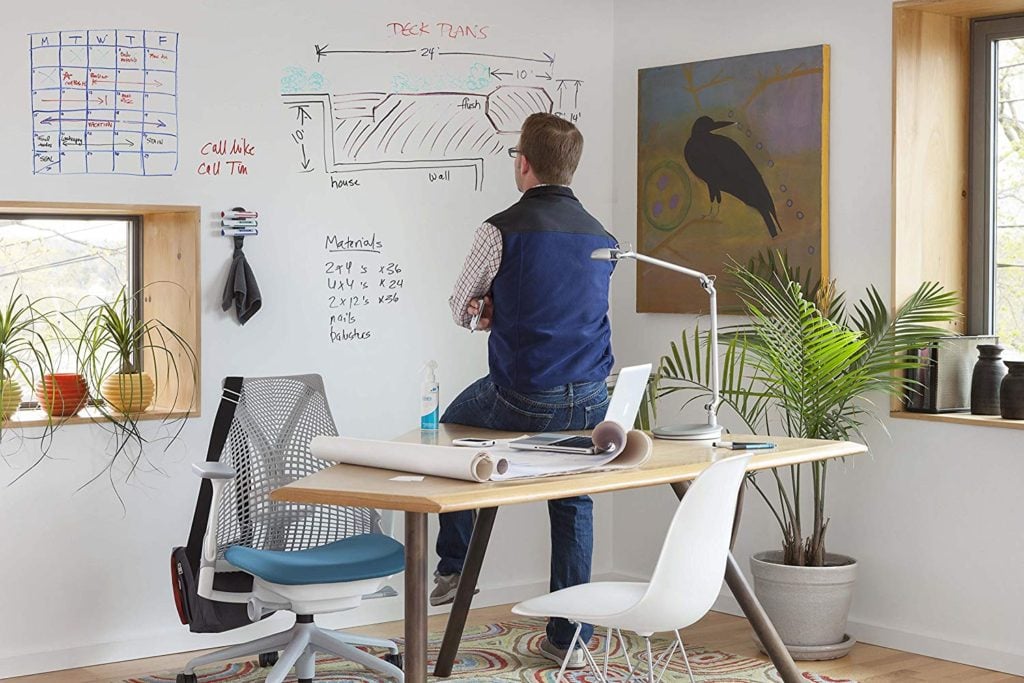
 

Dry Erase Whiteboard Paint

Idea Paint

Turn any wall or surface into a whiteboard canvas with Dry Erase Whiteboard Paint!

This Dry Erase Whiteboard Paint is the highest quality, best performing, product available on the market, designed to write clearly and erase cleanly every single time, without pesky residue commonly found with chalk boards. 

Learn More

$140
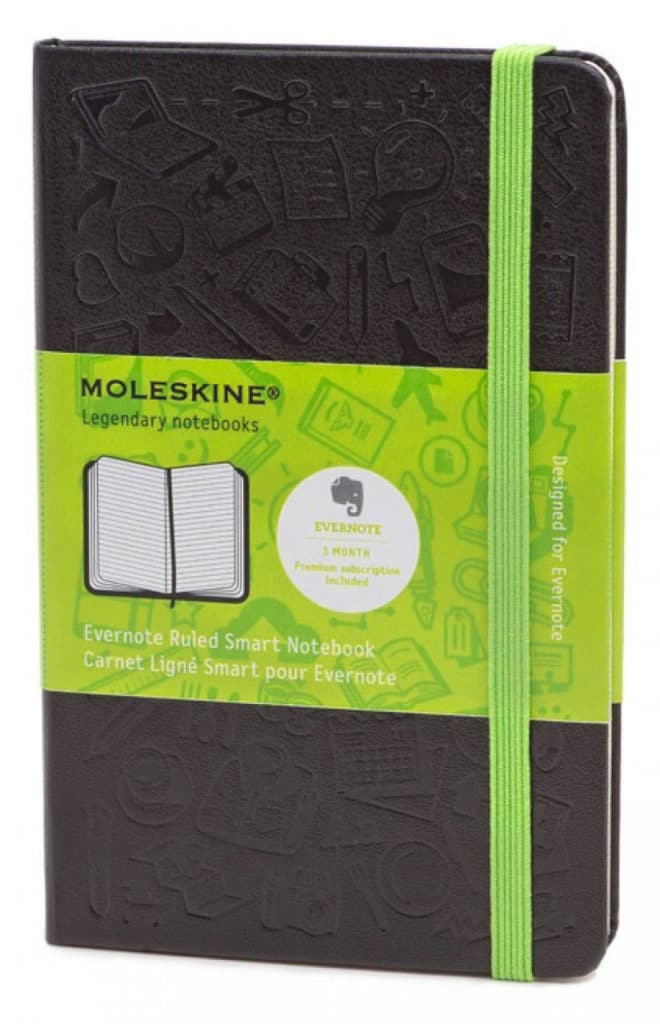
 

Smart Notebook: Evernote Moleskine

Smart Evernote NoteBook

This Evernote Smart Notebook is the perfect notebook for writing, sketching or note taking during classes or conferences as it helps you sync your analogue and digital work. It features ruled pages designed to digitally capture your written work and has “Smart Sticker icons” that are searchable, keeping your ideas organized.

It is beloved by travelers, designers and journalists because of  its sleek design and durable cover which ensures its suitability for daily journaling, writing, and sketching.

Learn More

$21


Pantone Swatch Book

Pantone Swatch Book

If you work in print, you’re going to need to your own Pantone swatch book, for accurate color consistency.

A Pantone color book is the most functional color tool for graphic designers, as it gives you a side-by-side aesthetic evaluation of Pantone spot colors versus their closest CMYK process color, producing a match on uncoated and coated paper. It also gives RBG and HEX values ensuring the colors are reproduced on screen in their best light. 

Learn More

$214
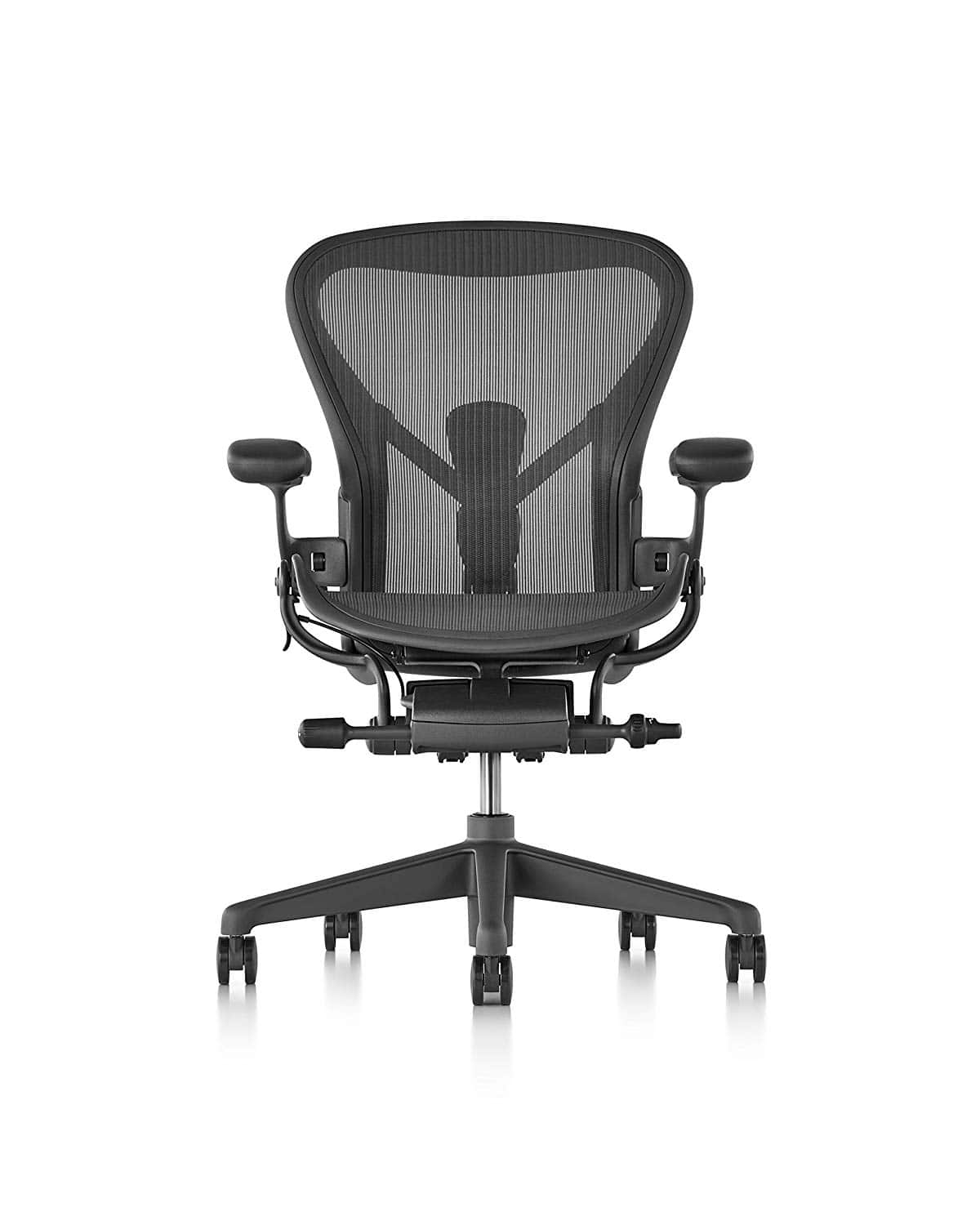
 

Ergonomic Chair: Aeron by Herman Miller

Aeron Chair

Seat height: 14.75-20.5in | Seat width: 25.75-28.25in | Max load: 350lbs | Lumbar support: yes | Height adjustable: yes | Tilt lock: yes (Height and width dimensions determined by model purchased)

We must admit that we have a bit of a soft spot for this chair. The Aeron by Herman Miller is the chair that Jacob uses every day (and has done for 10+ years) and it’s not hard to see why. Available in three different sizes to accommodate just about every person imaginable, the Aeron is by far, one of the best ergonomically-designed chairs ever made and will look fantastic in a home office or a board room.

See here for a list of the best office chairs.

Learn More

$1275
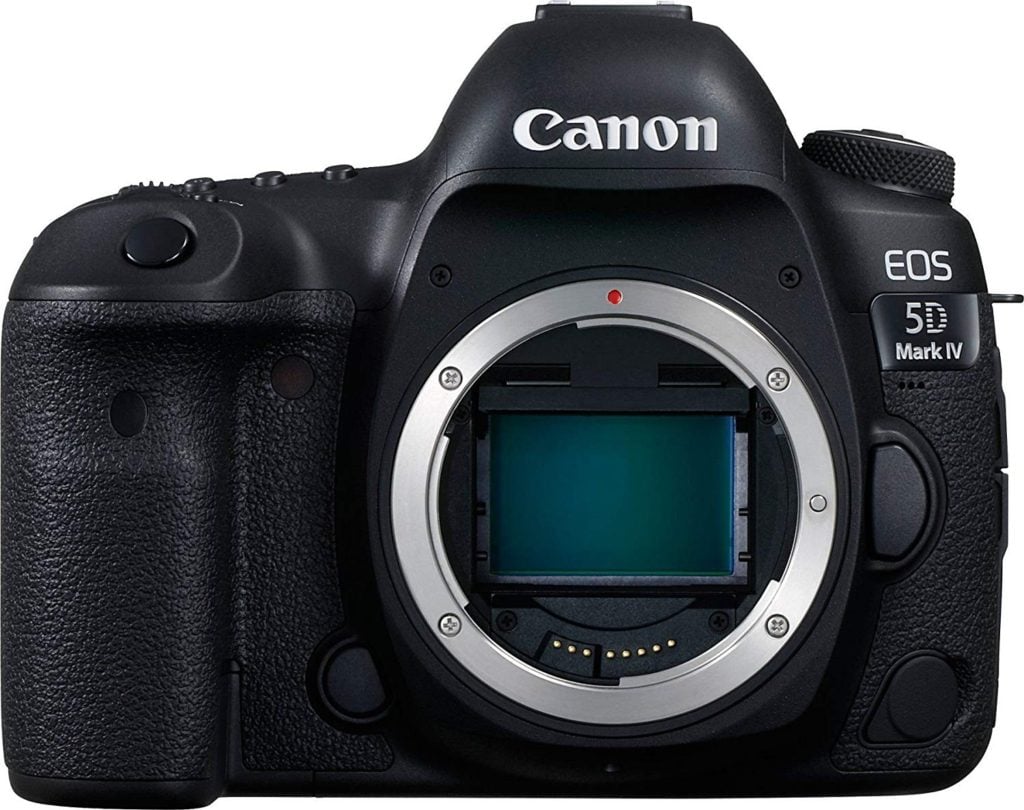
 

Camera: Canon EOS 5D Mark IV

Canon EOS 5D Camera

When it comes to the newest technology in cameras, Canon isn’t particularly known for being the first one out of the gate to show it off. However, they are really good at putting out quality products and the EOS Mark IV continues the trend of being the number-one seller of cameras with interchangeable lenses. With high-quality 30.4 megapixel stills and Dual Pixel autofocus when recording video, your images will always look amazing. A high ISO capability, 7 frames per second for continuous shooting, and a 61-point autofocus system will leave you thinking that the Mark IV has no flaws at all. The only gripes holding this back is that there is no tilt screen, and the HDMI-out is limited to 1080p. All in all, the EOS 5D Mark IV is an amazing piece of hardware.

See here for a list of the best cameras for graphic designers.

Learn More

$3549 with 24-70mm lens


Earphones: Bose SoundSport Free

Bose in Ear

These are for getting into the zone and for those who prefer the convenience that can come with wireless earphones. Even the best earphones can have connectivity issues, causing people to get frustrated easily and either struggle through the frustration or spend more money on another new pair. With the SoundSport Free from Bose, the innovative design and high-quality tech provide an amazingly reliable connection. With a minimalistic, in-ear design, the SoundSport Free earphones are built for everyday use from hanging around the house to a high-intensity workout. While the SoundSport earphones offer you a great level of sound quality, the minimal design can provide a loose fit when in your ears causing you to adjust them frequently.

For some, this is a minor complaint and won’t keep them from purchasing the earphones, even though some other wireless earphones may offer better quality at a much cheaper price. These days, privacy and noise reduction while wearing earphones is a major feature that many consumers look for and those who consider the SoundSport Free should consider other options. The design of the earphones allows outside noise in keeping you from enjoying the tremendous sound quality that only a manufacturer such as Bose can provide. If you can look past their shortcomings, the Bose SoundSport Free could be the perfect earphones for you. You could also consider their wired, noise-cancelling version: Bose QuietComfort 20 Headphones ($299).

See for more of the best earphones for music lovers.

Learn More

$199

Printer: Epson Expression Photo HD XP-15000 Wireless Color Wide-format

Epson 1500

This Epson printer is a high quality photography and design workhorse designed for consistent results. It features six individual dye ink tanks for ultra-realistic image print results. The XP-15000 can print paper as large as 13” x 19” and it can handle most every standard paper weight and finish. This Epson model is compatible with high-yield ink cartridges that can print upwards of 800 pages per color.

See here for a list of the best printers for graphic designers.

Learn More

$250

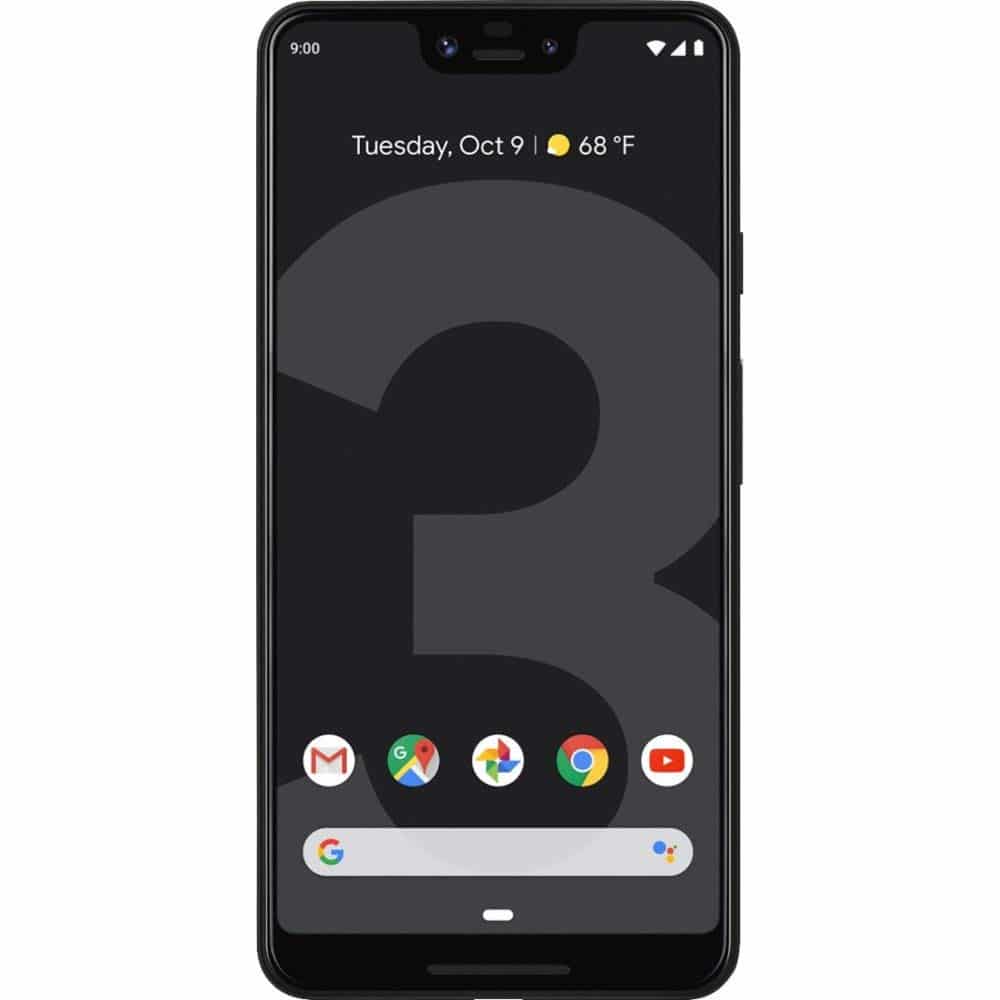
High-End Smart Phone: Google Pixel 3 or Apple iPhone

Google Pixel 3

Google’s Pixel 3 or Apple’s iPhone are arguably the best smart phones on the market at present, especially for creatives who need professional looking photos on-the-go, as well as the plethora of apps that will make your life as a creative, that much easier.

Learn More

$799+

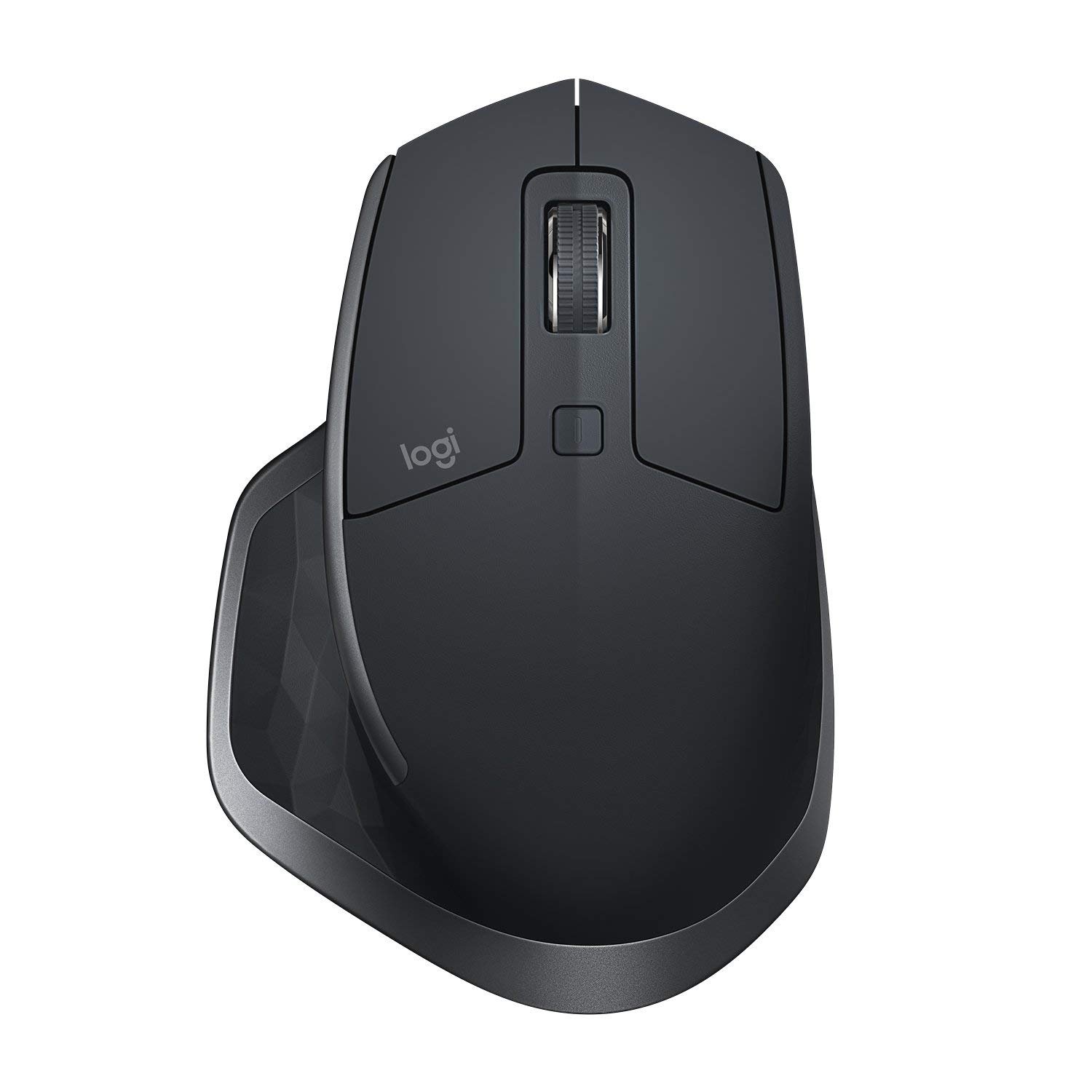
Ergonomic Mouse: Logitech MX Master 2s

Best mouse for graphic designer - Logitech MX Master 2s

I personally use the Logitech MX Master 2s and have used prior models for over 10+ years now. This mouse is extremely comfortable and has all the precision I need for design tasks. Highly recommended!

Computer peripherals and Logitech are pretty much synonymous in today’s market. They tend to produce some of the best products in terms of quality and responsiveness. This can be a great thing when you need a mouse that can handle the precision required of the type of work you do. A cordless mouse, the MX Master 2s is designed to fit comfortably in your hand without causing strain over long periods of use.

With a 4,000 dpi Darkfield sensor, the 2s works on all surfaces, including clear glass. When you come back to your desk to work, the mouse wakes up instantly, providing you with an indicator of the battery’s charge with the three green LEDs on the left side of the mouse. The battery life of the mouse can last up to 70 days from a full charge though in a pinch, you can use the micro-USB on the front of the mouse to charge it while you’re working.

There are buttons located on the side of the mouse that let you change between windows without using your keyboard and is also easily programmable. A scroll wheel on the side of the mouse lets you scroll through web pages or documents quickly and easy, depending on how fast you flick the wheel.

Although it comes with a hefty price tag, the Logitech MX Master 2s is a high-end mouse that has the features and the ergonomic design that makes it a perfect option for a graphic designer.

Learn More

$79

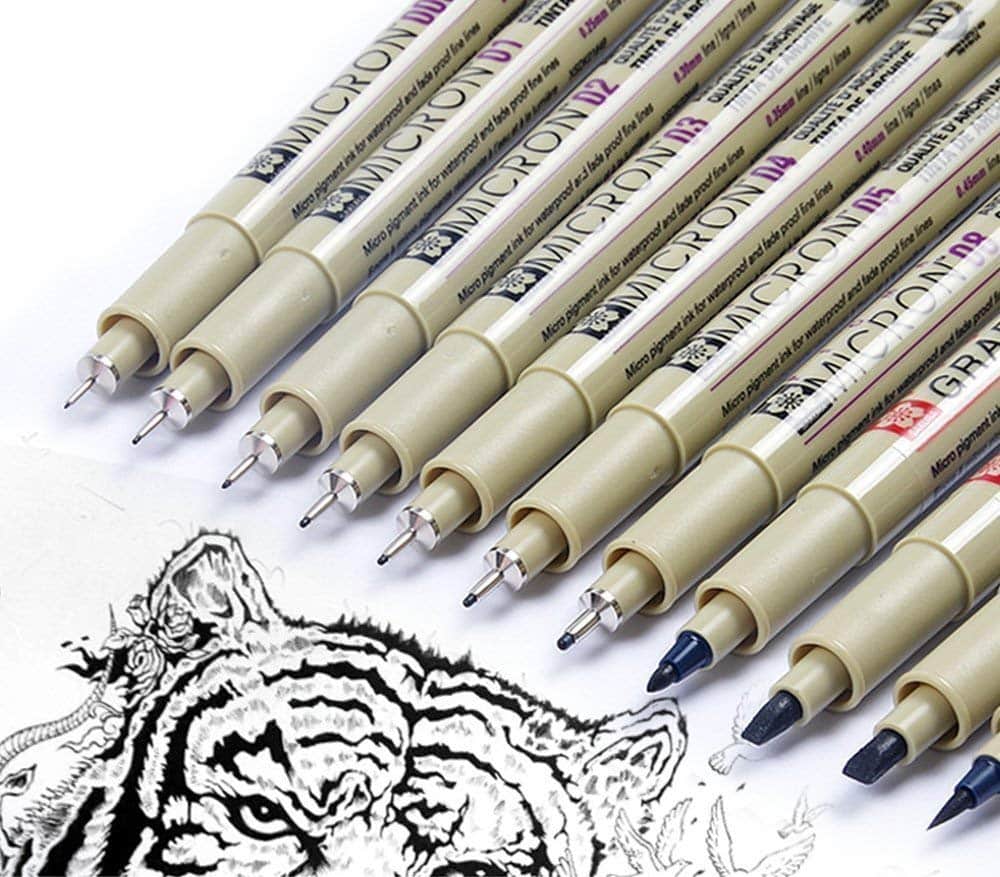
Pen Set: Sakura Fine Liner Pen Set

Sakura Pen Set

Artists, writers, and illustrators need a quality pen set to convey their personality, style, or ability, and to safeguard their work. These Pigma Micron pens are acid-free and archival, making them ideal for design, papercrafts, journals, illustration, crafts, or any application requiring precision and permanence.

Unlike dye-based ink found in most pens and markers, this “Pigma ink” will not feather or bleed, even through the thinnest paper. Pigma ink is derived from a single pigment to ensure color consistency, and is fadeproof against sunlight or UV light. Pigma inks will not clog or dry out like most mechanical pens

This pack comes with sizes: 0.2mm (005), 0.25mm (01), 0.3mm (02), 0.35mm (03), 0.4mm(04), 0.45mm (05), 0.5mm (08), 1.0mm (1), 2.0mm(2), 3.0mm(3), 0.8-2.5mm (BR)

Learn More

$23

Creative Software: Adobe CC

Adobe CC

As a designer you’re most likely going to need software to produce your designs. Adobe are the industry leader when it comes to creative software. The Adobe Creative Cloud has all the tools you may need, such as Photoshop, Illustrator, InDesign, XD or more. If you’re a student, you can get 60% off a Creative Cloud subscription here.

You could also consider Affinity Designer, Affinity Photo or Corel Painter.

Learn More

From $9.99/month

Graphic Designer Essential Tools Summary

  1. Laptop: Apple Macbook $2299+ or Desktop: iMac $1,299
  2. High-Res Monitor: BenQ PD3200U $699
  3. Monitor Calibrator: X-Rite i1 Display PRO $260
  4. Reliable Hard Drive: LaCie Porsche Design External Hard Drive (4TB) $140
  5. Graphics Tablet: Wacom Cintiq 13″ Pen Display $280
  6. Sketch Pen: Inkling $119
  7. Brainstorm Board: Dry Erase Whiteboard Paint $140
  8. Smart Notebook: Evernote Smart Notebook $15
  9. Color Swatches: Pantone Swatch Book $255
  10. Ergonomic Chair: Herman Miller Aeron $1275
  11. Studio Camera: Canon EOS 5D Mark IV $3549
  12. Noise-Cancelling Earphones: Bose SoundSport Free $199
  13. Wide-Format Printer: Epson Expression Photo HD XP-15000 
  14. High-End Smart Phone: iPhone $999+
  15. Ergonomic Mouse: Logitech MX Master 2s $79
  16. Pens: Sakura Fine Liner Set $23
  17. Creative Software: Adobe CC from $9.99


What graphic design tools can you not live without?
Monday, 29 April 2019

Get Your FREE .Design Domain

Everyone is familiar with .com and .net, but did you know you get your own free .design domain?

As a designer, I think it’s pretty awesome that we can get a domain name that reflects what we do, .design.

And because it’s a fairly new domain, there are still plenty of short .design names available. So the good news is, you can shorten or improve your existing branding by switching to the .design domain.

ie. johnsmithdesign.com >> johnsmith.design

The big brands are already on board… adobe.design, amazon.design, uber.design and I even registered justcreative.design which is currently redirecting to justcreative.com.

Get your FREE .Design Domain

I have teamed up with Porkbun again to offer all JUST Creative subscribers a FREE .design domain name. The first year is free, and yearly renewals will be just $35 instead of the $70 offered at some registrars.

You also get:

  • Free email hosting – you can add an email address (or multiple!) that matches your domain name. For example, anne@goldsmith.design or info@goldsmith.design, or any other name you want.
  • SSL Security – An SSL certificate will encrypt your visitors’ sensitive data, and also display your site with “HTTPS” in your address bar, which will let visitors know that you’ve made their security your top priority. You’ll also avoid the “NOT SECURE” label from Google.
  • Free WHOIS Privacy – Your contact information will be private, and protected forever. Other registrars charge you for this. PorkBun won’t.
  • Free website builder – If you want to build your .design website with no code, you can build it for free using their site builder, powered by Weebly. And with this option you don’t have to pay for website hosting.
  • Free domain connection – Whether you built your website (or plan to build it) with other services like WIX, SquareSpace, or Weebly, you can easily connect your .design domain to your website platform. Your website content will stay exactly the same, but you’ll have a modern .design domain name for your website to show off!

Here’s your chance to get a free website domain name that reflects what you do and helps you showcase your work.

YES! I want my FREE .design Domain Name!


To claim your free domain:

  1. Click to claim & search for your domain name
  2. Click the pink + icon on the desired domain
  3. Click the checkout button & complete the checkout process.

This offer does not apply to premium names.

Sunday, 28 April 2019

Web Design for E-Commerce: How to Build an Intuitive Online Store

This article was contributed by Manish Dudharejia.

Today’s digital consumer is pickier than ever about which brands they choose to buy from. Since there are virtually limitless options in terms of brands and online retailers selling the products they are searching for, any annoyance, interference, or negative experience is enough to send them looking for other options.

If a website is not working correctly or simply not offering an excellent user experience (UX), visitors will often leave a website in a matter of seconds with no intention to return. As an online e-commerce brand, this could mean certain death for the success of your business.

Consumers need to find a clear value proposition to hold their attention and convince them to stick around. This is why intuitive web design is critical for an online business that wants to offer an exceptional UX design that keeps customers engaged from start to finish.

What Is Intuitive Web Design?

There is no clear definition of what an “intuitive” website looks like. There is no set list of factors and features that you can check off a list and -voila- you now have an intuitive site. Instead, this type of web design is more about how it makes your customers feel and the kind of experience it offers to them.

Say for example that you are launching a new online clothing store. Any typical retail website will include common features like organizational tabs for customers to browse through the shirts, pants, dresses, shoes, and so on. It may include a search bar for specific items or even a few special features, but this does not necessarily make it intuitive.

An intuitive clothing store is going to make the experience truly exceptional for the customer. More than just being well designed and easily navigable, their website may offer a style quiz for the shopper to participate in and use this to guide them to the sorts of items they would enjoy best. They may offer shopping recommendations based on their viewed items or previous purchases. And above all, they will create an outstanding UX that pleases their customers.

Why Build an Intuitive E-Commerce Site?

Obviously, your competition in the e-commerce industry is extremely fierce, so your brand’s website needs to offer a UX that pleases customers. This requires understanding what your customers want, knowing how they are going to interact with your site, and eliminating any obstacles that stand in the way of an optimized experience.

While there are nearly endless benefits that an intuitive UX offers, there are four major reasons an intuitive design can increase your website’s conversion rates.

1. Enhances Engagement

Keeping your customers engaged with your website is crucial if they are going to move through the buyer’s journey. After their initial introduction to your brand, there needs to be a clear reason that a customer not only stays on your website, but conducts their research, compares your products, and decides to purchase.

If they encounter any disruptive UX challenge, it could lead to disengagement. But if your website can anticipate what that customer is looking for next, they will be more likely to stick around.

2. Keeps Visitors Glued

Intuitive website design is all about how it makes the user feel. When you use a website that seems to know exactly what you’re looking for or what you want to see, it creates an innate experience that keeps you locked in.

This gives you a strong competitive advantage over your competitors, especially considering the fact that customers are even willing to pay more if a website offers a more targeted shopping experience.

3. Reduces Bounce Rates

If a website has a high bounce rate, there could be several culprits that are causing people to exit soon after they arrive. First of all, it could be an accidental click, which is unfortunately not fixable. Another reason is that the web page does not work properly. If it has slow loading speeds, 404 errors, or the layout is not optimized to the device, a customer will quickly exit. And finally, the webpage could simply not offer what the user is looking for.

Obviously, an intuitive site will not have any errors and will adjust its formatting based on the device the user is viewing it on. Plus, an intuitive website will be clearly laid out and descriptive so that users are able to navigate easily and find the information they are looking for, eliminating these two common bounce rate triggers.

4. Improved SEO

Just like your business, Google’s search engine wants to offer people the best experience possible. They seek to provide users with the answers they are looking for so they keep using Google’s services. Therefore, their algorithms will look for signals that a website not only matches up to a customer’s query, but will also offer them an excellent experience.

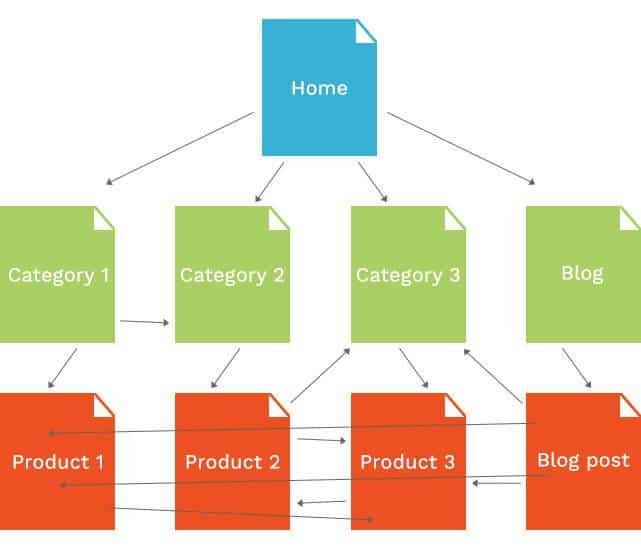
An intuitive website will include the kind of e-commerce SEO factors that Google picks up on when determining its search results. While the placement of keywords throughout the webpage is obviously important, Google does take other features into consideration, including the internal linking signals which indicate good site navigation, as well as better behavioral signals from users, like click-through rates and personalized options.

Sitemap

Source

Examples of Intuitive Websites

Again, there is no set way to create an intuitive website. There are thousands of little ways that your site can offer an intuitive experience, but these examples can give your team inspiration and ideas for your own strategies.

The Mountain is an online retailer that sells items like t-shirts, mugs, and hats while being incredibly committed to creating a sustainable, environmentally-friendly business. They use recycled materials and water-saving strategies during production while simultaneously raising awareness for issues such as endangered species and social issues through their product designs. What makes their website truly intuitive is how personalization is woven throughout the shopping process. Even their CTA buttons are phrased in ways that make it personal, inviting customers to “Shop Spring Arrivals” or even create your own product on the “My Mountain” page. On the back end, The Mountain segments their audiences and offers customized promotions depending on that customer’s behavior, such as sending out loyalty perks.

Mountain Website

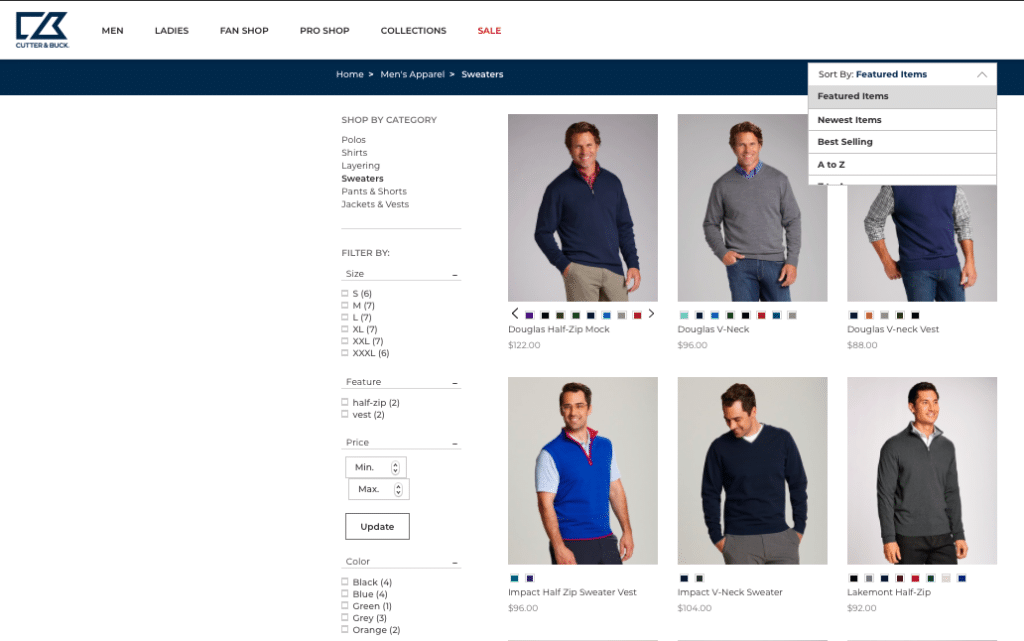
Cutter and Buck uses intense data analysis to provide a personalized and intuitive shopping experience for sports and outdoors gear. Everything about the website is straightforward and simple; it is easy to navigate and the check-out process is super quick. Its unique “choose-your-own-adventure” layout with numerous filtering options and collections is smart and allows customers to find exactly what they are looking for.

Cutter Buck Website

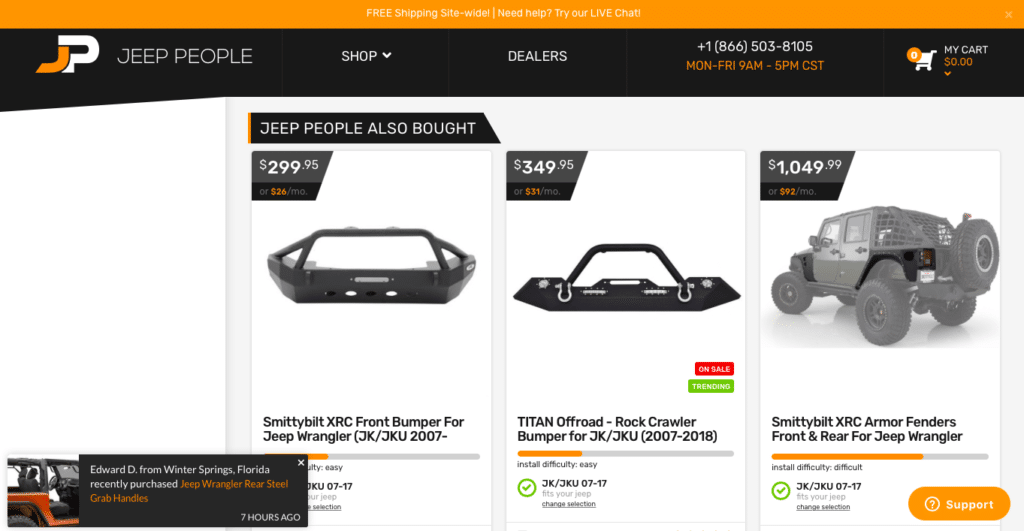
Another key factor of an intuitive website is transparency and trustworthiness. Your customers want to know as much information about your products and business before they make a purchase, and the car part e-commerce company, JeepPeople does this perfectly with their website. The shopping experience is customized right off the bat by selecting your exact make and model of Jeep before browsing any parts. From there, each piece is rated in terms of install difficulty and star rating. They also offer some great additional features like monthly payment plans, live chat, and product recommendations based on other customer’s purchases.

Jeep People Website

5 Tips for Creating an Intuitive E-Commerce Website

In order to create a better website that is intuitive and optimized, there are some features that will support an overall experience that pleases customers, keeps them engaged, and urges them towards a purchase.

1. Include a Visible Search Bar and Shopping Cart

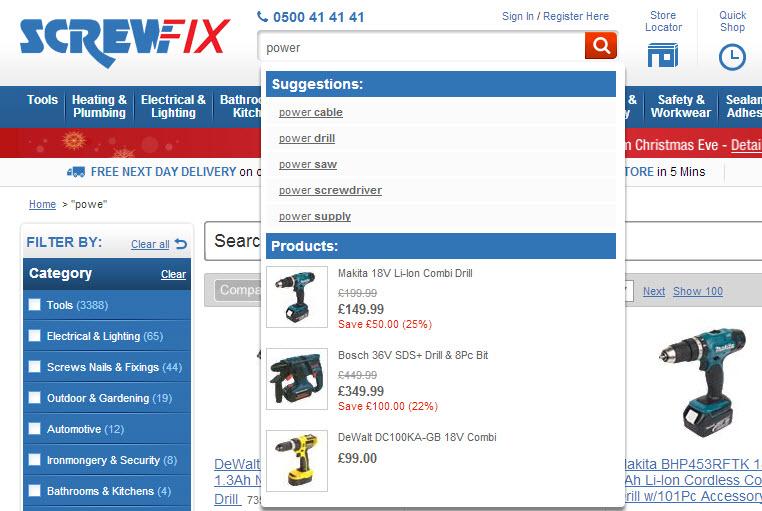
It is extremely frustrating to encounter a website that requires you to dig through all of its content to find what you want. While some of your customers may come to your website to browse through your selection, in general, most have a specific item or product in mind that they are looking for. Adding in a highly visible search bar (typically at the top of the page) is almost a required feature to include these days. Make sure that it still offers a pleasant experience by not only showing exact results, but also displays related keywords or suggestions to help customers find what they’re looking for.

ScrewFix

Make sure that the shopping cart is clear and accessible at all times, no matter where your customers are on your site. A good design rule here is to make sure that the top bar remains immoveable as your visitors scroll down the page so they are always a simple click away from checking out.

2. Maintain Uniform Navigation

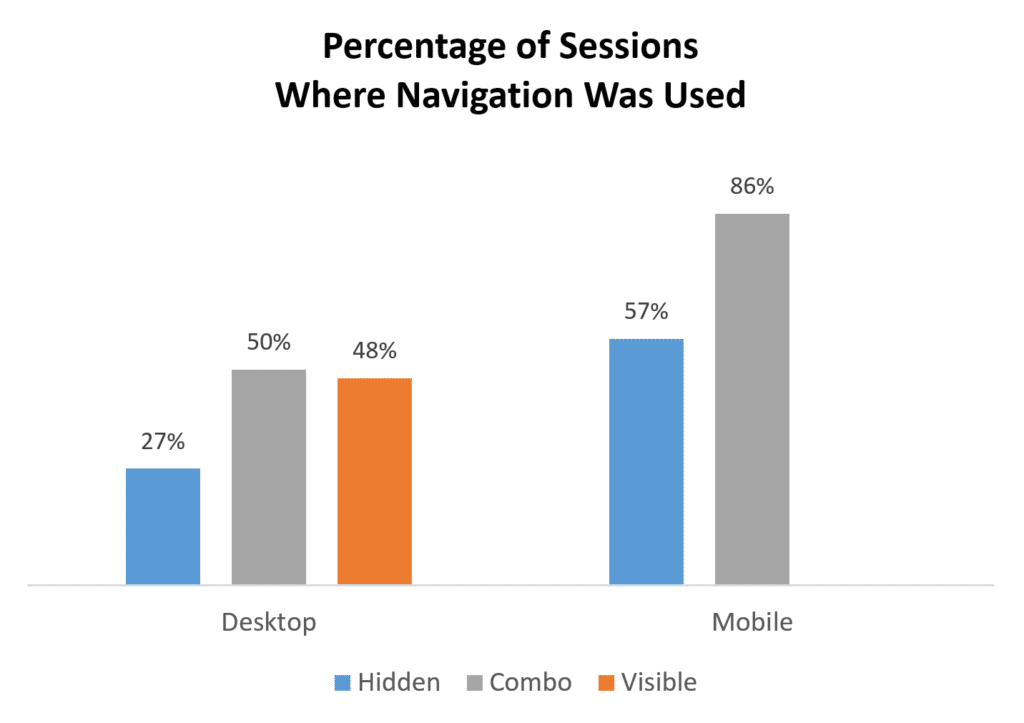
One of the top reasons why a customer will immediately leave a site is if the navigation is unclear or confusing. Furthermore, having a hidden or partially visible navigation bar can hurt your website’s UX, too – since according to NNGroup’s study, if it takes a longer time for customers to locate, it’s more difficult to discover content, and it is considered far less effective. However, this study did find that having a combination of hidden and visible navigation was used more often, especially by mobile shoppers.

Navigation Stats

One of the keys to intuitive web design is simplification. It should be as easy as possible for people to make their way through your website, so your navigational tabs should support their journey. Be sure that your mobile website matches up, too, as many shoppers may interact with both formats.

3. Streamline the Mobile Interface

Half of customers are now shopping from their phones, but only about 20% are converting. One of the reasons that this number is so low is due to the fact that many are experiencing terrible UXs from e-commerce retailers when it comes to the small screen.

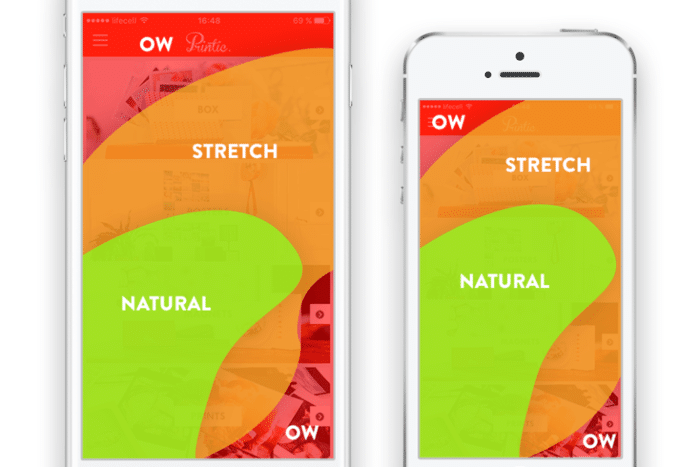
Obviously, a mobile optimized site will not be able to include all of the bells and whistles that a desktop version can, at least not in the same layout. On mobile screens, a combination of navigation bars is acceptable so that it does not take up a majority of the screen. Visuals need to be simplified with CTA buttons that are large and highly visible throughout the process. Simplify the shopping process and make sure that the majority of important content is within the natural or slight stretch zone on a phone screen for easy scrolling.

Thumb reach

4. Use Visuals for Easier Decision Making

You want your customers to be compelled to make a speed decision to purchase, so one of the best ways to capture their interest and convince them to convert is by focusing on visual elements. The more visual content that your product page features, the better. Including 360 views or even videos of each item will give your customers a better experience because it allows them to “interact” with the product virtually. Adding in user-generated content, like customer reviews with photos or social posts, can be beneficial here too, because these visuals can build trust and answer product questions that the visitor may have.

5. Give Users What They Want

In the end, intuitive design boils down to giving your customers the experience that they want. Following generalizations and looking at studies and reports is certainly a good start, but in order to create a truly unique experience for your specific customers, you will need to listen to them.

Go over your business’s data metrics on visitor behavior thoroughly and often. See how your customers are interacting with your website, what is causing them to disengage, and what their common complaints are. If you are still unclear of what your audience is looking for, don’t be afraid to ask. Conducting market research through surveys or questionnaires can get your design team on the right path.

Conclusion

Building your own website is a huge under-taking, but creating an intuitive one is another challenge all-together. Every detail must be scrutinized and each feature needs to be optimized in order to create a better UX that will please your customers.

Manish Dudharejia is the President and Co-Founder of E2M Solutions Inc, a San Diego Based Digital Agency that specializes in Website Design & Development and eCommerce SEO.